problem: I can’t figure out how to deploy a agent plugin.
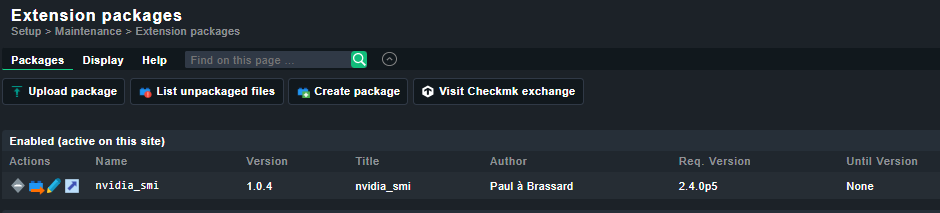
I downloaded from CheckMK Exchange and enabled the nvidia_smi plugin, it shows now:
SAL@lnzcheckmk01:[~/nvidia-smi-plugin]\> mkp list
Name                Version Title                     Author          Req. Version Until Version Files State
------------------- ------- ------------------------- --------------- ------------ ------------- ----- -------------------------------
nvidia_smi          1.0.4   nvidia_smi                Paul à Brassard 2.4.0p5      None          4     Enabled (active on this site)
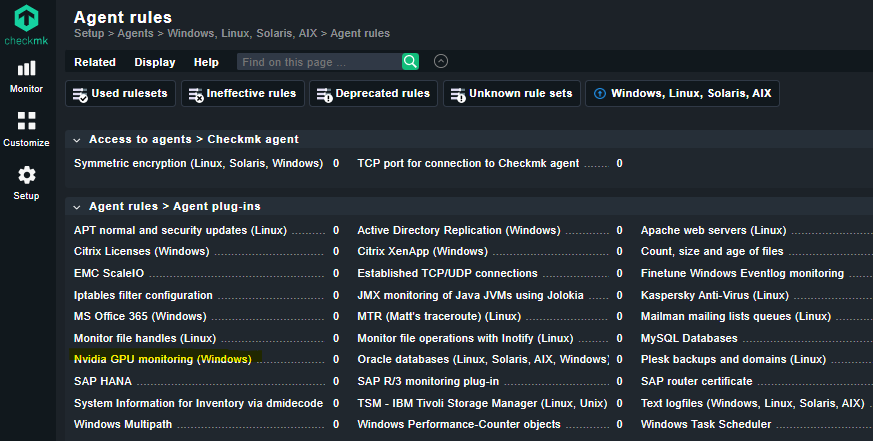
eg. I see here a pre-defined nvidia GPU monitoring for Windows in Agent plug-ins.
How can I have the same for Linux, and deploy this to specific nodes?
I’m searching for a menu point like create agent plugin rule…
alright thanks. The given installer script from the developer already put the needed plugin files on the checkMK server in the proper places, so in that case I see this already:
SAL@lnzcheckmk01:[~/nvidia-smi-plugin]\> ls $OMD_ROOT/local/share/check_mk/agents/plugins/
etxsvr-check*  nvidia-smi*
After installation, the plugin will be available in the CheckMK Agent Bakery:
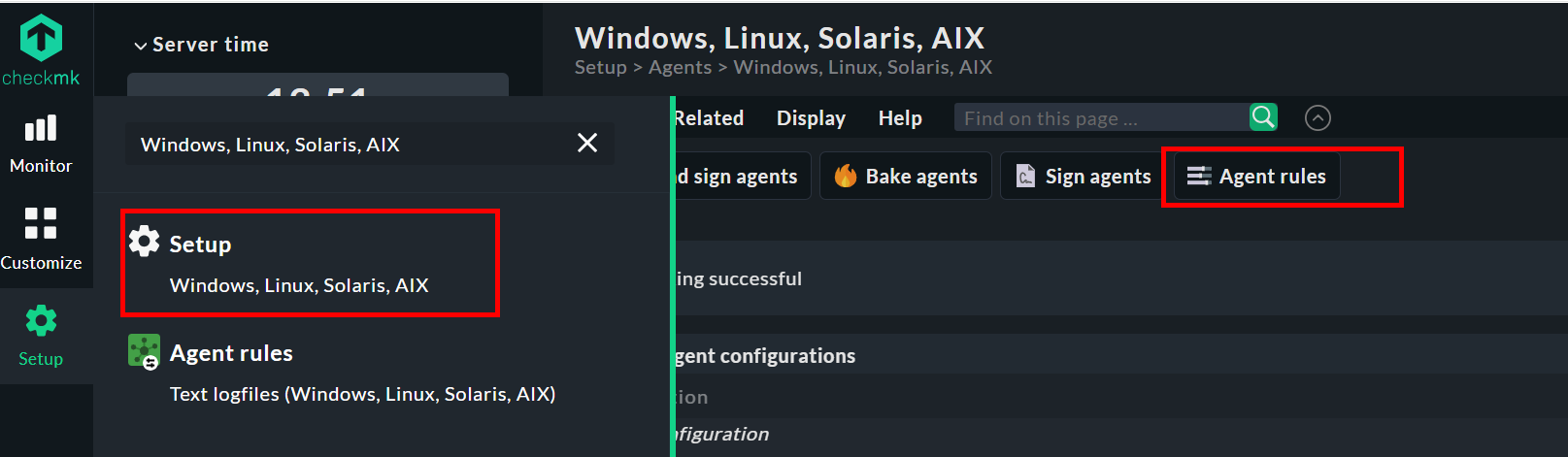
1. Go to Setup → Agents → Windows, Linux, Solaris, AIX 2. Create or edit an agent configuration 3. The nvidia-smi plugin should appear in available plugins 4. Enable it for hosts with NVIDIA GPUs 5. Bake and deploy agents
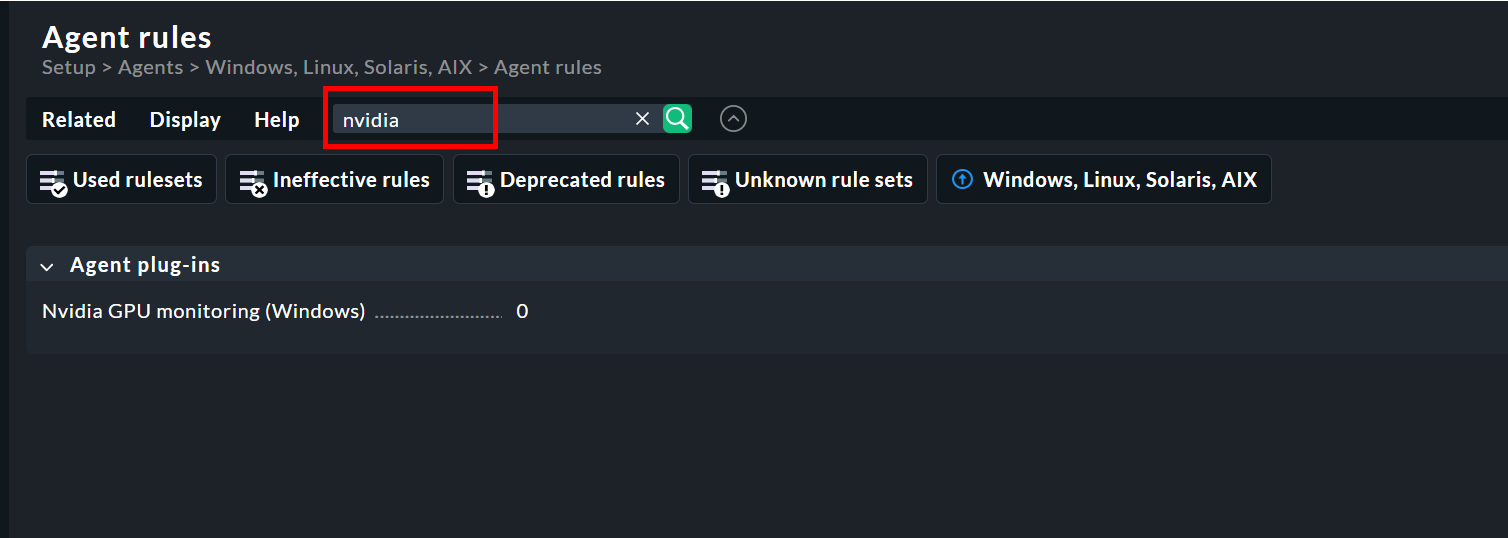
I think the mkp you installed replaces the nvidia_smi.py plugin supplied by checkmk. This means you can use Checkmk’s Backery rules, and since it’s a Python script, it also runs on Linux. Don’t be distracted by the “(windows )” in the rule name.