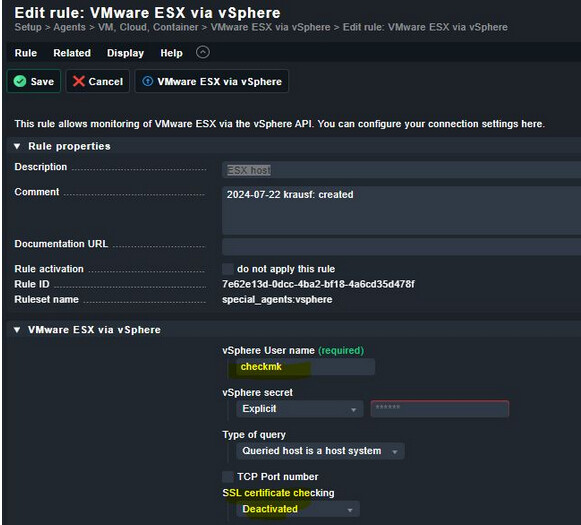
CMK version: 2.2.0p26.cee OS version checkmk Server: CentOS 7
Error message: SSLCertVerificationError: [SSL: CERTIFICATE_VERIFY_FAILED] certificate verify failed: unable to get local issuer certificate (_ssl.c:1006)
I want to monitor ESX host(s).
So I started with th 1st ESX node, but get this error:
SAL@lnzcheckmk01:[~]\> ~/share/check_mk/agents/special/agent_vsphere --debug --user checkmk --secret ****** -D sallesxi01.research.silicon-austria.com | grep -A4 esx_vsphere_objects
...
requests.exceptions.SSLError: HTTPSConnectionPool(host='sallesxi01.research.silicon-austria.com', port=443): Max retries exceeded with url: /sdk (Caused by SSLError(SSLCertVerificationError(1, '[SSL: CERTIFICATE_VERIFY_FAILED] certificate verify failed: unable to get local issuer certificate (_ssl.c:1006)')))
As far as I understand, I have two options now: disable SSL check or import the ESX host certificate.
I opted for option 2.
I’m not sure about cmk 2.2 (I still use 2.1) but have you tried Global settings → Site management → Trusted certificate authorities for SSL?
There you can import CAs either via copy&paste or upload from your local computer or download from an URL.
(Disclaimer: to be honest, everything that has to do with certificates is 98% trial and error (mostly error) to me.)
This topic was automatically closed 365 days after the last reply. New replies are no longer allowed. Contact an admin if you think this should be re-opened.





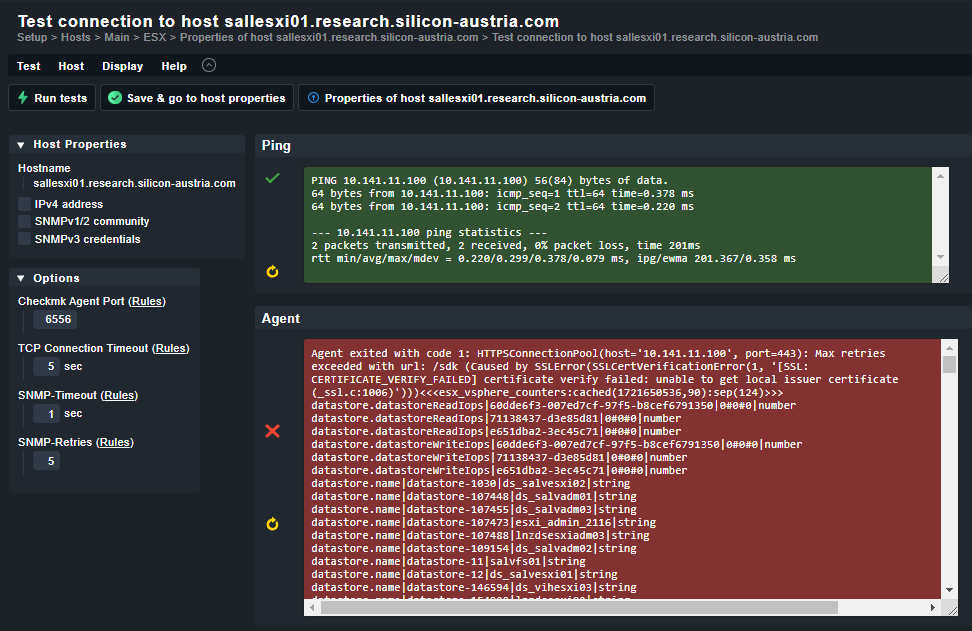
 this stupid certificate error.