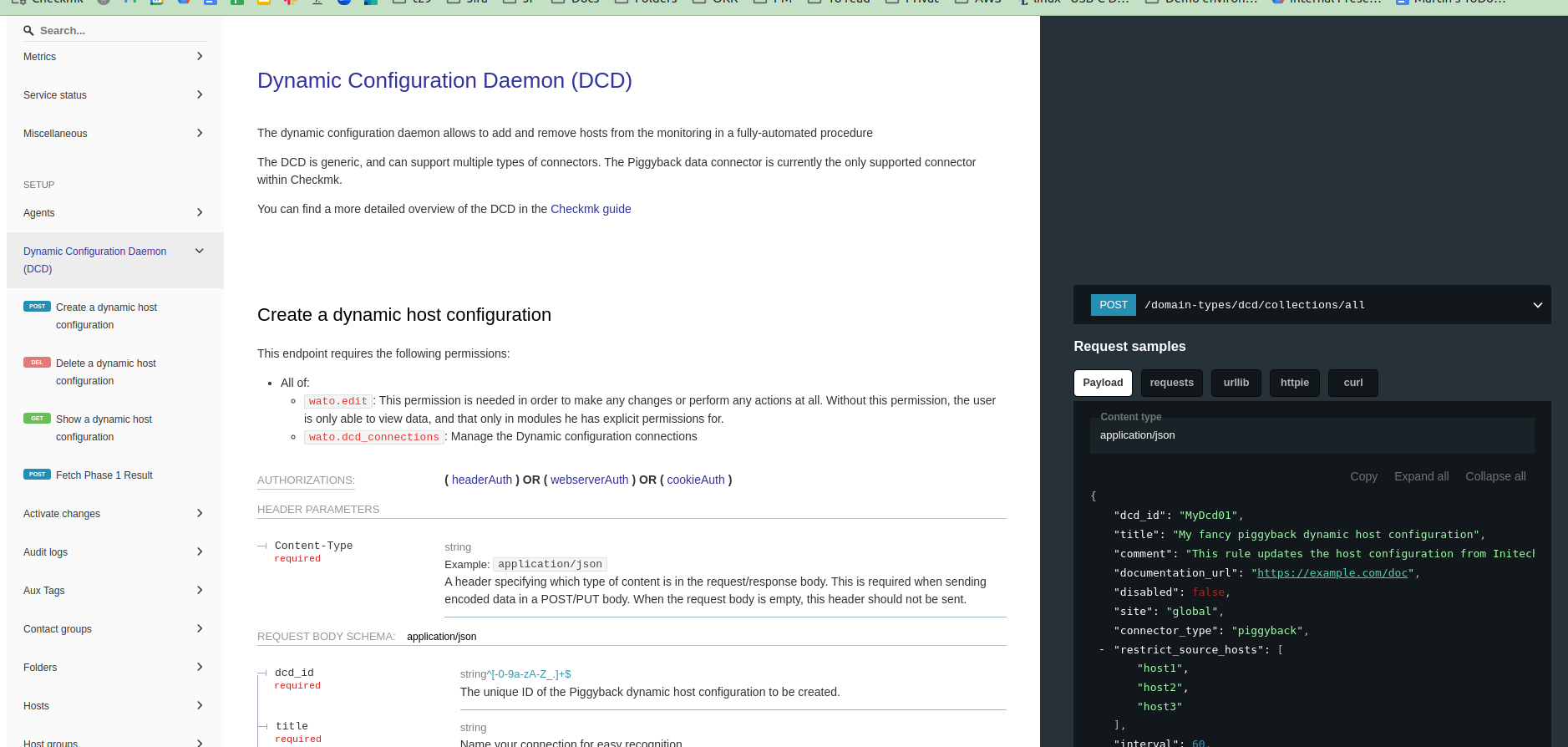
Experts, could some one provide the rest uri for creating a new connection under Dynamic Host Management. I don’t see the rest documentation for the same.
I am running on - Checkmk Enterprise Edition 2.1.0p23
I’m also looking for this feature.
Is it not implemented yet?
Using checkmk 2.2.0p11 enterprise version
I’ve tried the following
curl -X 'POST' \
  --header "Authorization: Bearer $USERNAME $PASSWORD" \
  "$API_URL/domain-types/dcd/actions/fetch_phase_one/invoke" \
  -H 'accept: application/json' \
  -H 'Content-Type: application/json' \
  -d '{
  "site_id": "cmk",
  "connection_id": "dhc_test"
}'
however it failed with:
{“title”: “An exception occurred.”, “status”: 500, “detail”: “You are not logged into the remote site.”}
The same credentials work with other API calls.
sorry for the necro on this thread, but i require the same functionality. I checked the online trial today which is supposedly version 2.3, but it doesn’t have anything for this in the REST API, as far as i can find in its documentation.
So supposedly it doesn’t exist.
What i have found is that there is a file called connections.mk in the following directory:
/omd/sites/<site_name>/etc/check_mk/dcd.d/wato/
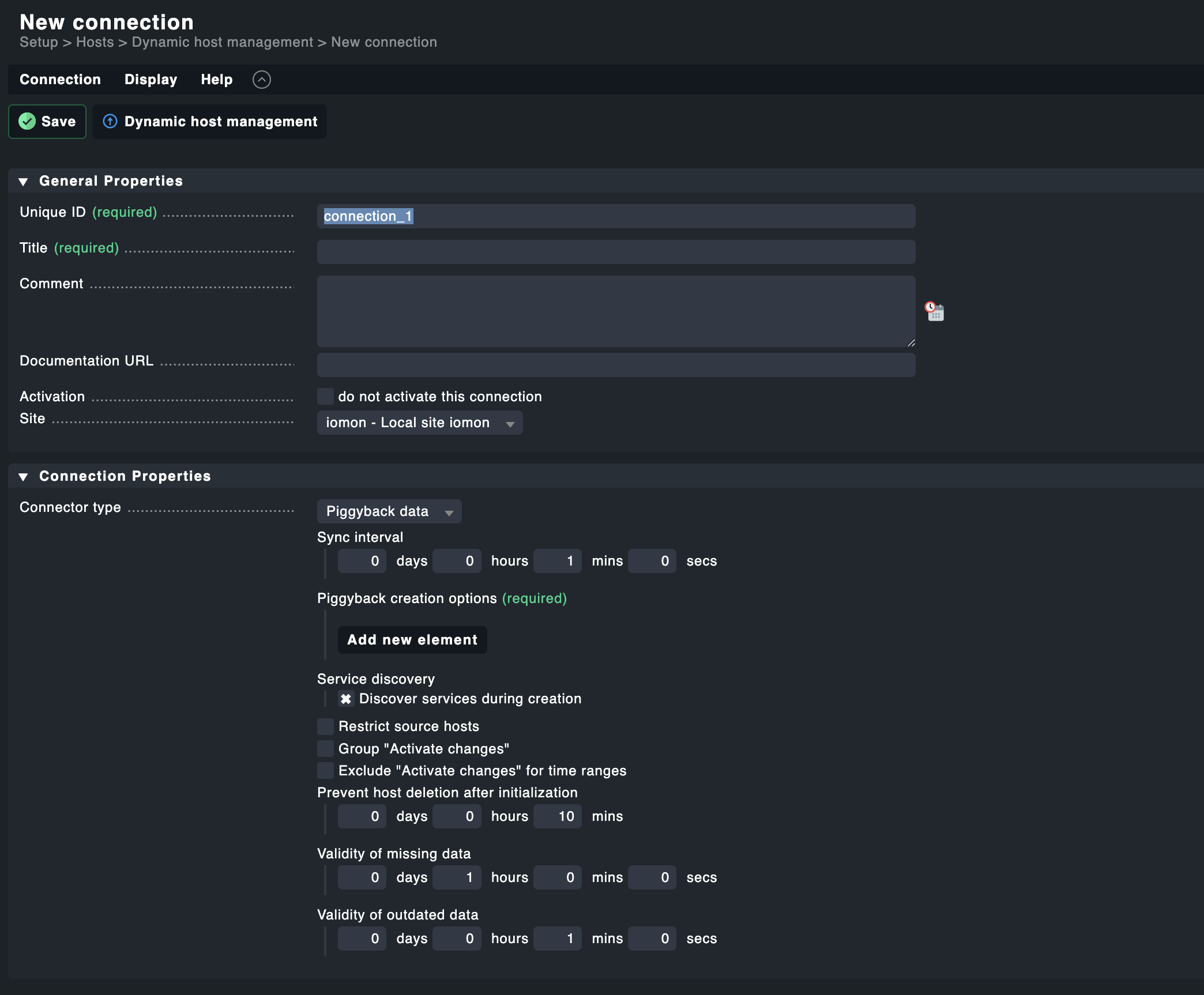
Here you can define everything that you can using the screen Setup > Hosts > Dynamic host management > New connection as in the screenshot.
However, this apparently is not the whole story, because in Setup > Hosts > Dynamic host management, it will now show the error message connection x doesn’t exist under Status.
To fix this you would need to edit the new entry, and save it.
Then you can apply changes and it works as expected.
So on the background something else happens in conjunction with setting up the connection in connections.mk.
If someone has found out what to do in addition to adding the new connection in the file, then i’d be very happy, as i’d want to create it without a user needing to manually fix the entry.
Thanks!
You just made my day.
2 Likes
This topic was automatically closed 365 days after the last reply. New replies are no longer allowed. Contact an admin if you think this should be re-opened.