Hi together,
im looking for a solution how to change to default Icon for PDF Reports. Best way would be just changing the Logo on the top without having to crate new reports.
Is there any way to archive that?
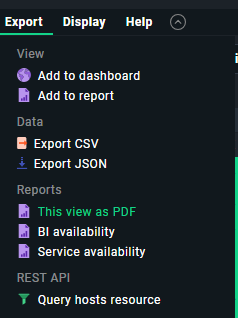
And also maybe someone can explain, how to add an additional Report for “This view as PDF”.
if i clone this report and execute it in an View, the PDF is without any content.
Thank you @ChristianM sometimes im blind
I read this documentation many times but always missed this little sentence in 5.4
Should i open another post for the second question? Here i still have issues:
And also maybe someone can explain, how to add an additional Report for “This view as PDF”.
if i clone this report and execute it in an View, the PDF is without any content.
This topic was automatically closed 365 days after the last reply. New replies are no longer allowed. Contact an admin if you think this should be re-opened.