I have not seen it integrated with Checkmk yet.
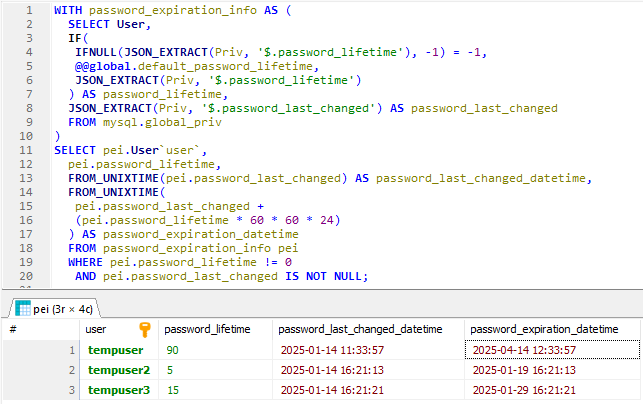
But in my case that I use mariadb on the web it provides a query to get this data.
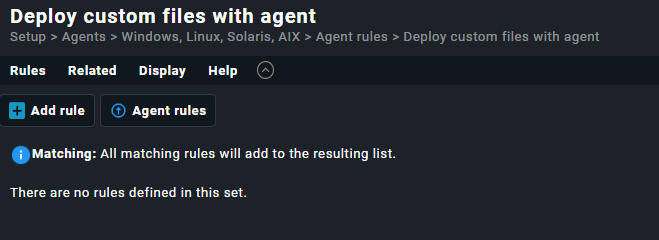
you could modify the output to generate a localcheck and if you need to put it in several clients you can use the “deploy custom files with agent” option.
#!/bin/bash

# Database configuration
CONFIG_FILE="/etc/check_mk/mysql.cfg"

# Read credentials from configuration file
DB_USER=$(grep -oP '(?<=user=).+' "$CONFIG_FILE")
DB_PASSWORD=$(grep -oP '(?<=password=).+' "$CONFIG_FILE" | sed 's/^"//;s/"$//')
DB_HOST=$(grep -oP '(?<=host=).+' "$CONFIG_FILE")

# SQL query
SQL_QUERY="WITH password_expiration_info AS (
  SELECT User,
  JSON_EXTRACT(Priv, '$.password_lifetime') AS password_lifetime,
  JSON_EXTRACT(Priv, '$.password_last_changed') AS password_last_changed
  FROM mysql.global_priv
)
SELECT pei.User AS user,
  pei.password_lifetime,
  pei.password_last_changed AS password_last_changed_datetime
  FROM password_expiration_info pei
  WHERE pei.password_lifetime != 0
   AND pei.password_last_changed IS NOT NULL;"

# Execute the query and display the results
output=$(mysql -u "$DB_USER" -p"$DB_PASSWORD" -h "$DB_HOST" -B -N -e "$SQL_QUERY" mysql)

echo "$output" | while read -r user password_lifetime password_last_changed_datetime; do
        until=$(date -d "$(date -d "@$password_last_changed_datetime" +'%Y-%m-%d %H:%M:%S') $password_lifetime days" +'%Y-%m-%d %H:%M:%S')
        password_last_changed_datetime=$(date -d "@$password_last_changed_datetime" +'%Y-%m-%d %H:%M:%S')
        echo "0 Life_time_$user - Days of life: $password_lifetime Last change: $password_last_changed_datetime End of life: $until"
done
having configured the sql monitoring plugin checkmk displays a .cfg file where the credentials are found, (line 4 of the script)
Thank you for an extended reply! This is more or less what I am looking for.
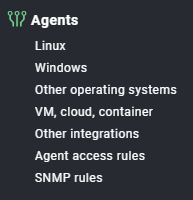
However I cant find the Agent rules on our host. I see you go through Setup → Agents → Windows, Linux, Solaris, AIX. However this is how our look, running raw edition 2.3.p18
Are you using raw edition or enterprise, and which version are you running on?
Just trying to find where to add the script.
t is true, the raw version does not allow custom checks to be deployed via agent backery but local checks do work.
here the only possible solution is to manually deploy the check script in the directory “/usr/lib/check_mk_agent/local”.
maybe to do this you can run a tool that allows you to run multiple ssh windows and execute the same command, for example movaxterm allows this or perform this operation through ansible
This topic was automatically closed 365 days after the last reply. New replies are no longer allowed. Contact an admin if you think this should be re-opened.