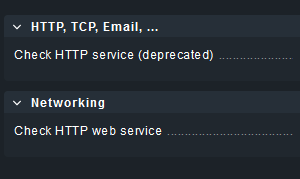
I am trying to monitor a specific web page using the check HTTP service. This by retrieving a specific value from the source code. Now I am running into the fact that it gives several messages: 400 Bad Request “ not found”. Unfortunately I’m not allowed to share the actual page, so I’ll use the following public case as a reference.
Use SSL/HTTPS for the connection: Use SSL with auto negotiation
Fixed string to expect in the content:
HTTP Method: Get (But using it or not doesn’t seem to make a difference).
For the administration, I also filled in the: Explicit hosts & Rule properties.
Can anyone help me with this issue. Am I missing the obvious one thing?
Thanks in advance
Thank you Michael for your kind words!
We are currently on an older version: *CheckMK (Enterprise) Edition 2.1.0p40 This is not yet an option in this version (at least not for me).
Additionally, I noticed that I forgot to add some information in the original post:
This topic was automatically closed 365 days after the last reply. New replies are no longer allowed. Contact an admin if you think this should be re-opened.