we’re about to use Checkmk for checking internal systems, but I am struggling on getting a service check for Docker working.
What I want to achieve is, that the service check for “Docker containers” will switch to WARN,
if the amount of running containers is 4 or below.
And it should go to CRIT if the running containers are dropping to 3 or below.
Should be easy, I thought. Well, doesn’t seems so.
Here’s what I did to achieve my goal:
Install the Checkmk agent on my host
Place the mk_docker.py plugin in the correct folder (/usr/lib/check_mk_agent/plugins)
Change the permissions, added the rights to execute the file
Placed the docker.cfg in /etc/check_mk/
Added the host in Checkmk and waited for all services to appear
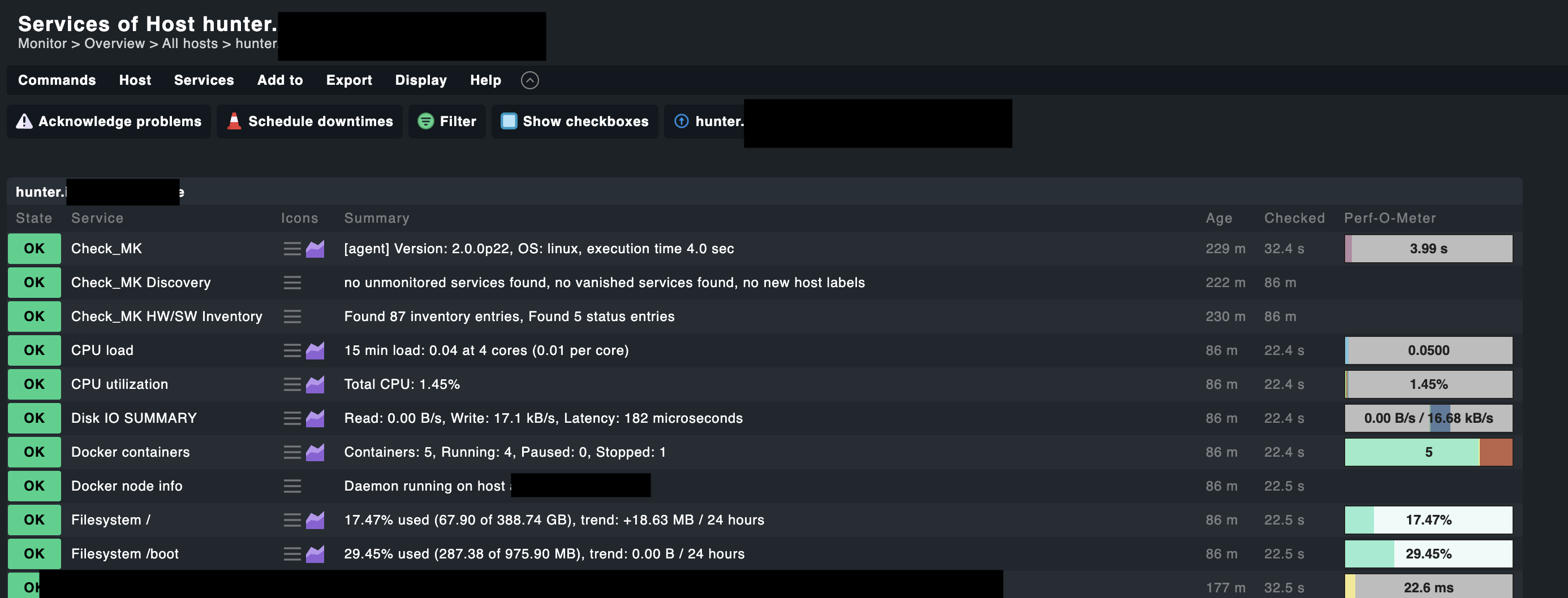
All services appeared, the Docker container status could be read: Containers: 5, Running: 4, Paused: 0, Stopped: 1
This is what I did next:
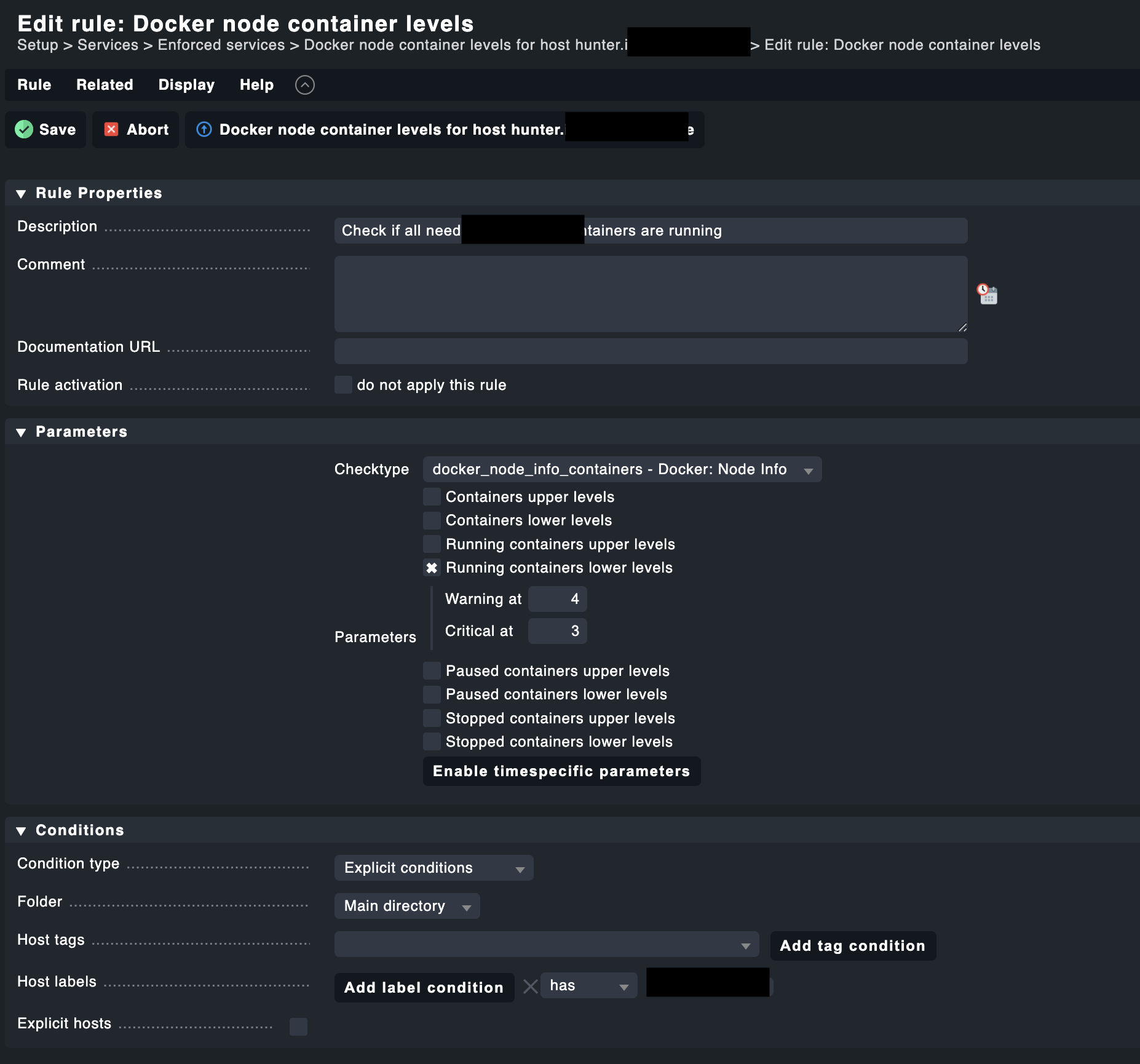
Created a new Enforced Services rule for Docker node container levels
Set the Running containers lower levels to Warning at 4, Critical at 3
Adjusted the conditions to my needs
Saved and activated the changes
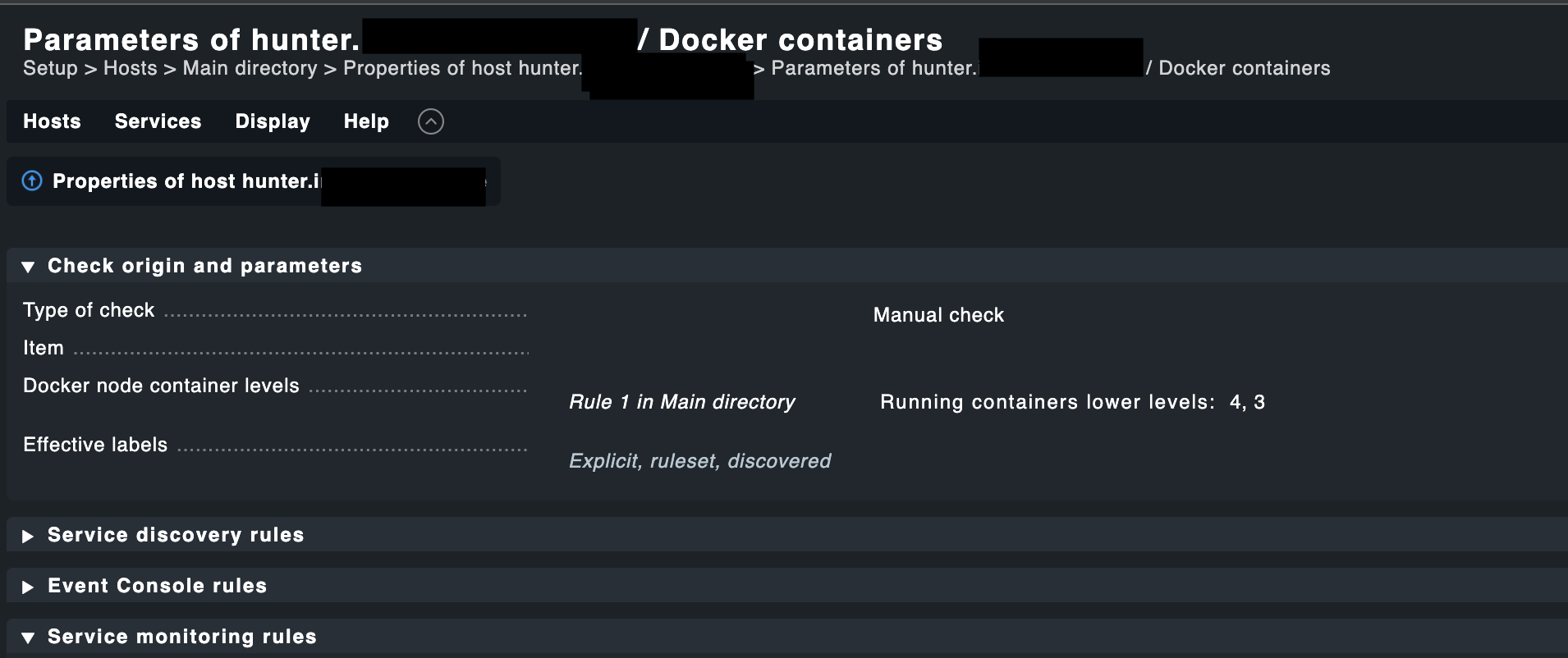
The rule is being applied for the host, I checked that. But the status does not change.
There is currently one container down. So it should switch to WARN.
Or did I miss anything?
I’m on Checkmk Raw 2.0.0p22. Installed on a Ubuntu 20.04.
with these settings it should go warning if there are less then 4 running conainers and critical if there are less than 3 running containers.
Just play with the numbers und look at the result. Or stop another container.
The way you set it up is correct.
I was thinking about this, too.
I was already playing around with the numbers, lowering them in steps down to 2 (WARN) and 1 (CRIT).
No changes.
I also switched the conditions around and used “Stopped containers upper level” with WARN at 1 and CRIT at 2. This at least triggered a CRIT.
But even at 1 stopped container, the status changed to CRIT. Omitting WARN completely.
I’ve played with the numbers here as well, without any good result:
The service details of my last screenshot brought me on the right path. It says “warn/crit below 1/2”.
I’ve changed everything to “Stopped containers upper levels: 1, 2” and its working correctly now.
It seams that the wording here is wrong, maybe a bug?
If I store the values in the upper levels, then they behave as I would have expected from the lower levels. Say if less than x containers are running then a warning is generated.
In my tests, the two points lower levels and upper levels were swapped.
This topic was automatically closed 365 days after the last reply. New replies are no longer allowed. Contact an admin if you think this should be re-opened.