We are currently using Checkmk Managed Services Edition 2.1.0p24.
We are in the process of creating a dashboard for general overview.
One part of it should display only customers where a problem exists. We have used the built-in view “Customers” as a template. Unfortunately, we cannot configure a filter there to exclude customers without problems.
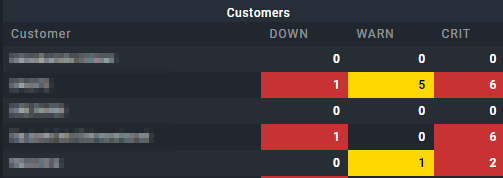
In the screenshot, the first and third entries should be filtered out because they have 0 problems. Is such filtering possible? If yes, how can it be implemented?
In this view there is neither a column “total problems” nor the possibility to exclude/filter customers without current problem.
This topic was automatically closed 365 days after the last reply. New replies are no longer allowed. Contact an admin if you think this should be re-opened.