How to customize a check graph?

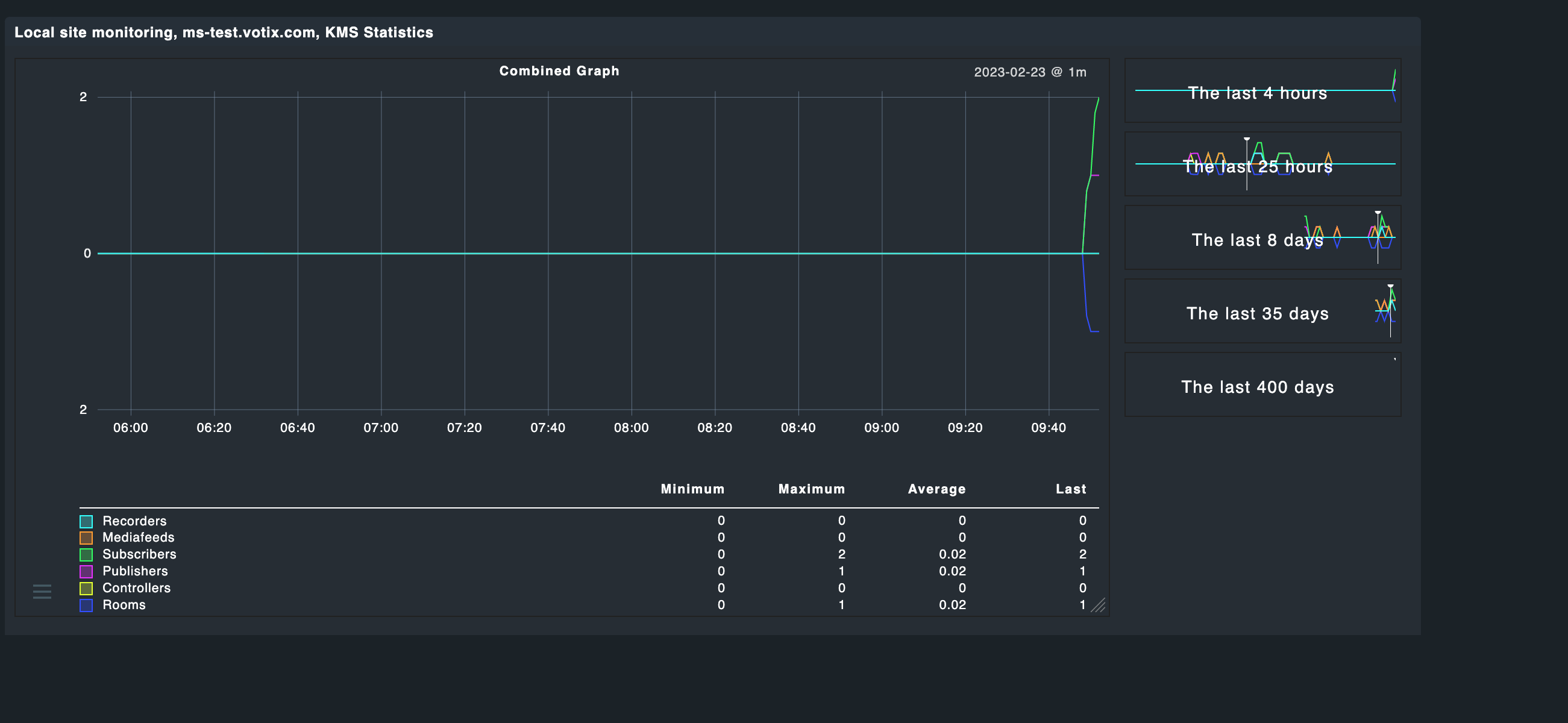
This is my graph:

It is built from a combined display of 6 integers over time. I can’t really cope with “average” and “maximum” and stuff, since these values are just integers. Also - the round flanks of the graph don’t make any sense to me. Each value cannot be a float, that doesn’t make sense.

For instance: At around 18:04 the system encountered 1 for all counters, except “Recorders”. The graph looks like as if this appearance followed some mathematical function (what it didn’t). They all were 0 then 1 the 0 again.

How can I picture this in the graph? (Besides of the question, how to make the overlaps more visible?)

I assume your graph is showing the average.
Instead I would try to show the maximum values.
You may use custom graphs but might be also possible in the graph definition.

Yes, this might be the case. I’m running the free version of CMK, I think there is no way to configure the graph.

Maybe there is one in the metrics definition?

Looks like so at the moment:

metric_info["rooms"] = {
    "title": _("Rooms"),
    "unit": "count",
    "color": "#334FFF",   # blue
}

metric_info["controllers"] = {
    "title": _("Controllers"),
    "unit": "count",
    "color": "#E3FF33",   # yellow
}

metric_info["publishers"] = {
    "title": _("Publishers"),
    "unit": "count",
    "color": "#E633FF",   # magenta
}

metric_info["subscribers"] = {
    "title": _("Subscribers"),
    "unit": "count",
    "color": "#33FF64",   # green
}

metric_info["mediafeeds"] = {
    "title": _("Mediafeeds"),
    "unit": "count",
    "color": "#FF9C33",   # orange
}

metric_info["recorders"] = {
    "title": _("Recorders"),
    "unit": "count",
    "color": "#33FFFC",   # turk
}


graph_info["combined"] = {
  "title": _("Combined Graph"),
  "metrics": [
    ("rooms", "-line"),
    ("controllers", "line"),
    ("publishers", "line"),
    ("subscribers", "line"),
    ("mediafeeds", "line"),
    ("recorders", "line"),
  ]
}


Yeah docu is not complete and dont discuss all options.
@Tribe29 Please improve

I found a default metric which might match you needs. Try to copy to local structure and attach to your needs.

lib/check_mk/gui/plugins/metrics/licenses.py

Myself didnt workes so much with this stuff so I cannot help so much.

I hope it helps to solve your problem.

Hmm. No that literally doesn’t change much.

I have entered one room, fired up a publisher, followed by a subscriber. One minute later I got this:

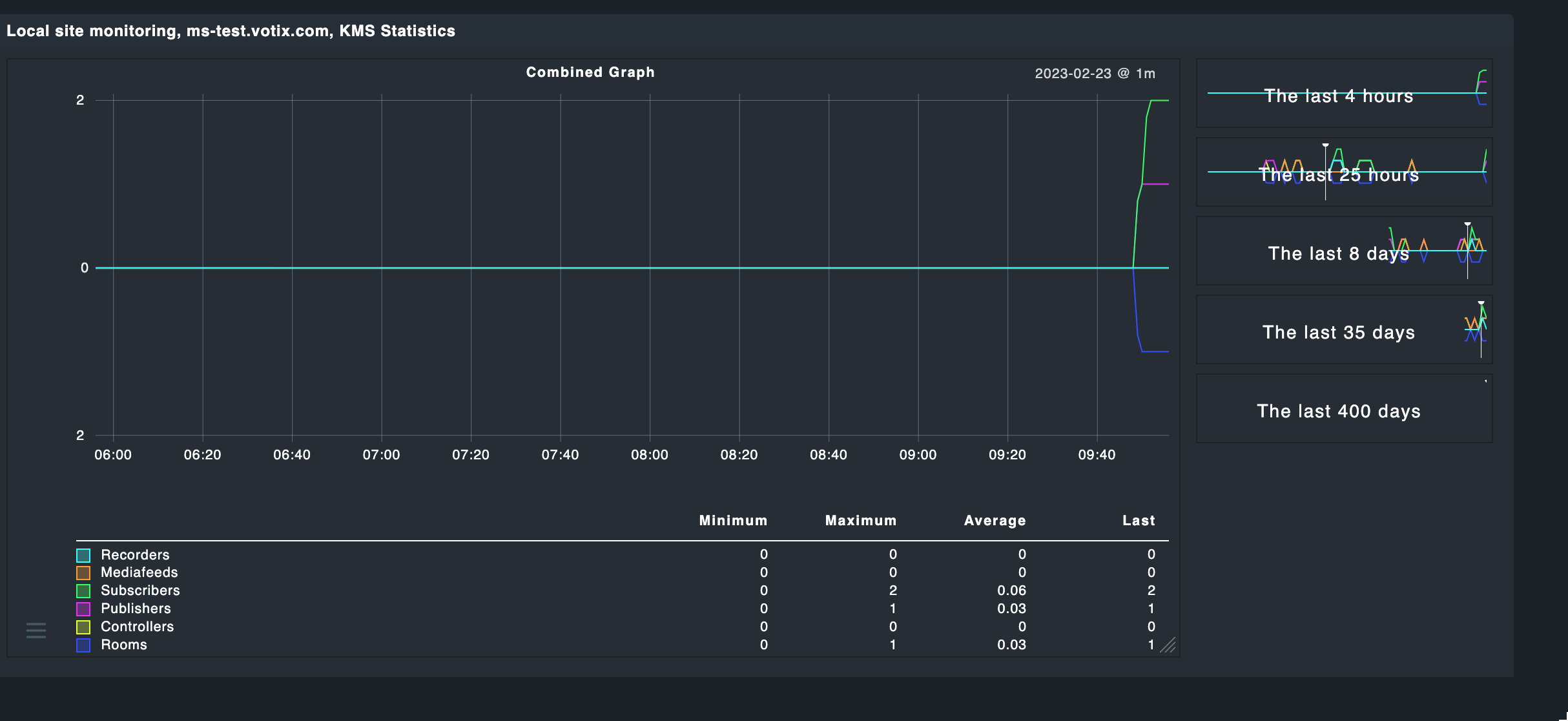
Then I added a second subscriber. One minute later the graph told me, that I would have “1.8” subscribers running (sigh!). After two minutes (after the following update) it at least made more sense, but honestly…

Meanwhile it looks like so:

But the averaging and the general curved display for discrete values puzzles me much :slight_smile:

Probably Last may be the better value.
Sorry I cannot help further with metric definition files. I just can browse through official code but have no time yet to play with it.
Looking forward to see your solution.

Thanks for your patience, but this doesn’t all change anything. I also found the mqtt metrics coming very close to what I have in mind, but I don’t have an mqtt server which I could observe.

This topic was automatically closed 365 days after the last reply. New replies are no longer allowed. Contact an admin if you think this should be re-opened.