Hi
I have checkmk enterprise and want to monitor the exchange queues. Is there a how to or a documentation about it?
What I did: I created a Service discovery rule > queue names rule:
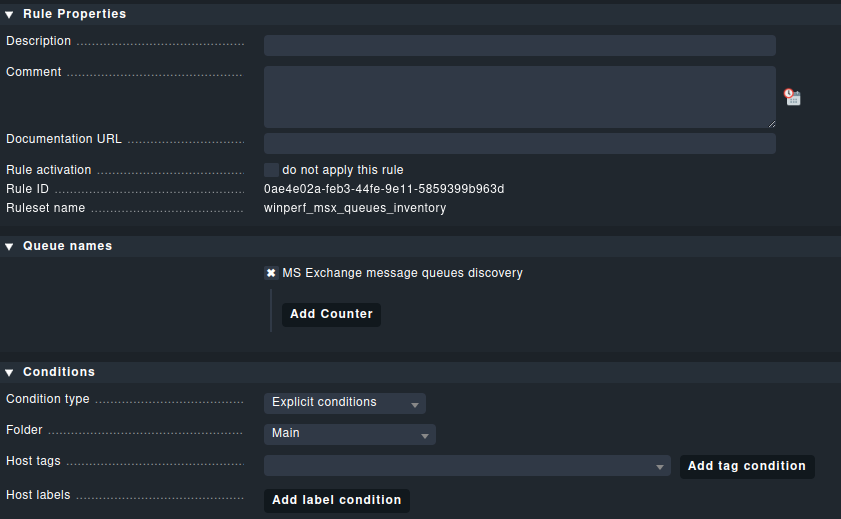
and defined the exchange server as explicit host.
As result I get: check failed - please submit a crash report! (Crash-ID: 9cb2b1a8-4247-11ee-bde8-005056a8dc43)
Agent output:
<<<winperf_msx_queues>>>
1692856920.39 42088 10000000
6 instances: total_excluding_priority_none none_priority low_priority normal_priority high_priority _total
2 0 0 0 0 0 0 rawcount
4 0 0 0 0 0 0 rawcount
6 0 0 0 0 0 0 rawcount
8 0 0 0 0 0 0 rawcount
10 0 0 0 0 0 0 rawcount
12 0 0 0 0 0 0 rawcount
14 0 0 0 0 0 0 rawcount
16 0 0 0 0 0 0 rawcount
18 0 0 0 0 0 0 rawcount
20 0 0 0 0 0 0 rawcount
22 0 0 0 0 0 0 rawcount
24 0 0 0 0 0 0 rawcount
26 0 0 0 0 0 0 rawcount
28 0 0 0 0 0 0 rawcount
30 114029 0 52006 62023 0 114029 rawcount
32 114029 0 52006 62023 0 114029 counter
34 114029 0 52006 62023 0 114029 rawcount
36 114029 0 52006 62023 0 114029 counter
38 0 0 0 0 0 0 rawcount
40 0 0 0 0 0 0 rawcount
42 0 0 0 0 0 0 rawcount
44 0 0 0 0 0 0 rawcount
46 0 0 0 0 0 0 rawcount
48 0 0 0 0 0 111151 rawcount
50 0 0 0 0 0 111151 counter
52 0 0 0 0 0 111151 rawcount
54 0 0 0 0 0 111151 counter
56 0 0 0 0 0 0 rawcount
58 0 0 0 0 0 0 rawcount
60 0 0 0 0 0 0 rawcount
62 0 0 0 0 0 0 rawcount
64 0 0 0 0 0 0 counter
66 0 0 0 0 0 0 rawcount
68 0 0 0 0 0 0 rawcount
70 0 0 0 0 0 0 rawcount
72 0 0 0 0 0 112618 rawcount
74 0 0 0 0 0 112618 counter
76 0 0 0 0 0 38 rawcount
78 0 0 0 0 0 0 rawcount
80 0 0 0 0 0 0 rawcount
82 0 0 0 0 0 0 rawcount
84 0 0 0 0 0 0 rawcount
86 0 0 0 0 0 100 rawcount
88 0 0 0 0 0 0 rawcount
90 0 0 0 0 0 0 rawcount
92 0 0 0 0 0 13 rawcount
94 0 0 0 0 0 0 rawcount
96 0 0 0 0 0 0 rawcount
But i don’t know what to do with this information. Do I have to config more and other settings?