I want to monitor a syslog server which is listening on UDP port.
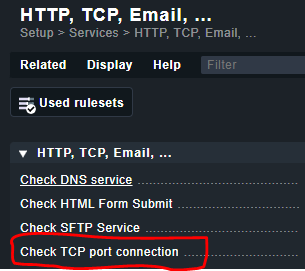
take a look here:
This option “Monitor specific TCP/UDP connections and listeners” is available in Checkmk RAW edition? I couldnt find it.
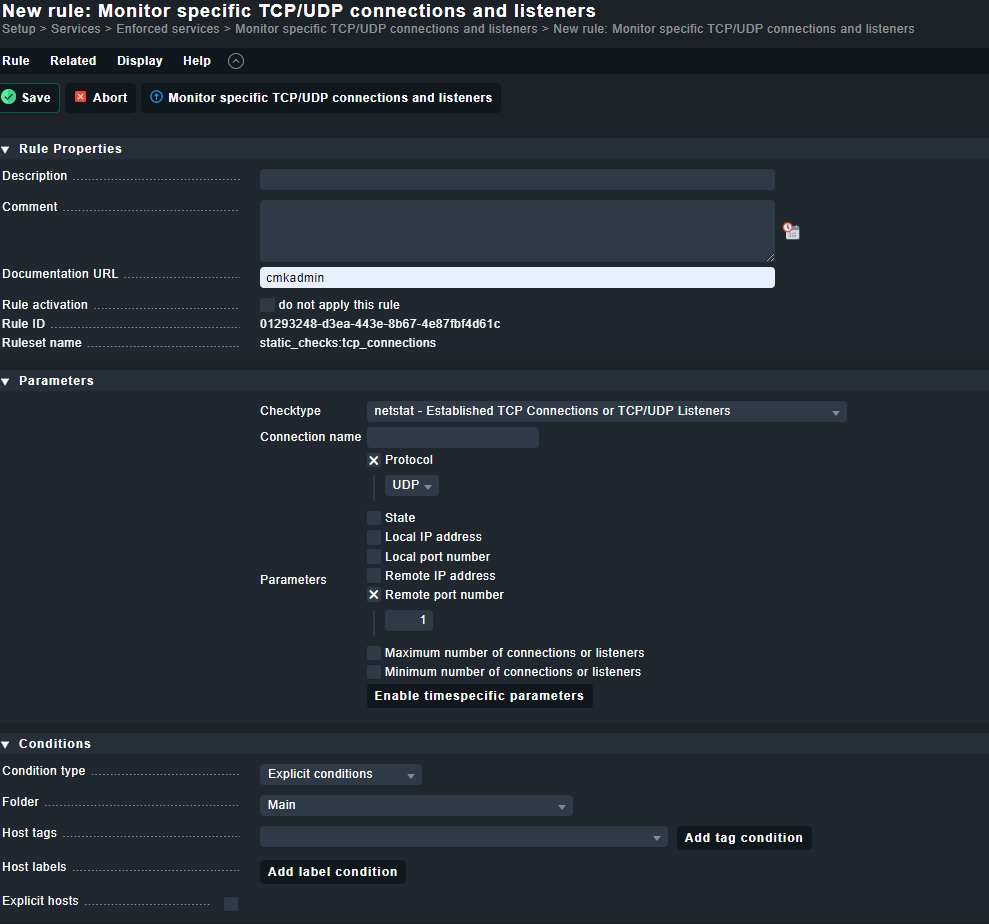
i am looking for something like this for UDP port scan.
not there
here:
setup → Services → enforced services → …

I found this but this one is meant to scan a specific remote ip on UDP port to ensure the remote ip is always listening on xyz UDP port?
so you can check whether the SYSLOG server is listening on port 514 (from the CMK server) or am I misunderstanding you?
You can’t ‘ping’ a UDP port like you can with a TCP SYN packet, so monitoring the port itself is tricky to do anything meaningful (there is a possibility that the OS will send you an ICMP message if you hit a UDP that isn’t listening, but IMHO that’s not a reliable enough way to monitor something). You could check the output of netstat to see if something is listening on that UDP port, but even that doesn’t tell you that the service is actually working.
Since you’re monitoring a syslog service, I’d personally write a script which sends a message to the port and then checks the syslog logs for that message. You can configure the syslog server to write monitoring messages to a different log than the actual log messages go to.
My thinking is that your script would make a random number. Then send a log message saying “Monitoring syslog message: <random_number>”. You then look in the log that syslog is writing into for exactly the line you sent. If it’s not there, maybe keep trying for (say) 10 seconds and then return a warning or critical about the problem if it doesn’t appear (there’s a special format for this - see the ‘writing your own checks’ documentation for details).
Once you have a script running, save it into /usr/lib/check_mk_agent/local/ and the agent will run it and start returning the output to the CheckMK server.
This topic was automatically closed 365 days after the last reply. New replies are no longer allowed. Contact an admin if you think this should be re-opened.