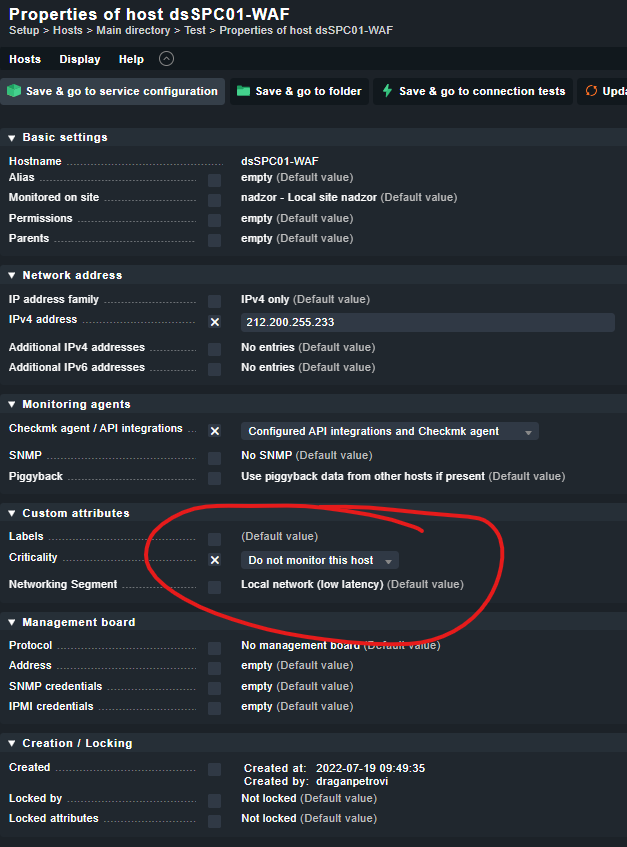
Setting the Criticality to “Do Not Monitor this host” is the correct way to go. If that does not work, you have to Check the ruleset “Hosts to be monitored”.
By default this ruleset contains a rule for All hosts with the aforementioned host Tag.
Thank you for your answer, unfortunately it’s still not working
I modified the rule you mentioned (I already tried it with another tag) but checkmk is still fetching data.
Finally it works, the default rule was wrong (looking for a tag offline). I tried to add another rule before posting here without luck but know it’s working. Probably something wrong with “negative match”.
This time I added 2 rules to add hosts in the set servers matching “production system” and “test system”
This topic was automatically closed 365 days after the last reply. New replies are no longer allowed. Contact an admin if you think this should be re-opened.