I hope my request finds you all well.
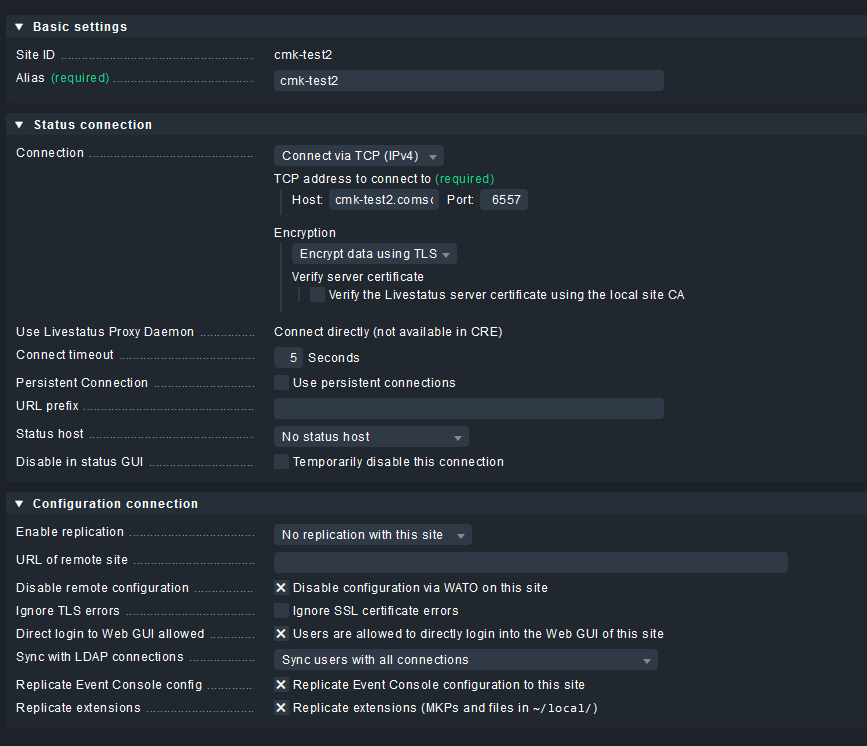
I am running checkmk raw edition 2.2.0p5 with one master and multiple instances (distributed monitoring).
each cmk instance may have one or many sites.
monitored hosts are located in different regions, grouped by environment.
So to monitor hosts located in regionA in dev environment we have a pool of connections(sites) with the following
naming convention:
regionA_dev_1 regionA_dev_2 … regionA_dev_n
we want to use ansible and cmk rest API to automatically add an agent to the monitoring system.
To ensure a better distribution of load between sites in the same region and the same environment,
we need to scrub the number of hosts per site in the same connection pool in order to always provision the least crowded site.
I didn’t found a way in checkmk to get this figures.
Any help is much appreciated.
Hi Alfred,
not sure, if the checkmk raw edition provides the same information, but setup > licensing in the free and cloud edition shows all sites and the number of hosts and services
The raw edition will not give these licensing infos, as there is no license limit.
However, since 2.1 all sites will provide a “Site <name> statistics” service if you monitor the underlying linux with a check_mk_agent.
The performance data of that check will tell you how many hosts are on that site:
however, that will only be sufficient if all hosts (or at least most) create the same load in monitoring, if you use a lot of different special agents / snmp access to devices, it would be better to also look into CPU/Memory resources and the “OMD <name> Performance” service.
Adjacent to the info that was returned i added this to the ‘test’-tab:
var body = JSON.parse(responseBody);
  tests["Count: "  + body.value.length] = true;
The result is i get on the ‘test’-pane the exact number of hosts on/in my setup.
With the right call in Ansible (i assume you are using ansible.builtin.uri) you should be able to register the outcome and achieve the same.
Now as i do not have a multisite-setup i can not determine if this on a per-connection site, but maybe you can test it to see if it does.
i made an example which will reflect the correct number of hosts via an API call in Ansible:
---
- name: URI test
  hosts: localhost
  connection: local
  gather_facts: no

  tasks:
    - name: Make a Native REST call using URI to get information from CheckMK
      ansible.builtin.uri:
        url: https://your_CheckMK-Host/your_site/check_mk/api/1.0/domain-types/host_config/collections/all
        validate_certs: false
        headers:
          Content-Type: "application/json"
          Accept: "*/*"
          Authorization: "Bearer automation your_SuperSecretPassword"
        method: GET
        return_content: true
      register: response

    - debug:
        var: response | json_query('json.value[*].id') | length
I tested setting up a distributed way, and i noticed that if you were to do that an additional host ( host counter+1) is created. (in my case i went from 65 → 66 hosts registered)
This is i guess a consequence of having a standalone test-site monitored by the standalone main site.
As i have not yet examined the output of the api-call i have used in my test i am still unsure as to filtering this ‘duplicate’ out on the main site.
As the (distributed-server-)host showed up in a different section(not seen before) when looking at all hosts i do think there is a distinct feature where i should be able to filter on, and thus exclude it.
This topic was automatically closed 365 days after the last reply. New replies are no longer allowed. Contact an admin if you think this should be re-opened.