How to set up different port in Checkmk

Hi All,

I knew there was an old topic about Add Host different port and been answered in April 2019.
The answer was to create rule set “TCP port for connection to Chec_MK agent”
How I do that? create rule set TCP port? Is this under host and rules…something like this? Thanks

Hi,
this depends on your Checkmk release:

  • Checkmk 1.6: WATO > Host & service parameters > Access to agents > TCP port for connection to Check_MK agent
  • Checkmk 2.0: Setup > Access to agents > TCP port for connection to Checkmk agent

Karl

2 Likes

Thanks Karl
I am still getting error: Communication failed in checkmk1.6
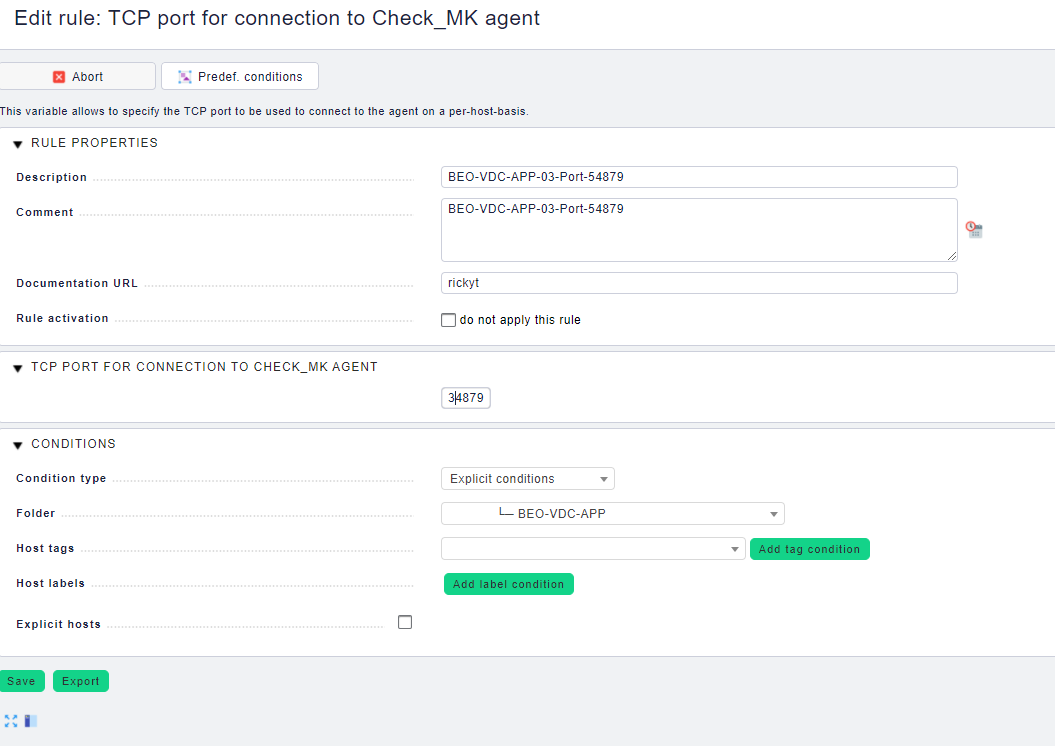
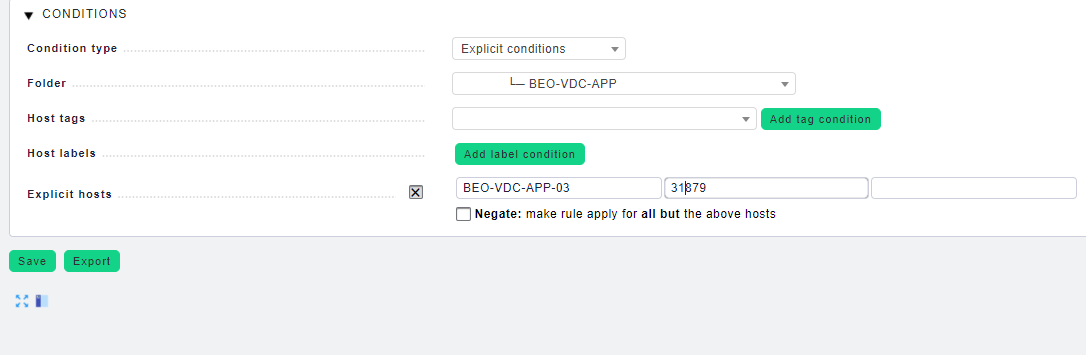
Here is the screen shot of TCP port for connection to Check_MK agent

Hi,
is your agent running on this port and can be reached from the Checkmk server at this port? Are there firewall rules blocking this port?

Karl

This topic was automatically closed 365 days after the last reply. New replies are no longer allowed. Contact an admin if you think this should be re-opened.