CMK version: Community 24.04 OS version: Ubunt24.04
Hi All,
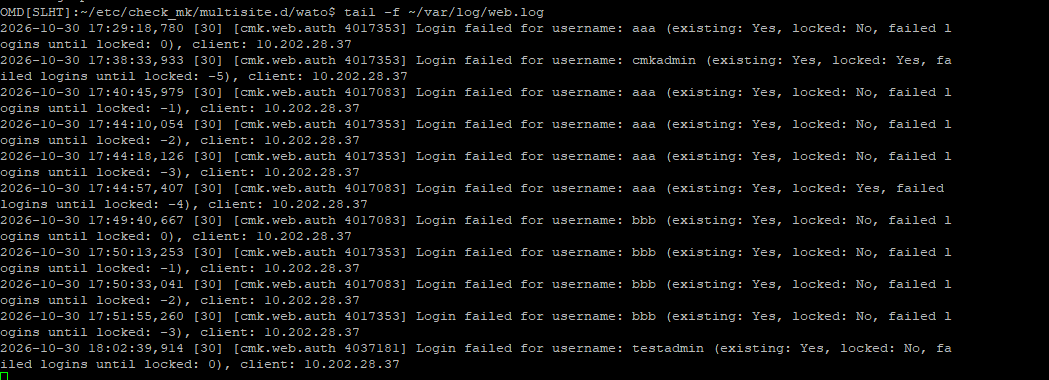
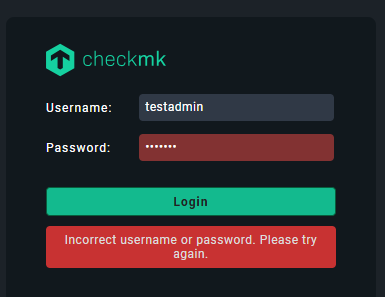
Accidentally all my admin account are unable to login, even the cmkadmin account is locked. I tried below way to add new user aaa/bbb/testadmin, but no luck
sudo omd su mysite
htpasswd -m etc/htpasswd bbb
input password
vi ~/etc/check_mk/multisite.d/wato/users.mk ,to add the new user in the the users.mk file , but every time try to login it shows invalid username/password.
Ah, sorry. I didn’t see that the specific account was also locked. Just saw all the others, which were not locked.
If you have another admin account, you can use that one to unlock it in the UI by setting in the User settings for that user: disable the login to this account to No.
On CLI:
~/etc/check_mk/multisite.d/wato/users.mk: Set 'locked': False
Set a new password using cmk-passwd cmkadmin (alternatively remove ! from etc/htpasswd)
I’ve tried changed the Lock to “False” for the other admin account, but as long as I try login in GUI just 1 time and it says in correct password , then I re-check the users.mk , the Locked already changed to “True”, so it means just 1 failed login and the Locked changes to “True”. So weird
Did you follow all my steps? Because if you don’t change the password, in ~/etc/htpassword before the user you will still see a !. If that is there, the account will remain locked no matter what is in users.mk
I managed to fix the issue by another way, change a normal user from “user” to “admin” then set the password with command cmk-passwd xxxx, then login to GUI to reset the locked account.