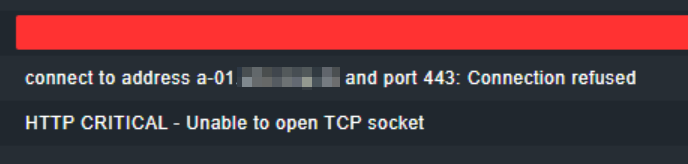
connect to address … and port 443: Connection refused
CRITICAL - Socket timeout after 10 seconds
Temporary failure in name resolution
I’ve had a problem since the last restart of my Checkmk server.
I set up some HTTP checks that worked great. But not since the restart and I get the error messages as above. This applies to both port 80 and 443 testing
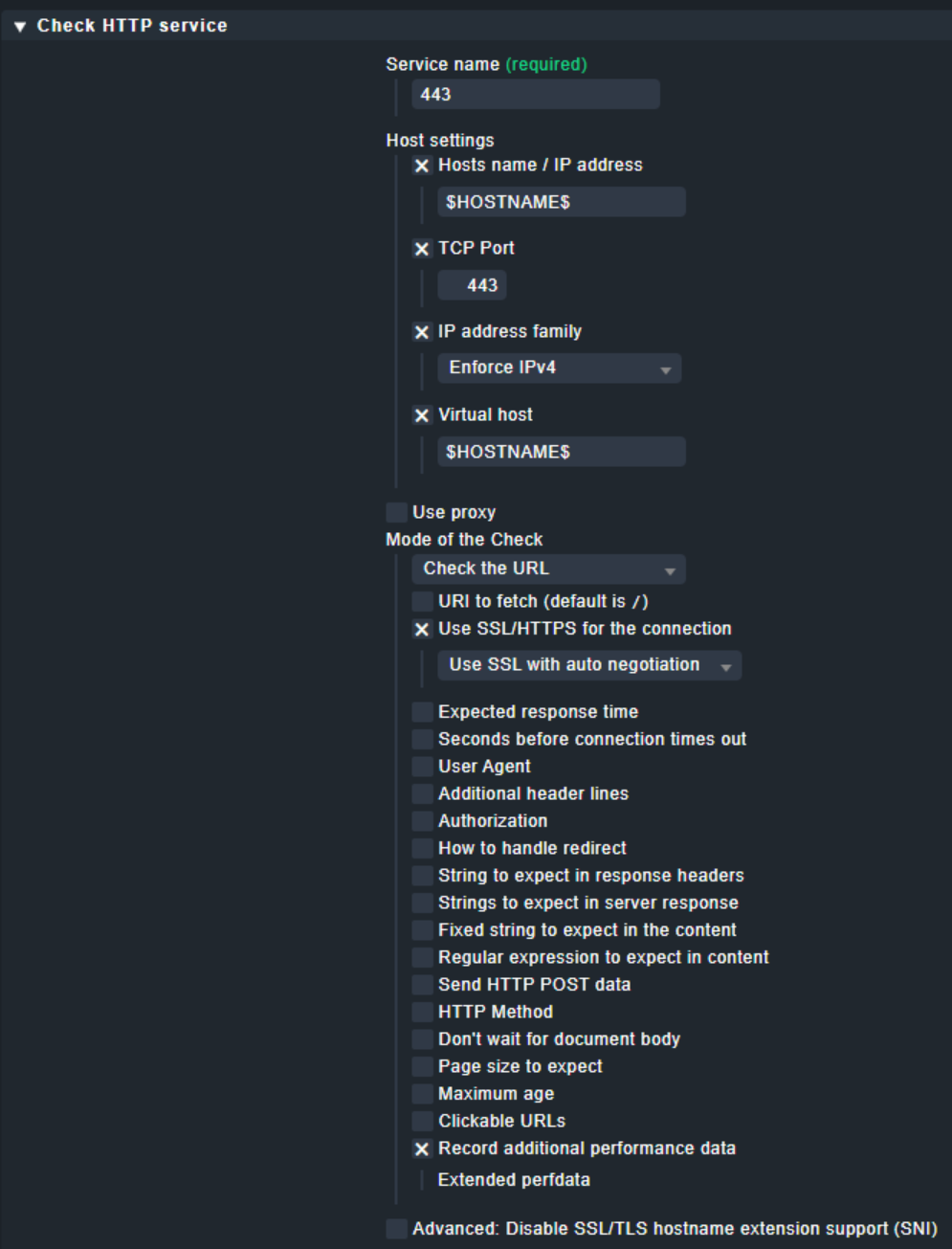
My rule for this is as follows:
When I run the command on the console I also get a timeout.
However, if I add the “-4” switch to the command, it works fine.
Here’s the error: OMD[monitoring]:~$ /omd/sites/monitoring/lib/nagios/plugins/check_http --ssl --extended-perfdata --sni -p 443 -H [FQDN] [FQDN] CRITICAL - Socket timeout after 10 seconds
No error here: OMD[monitoring]:~$ /omd/sites/monitoring/lib/nagios/plugins/check_http --ssl --extended-perfdata --sni -p 443 -H [FQDN] [FQDN] -4 HTTP OK: HTTP/1.1 200 OK - 391 bytes in 0.009 second response time |time=0.008576s;;;0.000000;10.000000 size=391B;;;0 time_connect=0.001873s;;;;10.000000 time_ssl=0.005420s;;;;10.000000 time_headers=0.000006s;;;;10.000000 time_firstbyte=0.001088s;;;;10.000000 time_transfer=0.001190s;;;;10.000000
I assumed that the point “Enforce IPv4” does exactly that. But it doesn’t matter how I set it.
What can be the reason?
I have a simple question: Is there a way to work with wildcards via the “Notes URL for Host” rule?
We use a Dokuwiki and if I could set a wildcard here I would always get a search result quickly.
did you check ~/var/log/web.log if there is an error relatet to the check_http wrapper? Looks like that the “-4” parameter not correct set at this point. You say this was after a reboot. Looks like that teh HTTP service only bind to IPv6. Looks like something is changed in your system config.
...
2022-03-04 06:20:01,928 [30] [cmk.web.background-job 2918318] Found no abandoned profile.
2022-03-04 07:21:01,639 [30] [cmk.web.background-job 3100445] Found no abandoned profile.
2022-03-04 08:22:01,282 [30] [cmk.web.background-job 3291933] Found no abandoned profile.
What exactly did you mean with
Looks like that teh HTTP service only bind to IPv6.
I unterstand this when I am using for e.g. an Apache webserver or sort like that, but in this case I’m just sending a check command. How can a port be bound here?
The problem is that the setting “enforce IPv4” don’t leads to any config option inside the command string.
Only the setting for IPv6 has an effect. That’s clearly a bug inside the transformation of the setup rule to the check command.
Would be good to change the title to something pointing in this direction.
Why this problem occurred after a reboot i don’t know. I can only assume that now you get an IPv6 answer as the first answer for the DNS query.
I now have the “-4” option in my command, but it is not working yet.
But now I get the following error in the details: HTTP CRITICAL - Unable to open TCP socket
Manually the “check_http” with the same options as shown inside the check command is working? If the monitoring instance cannot open a TCP socket then you should have the same error message with manual execution.
If I want to execute the command manual I got the following error:
OMD[monitoring]:~$ ./local/share/check_mk/checks/check_http
Traceback (most recent call last):
  File "./local/share/check_mk/checks/check_http", line 256, in <module>
    active_check_info["http"] = {
NameError: name 'active_check_info' is not defined
For the manual test you can only use the “~/lib/nagios/plugins/check_http” with a the shown arguments from inside the GUI.
The check_http you posted is only the wrapper for the Nagios plugin to generate all the options.
I’m a bit embarrassed now:
It was probably less a problem with the check and more a stray rule I created. This is actually controlled by a tag whether the HTTP check should run or not, but I probably set the default wrong and servers were checked that actually do not provide HTTP.
I would like to thank you for your active support on the subject, but it looks like I was able to solve it myself, but you guided me in the right direction with the tips.
This topic was automatically closed 365 days after the last reply. New replies are no longer allowed. Contact an admin if you think this should be re-opened.