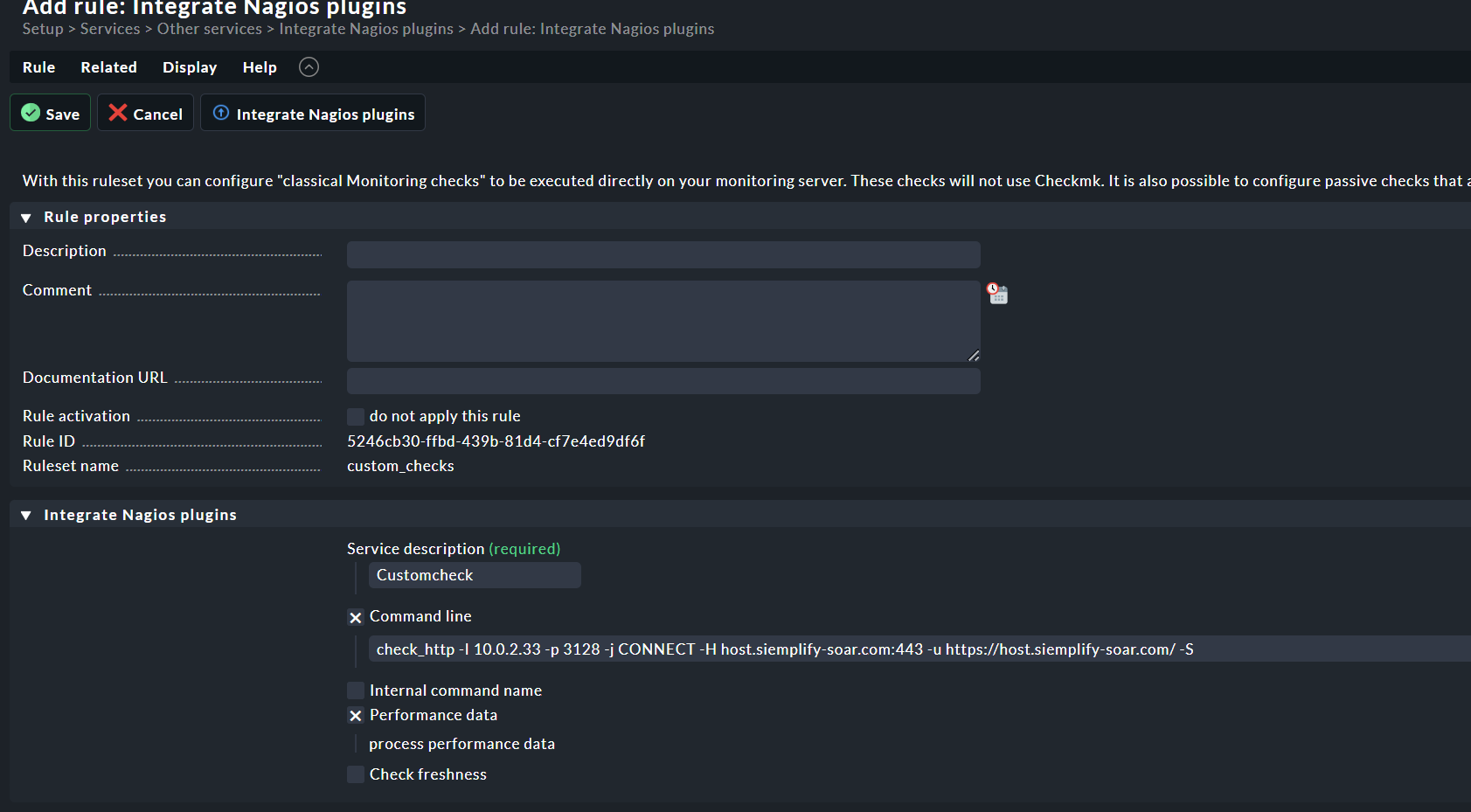
CMK version: 2.2.0p11 CRE
OS version: Ubuntu 22.04
Error message:
You can see that the proxy port is being added to the check url. I’ve tried so many combinations for this http check. The closest I have to it working is adding the URL to the virtual host. If I leave it blank it does not use the host name assigned to the check from the explicit hosts.
It would be great if it were to use the hostname of the host as it was added to a folder as the check could be assigned to a folder without the need to modify the check as it would just use the hostname for each host in that folder.
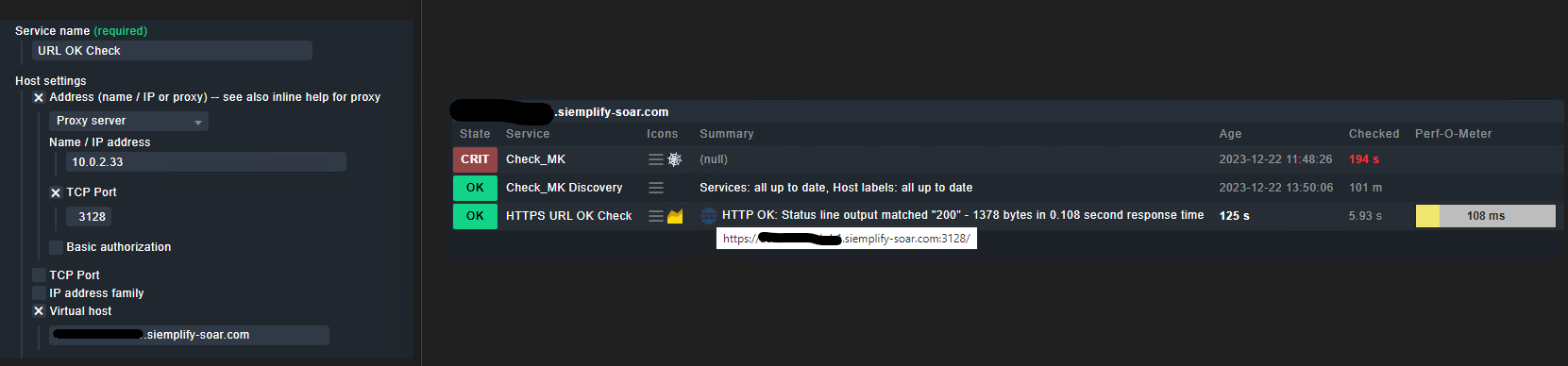
If I run this command from cmd I get a result. Also if I curl the URL from the OS I get a result. [ Note: I have changed the host names to protect the innocent  ]
]
/omd/sites/monitoring/lib/nagios/plugins/check_http -I 10.0.2.33 -p 3128 -j CONNECT -H host.siemplify-soar.com:443 -u https://host.siemplify-soar.com/ -S
HTTP OK: HTTP/1.1 200 OK - 3331 bytes in 0.103 second response time |time=0.103242s;;;0.000000;10.000000 size=3331B;;;0;
OMD[monitoring]:~$ curl -v https://host.siemplify-soar.com
* Uses proxy env variable no_proxy == 'localhost,127.0.0.1,::1,'
* Uses proxy env variable https_proxy == 'http://10.0.2.33:3128/'
*   Trying 10.0.2.33:3128...
* Connected to (nil) (10.0.2.33) port 3128 (#0)
* allocate connect buffer!
* Establish HTTP proxy tunnel to host.siemplify-soar.com:443
> CONNECT host.siemplify-soar.com:443 HTTP/1.1
> Host: host.siemplify-soar.com:443
> User-Agent: curl/7.81.0
> Proxy-Connection: Keep-Alive
>
< HTTP/1.1 200 Connection established