CMK version: 2.3.0p22 CRE OS version: Ubuntu 24.04.2 LTS
Error message: /redfish/v1 (Caused by SSLError(SSLError(1, ‘[SSL: DH_KEY_TOO_SMALL] dh key too small (_ssl.c:1000)’
Hello
Maybe the wrong forum but I encountered this with CheckMK.
I’m just moving over from SNMP to redfish. I have an old server running using iDRAC6. Server with iDRAC7 or higher have no problem. If I query the server with the redfish plugin, I receive a common error. With the redfish command I receive the above error.
> /omd/sites/cmksite/local/lib/python3/cmk_addons/plugins/redfish/libexec/agent_redfish -u xx-HOST02 --password-id uuiddxxxxxxxxxxxxx:/omd/sites/cmksite/var/check_mk/passwords_merged -P https --timeout 20 --retries 5 --verbose <ip>
>
> INFO 2025-09-20 17:58:55 root: using Python interpreter v3.12.3.final.0 at /omd/sites/cmksite/bin/python3
> INFO 2025-09-20 17:58:55 redfish.rest.v1: Attempt 1 of /redfish/v1
> INFO 2025-09-20 17:58:57 redfish.rest.v1: Retrying /redfish/v1 [HTTPSConnectionPool(host='<ip>', port=443): Max retries exceeded with url: /redfish/v1 (Caused by SSLError(SSLError(1, '[SSL: DH_KEY_TOO_SMALL] dh key too small (_ssl.c:1000)')))]
Search in the internet → found the keysize too small. I set the keysize to 2048
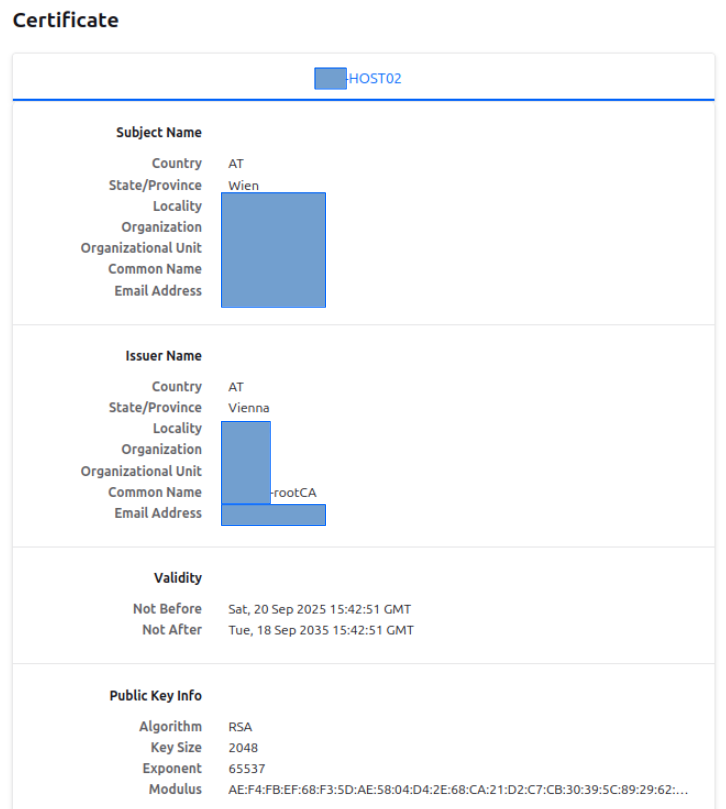
I recreated a new csr. The csr was now longer that the csr with 1024 (just to make sure the keysize is honored). Uploaded the certificate but the error is still the same.
I’m sorry for not answering your question & butting in anyway, but the older iDRACs have so little CPU power & have such an outdated software stack that I recommend staying with SNMP which uses much less CPU that the web interface, which is what Redfish uses (HTTPS API). By “older” I basically any iDRAC hardware which released with a version before 9. Even with an iDRAC that came with 9 pre-installed a full run of the Redfish plugin can take ten seconds of constant queries.
With older models I even had issues with timeouts when using SNMPv2 with bulk queries.
iDRAC 7, the successor, came out in 2012; so yeah, the iDRAC hardware your version 6 runs on must be in the ballpark of 15 years. Kudos if the server still works fine, of course.
If it is realy IDRAC 6 then i would say the same as @mbunkus - only use SNMP, beside this, i think IDRAC 6 doesn’t support Redfish.
For the older IDRAC 8 i would recommend only to fetch the overall system state with Redfish.
The good point is that you see if a subordinate component has a problem and you need to take a look. This is the same as i do it for older iLO4 if fetching the whole data takes to long as @mbunkus mentioned.
Thanks for the answer.
Yes, 1 server really runs version 6. This I didn’t want to read
I wanted to move over to redfish because I have problems with SNMP. A SNMP query runs more than 10 seconds on serveral servers and sometimes it runs into a timeout.
OK, I will switch back to SNMP for this server. Thanks
Yeah that’s what I was experiencing, too. That’s why I wrote what I wrote. You can alleviate some of the pain with SNMP rules (longer timeout per check, more re-checks, higher check interval in general), but even then the hardware fails sometimes. I feel your pain
According to Wikipedia you’re correct: 7 was the first release with Redfish support.
I reverted iDRAC6 back to SNMP. Continued on other hosts running iDRAC7. On some hosts I also received “(Caused by SSLError(SSLError(1, '[SSL: DH_KEY_TOO_SMALL] dh key too small (_ssl.c:1000)”.
I checked/set the keysize to 2048. I worked with the local racadm on the iDRAC host.
Created and downloaded a csr. Signed it with my Checkmk CA and uploaded it back to the iDRAC host. After the reset I see the certificate in the brower but I still get the same DH_KEY_TOO_SMALL error.
Can you please explain/assist me to solve this issue.
CSR key size has nothing to do with the DH Key. The Diffie-Hellman exchange comes before your certificate enters the game.
This problem can only be solved with newer firmware for the device. But i think you will not get any up to date firmware for iDRAC 6 anymore. iDRAC 6 released 2008 - discontinued 2012 - latest firmware from 2019. With iDRAC 7 it is not much better.