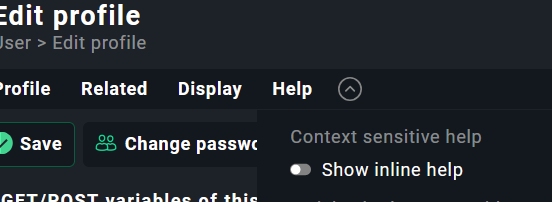
Our CheckMK Enterprise instance (v2.4.0p8) displays inline help across all setup menus, making navigation cumbersome. Toggling Help → Show Inline Help has no effect. This issue closely resembles the post referenced below, but there appears to be no option to disable the inline help.
have you - or a colleague - ever placed a theme.css in the local/ folder structure or made changes to the checkmk theme.css? We once saw that when a 2.3 theme.css was edited and moved to the local/ folder but then important information for 2.4 were of course missing which creates weird GUI issues like yours :).
EDIT:
If this functionality hasn’t changed over time and you get URL not found, that would explain why your toggle isn’t working.
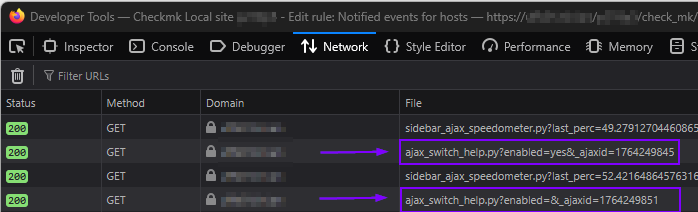
This can also be checked with inspecting network in browser like above. Toggling your inline help, the AJAX requests will probably get a status in the 400 range.
If so, I assume missing files on your Checkmk server, or maybe permission issues?
I can now replicate your AJAX request. It returns true when I set enabled=yes& and false when just enabled=&. It does not turn of the inline help though. All the setup menus look like the following.
I digged a bit more, found out that the AJAX request stores the result in ~/var/check_mk/web/[profilename]/help.mk for each user profile.
If I change the contents of that file to either True or False it is reflected in the interface to display inline help yes or no.
Permission of that file is 0660 on my server, where owner/group is the site user/group.