Hi,
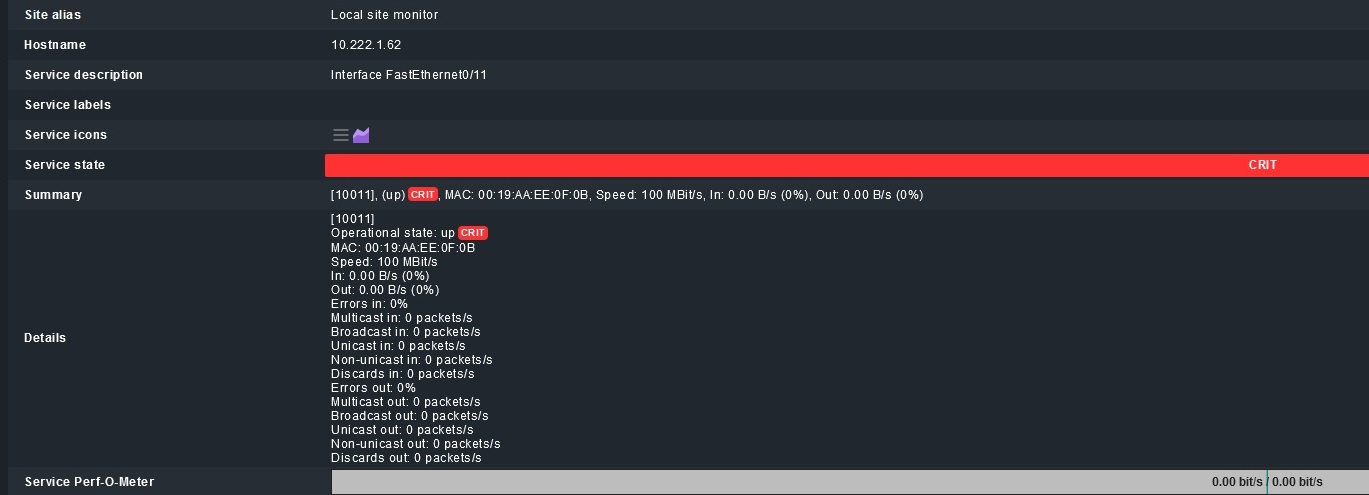
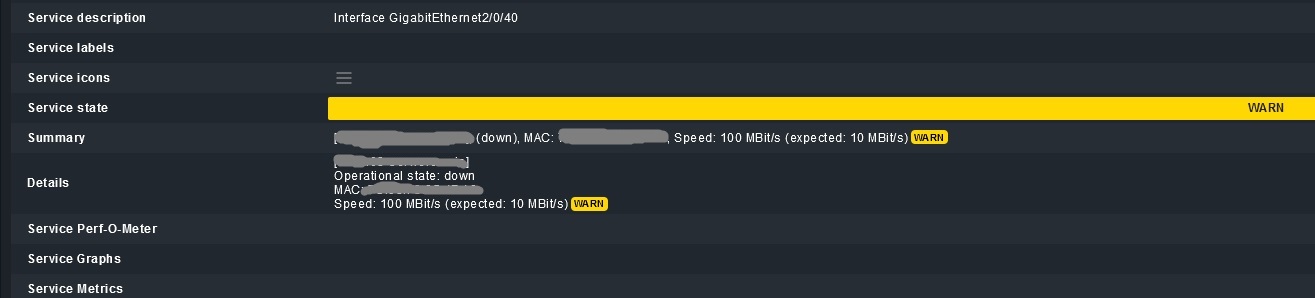
Why do I have a warning (warn/crit) on the active interface?
Hi,
did you check the rule for this? What shows the HW/SW Inventory for this interface?
Regards, Christian
Hi,
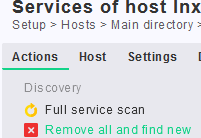
Well, I can explain the warning. Your connection speed changed. It’s now 100MBit while when it was created it was 10Mbit. Easiest way to fix that is to go to the services setup of the host and run “Remove all and find new”. It will then adjust the network speed to the new value.
Same explanation probably goes for the “up CRIT” alarm (unless you have manually defined some special rules):
When the interface service is first discovered, it is added with its current properties as OK. This includes speed and status (up/down). So if either speed and/or status later change, this different attribute will then no longer be OK.
You can remove and re-add the single interface service (or do a “tabula rasa” refresh on the whole host as louis described above) to make the now current attributes return OK.
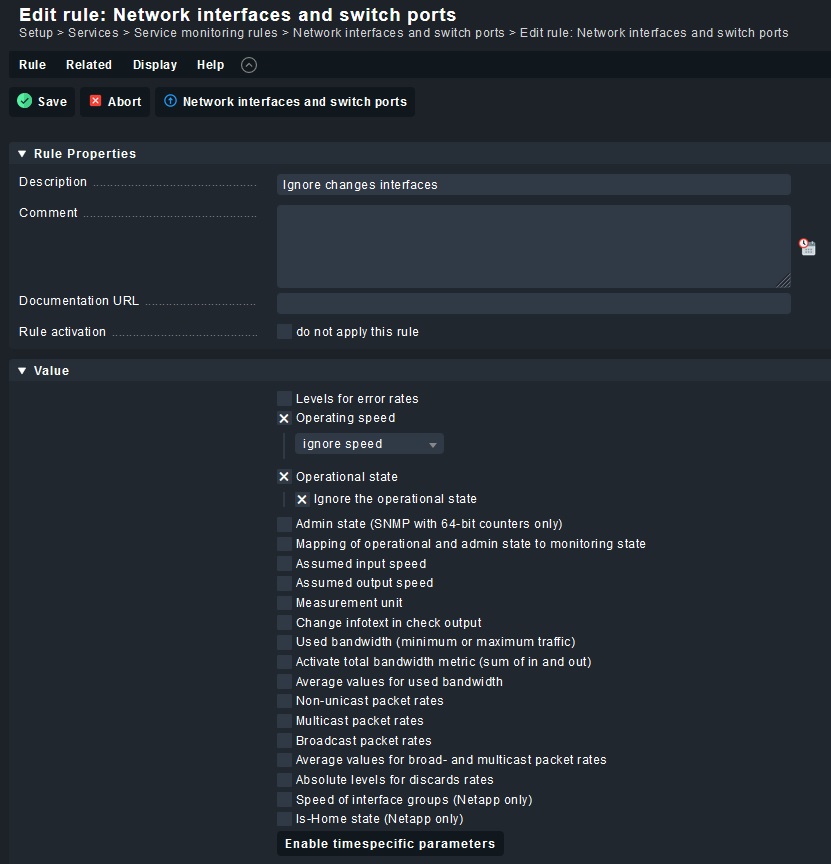
Or you can use the ruleset at “Setup > Services > Service monitoring rules > Network interfaces and switch ports” to define your own “OK” states, ignore speed changes, etc.
Also have a look at the following blog post for a way to handle this in larger environments:
I created a rule and it works fine.
I know my questions may seem simple or weird, but I am just beginning my adventure with CheckMK.
Thank you for your help.
1 Like
Don’t worry. Your questions are neither simple nor weird. Glad it’s working now for you.
Louis
The only thing which you risk now is that you won’t get an alert, if an interface goes down, which shouldn’t go down… e.g. your cleaning service pulling the plugs on the switches to your server to clean the cables 
This topic was automatically closed 365 days after the last reply. New replies are no longer allowed. Contact an admin if you think this should be re-opened.