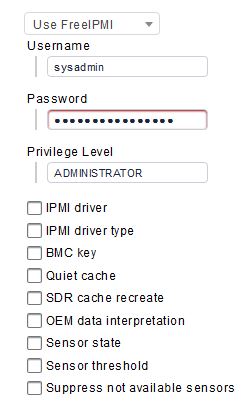
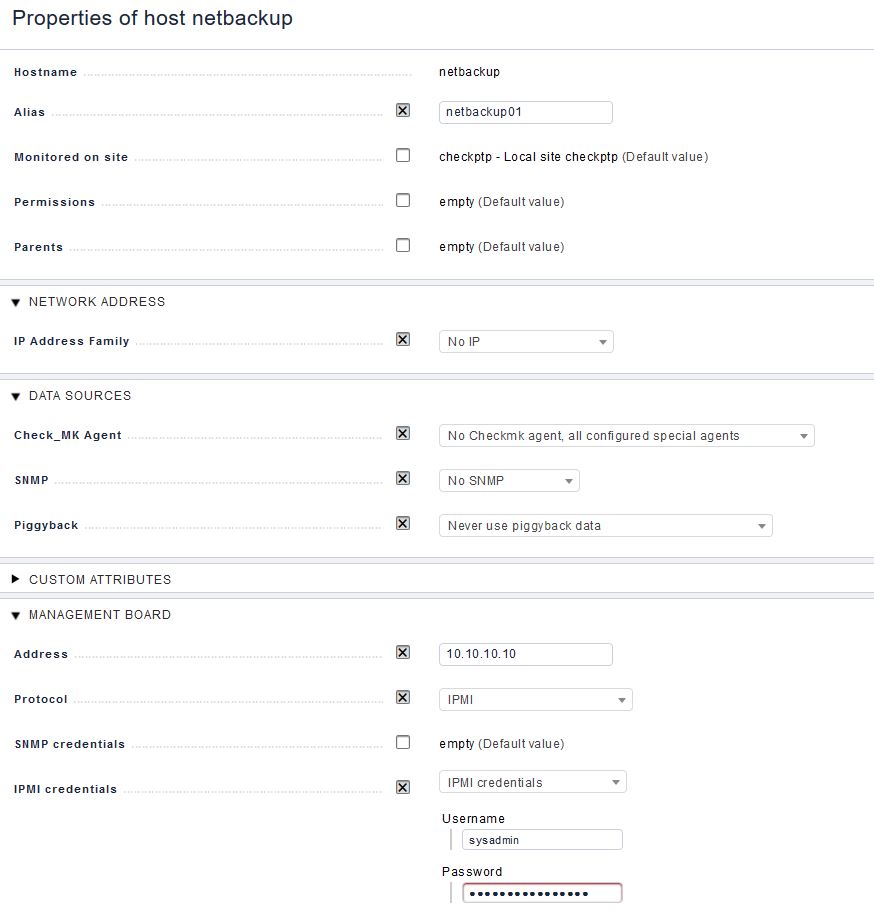
I am trying to set up our Netbackup storage devices in CheckMK using IPMI and I am having a few issues. I can get this working on the CLI without a problem with the following string.
root@check_mk:~# ipmitool -H 10.10.10.10 -U sysadmin -P 'PASSWORD' chassis status -L ADMINISTRATOR
System Power         : on
Power Overload       : false
Power Interlock      : inactive
Main Power Fault     : false
Power Control Fault  : false
Power Restore Policy : always-off
Last Power Event     :
Chassis Intrusion    : inactive
Front-Panel Lockout  : inactive
Drive Fault          : false
Cooling/Fan Fault    : false
Sleep Button Disable : not allowed
Diag Button Disable  : allowed
Reset Button Disable : allowed
Power Button Disable : allowed
Sleep Button Disabled: false
Diag Button Disabled : false
Reset Button Disabled: false
Power Button Disabled: false
This looks good, shows connectivity. However when adding the device into CheckMK using either FreeIPMI or ipmitool I get this error:
Invalid integrity check value reported in RAKP4
Looking online this is somewhat expected from SuperMicro boards. Could be the reponse string is too long or that some -X option must be passed.
My question is, does anyone know what these options are and what I might need to change to get this working? It’s very frustrating the IPMI stuff in CheckMK is barely documented.
Appreciate any insight someone can share. I had no issues setting up the ILO and DRACs using IPMI.
Please try with the selection “Use IPMItool” instead of “Use FreeIPMI”.
Next step would be to issue a “cmk -D hostname” on the command line.
There you find the complete call of the special agent and can try this manually.
On the command line you can add the extra option “–debug” to the special agent.
What happens if you try this?
That will not work.
If you monitor only the BMC then configure this host like a normal host.
10.10.10.10 to the “Network Address” section
Set “Check_MK Agent” to “Normal Checkmk agent, or special agent if configured”.
In your first post you already showed the configured special agent.
Don’t use the “Management Board” section for such hosts.
Thank you for your assistance Andreas, with your help I’ve got this working.
One last question, the IPMI checks are all grouped into one high level check, it would be good to split this out and graph specific values such as power usage. Or at least see the full output from the check and all sensors.