CMK version:
OMD - Open Monitoring Distribution Version 2.3.0p17.cce
OS version:
Ubuntu 20.04 LTS
Error message:
The login is only visible on the left side top corner. See attachment
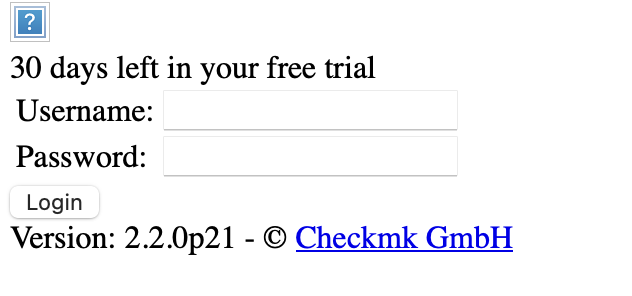
There is a version mismatch. You say you’re using 2.3.0p17 but the login shows 2.2.0p21
did “omd update” run through?
what does “omd sites” claim to be your used version?
did “cmk-update-config -v” (run as site user) work without errors?
1 Like
In Additon to @gstolz’s answer: also make sure your webserver configuration is correct. It looks like there is some misconfiguration telling from the blue ? and the white background with CSS.
in addition to @gstolz
I have carried out another installation and followed the instructions according to Checkmk kostenlos downloaden. As OS Ubuntu 22.04.5 and checkmk version 2.3.0p17
I still have the same error that the login is in the upper left area. When entering the data, the page cannot be displayed. I attach the following information:
bob@ednmon01:~$ omd version
OMD - Open Monitoring Distribution Version 2.3.0p17.cre
bob@ednmon01:~$ lsb_release -a
No LSB modules are available.
Distributor ID: Ubuntu
Description:    Ubuntu 22.04.5 LTS
Release:        22.04
Codename:       jammy
bob@ednmon01:~$ ```

```Apache Conf aus /etc/apache2/sites-enabled/000-default.conf
<VirtualHost *:80>
        # The ServerName directive sets the request scheme, hostname and port that
        # the server uses to identify itself. This is used when creating
        # redirection URLs. In the context of virtual hosts, the ServerName
        # specifies what hostname must appear in the request's Host: header to
        # match this virtual host. For the default virtual host (this file) this
        # value is not decisive as it is used as a last resort host regardless.
        # However, you must set it for any further virtual host explicitly.
        #ServerName www.example.com

        ServerAdmin webmaster@localhost
        DocumentRoot /var/www/html

        # Available loglevels: trace8, ..., trace1, debug, info, notice, warn,
        # error, crit, alert, emerg.
        # It is also possible to configure the loglevel for particular
        # modules, e.g.
        #LogLevel info ssl:warn

        ErrorLog ${APACHE_LOG_DIR}/error.log
        CustomLog ${APACHE_LOG_DIR}/access.log combined

        # For most configuration files from conf-available/, which are
        # enabled or disabled at a global level, it is possible to
        # include a line for only one particular virtual host. For example the
        # following line enables the CGI configuration for this host only
        # after it has been globally disabled with "a2disconf".
        #Include conf-available/serve-cgi-bin.conf
</VirtualHost>
# vim: syntax=apache ts=4 sw=4 sts=4 sr noet```

```OMD Config
OMD[monitoring]:~$ omd config show
ADMIN_MAIL:
AGENT_RECEIVER: on
AGENT_RECEIVER_PORT: 8000
APACHE_MODE: own
APACHE_TCP_ADDR: 127.0.0.1
APACHE_TCP_PORT: 5000
AUTOSTART: on
CORE: nagios
LIVESTATUS_TCP: off
MKEVENTD: on
MKEVENTD_SNMPTRAP: off
MKEVENTD_SYSLOG: off
MKEVENTD_SYSLOG_TCP: off
MULTISITE_AUTHORISATION: on
MULTISITE_COOKIE_AUTH: on
PNP4NAGIOS: on
TMPFS: on
OMD[monitoring]:~$ ```

```Monitoring.conf from /omd/apache/monitoring.conf
# version: 2
# This file is managed by 'omd' and will automatically be overwritten. Better do not edit manually

# Make sure that symlink /omd does not make problems
<Directory />
  Options +FollowSymlinks
</Directory>

<IfModule mod_proxy_http.c>
  ProxyRequests Off
  ProxyPreserveHost On

  <Proxy http://127.0.0.1:5000/monitoring>
    Order allow,deny
    allow from all
  </Proxy>

  <Location /monitoring>
    # Setting "retry=0" to prevent 60 second caching of problem states e.g. when
    # the site apache is down and someone tries to access the page.
    # "disablereuse=On" prevents the apache from keeping the connection which leads to
    # wrong devlivered pages sometimes
    ProxyPass http://127.0.0.1:5000/monitoring retry=0 disablereuse=On timeout=120
    ProxyPassReverse http://127.0.0.1:5000/monitoring
  </Location>
</IfModule>

<IfModule !mod_proxy_http.c>
  Alias /monitoring /omd/sites/monitoring
  <Directory /omd/sites/monitoring>
    Deny from all
    ErrorDocument 403 "<h1>Checkmk: Incomplete Apache Installation</h1>You need mod_proxy and
    mod_proxy_http in order to run the web interface of Checkmk."
  </Directory>
</IfModule>

<Location /monitoring>
  ErrorDocument 503 "<meta http-equiv='refresh' content='60'><h1>Checkmk: Site Not Started</h1>You need to start this site in order to access the web interface.<!-- IE shows its own short useless error message otherwise: placeholder -->"
</Location>```


Any Idea?????

RobertIn Addition to @gstolz a new attachment.
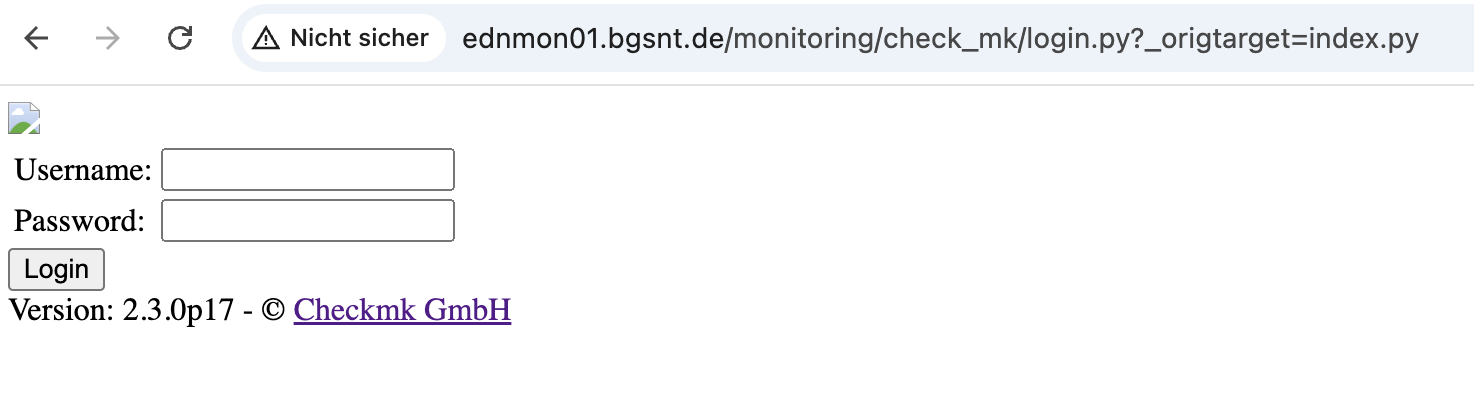
I’m guessing that that is the reason
root@ednmon01:/etc/apache2/sites-available# a2enmod proxy
Module proxy already enabled
root@ednmon01:/etc/apache2/sites-available# a2enmod proxy_http
Considering dependency proxy for proxy_http:
Module proxy already enabled
Module proxy_http already enabled
@simon-mueller
@gstolz
After I have activated and configured https, I can log in and it is functional.
1 Like
This topic was automatically closed 365 days after the last reply. New replies are no longer allowed. Contact an admin if you think this should be re-opened.