CMK version: Checkmk Enterprise Edition 2.3.0p9 OS version: Debian 11
Error message: Unable to create issue, Jira response code 400
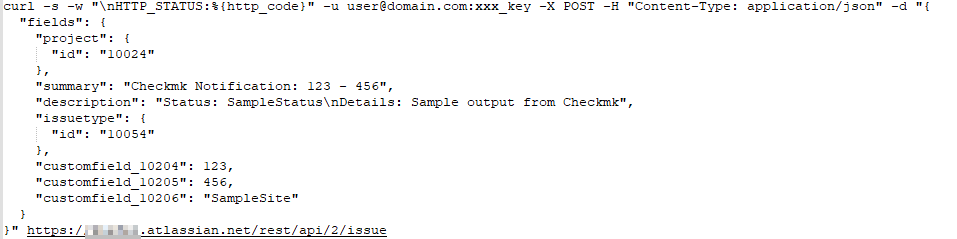
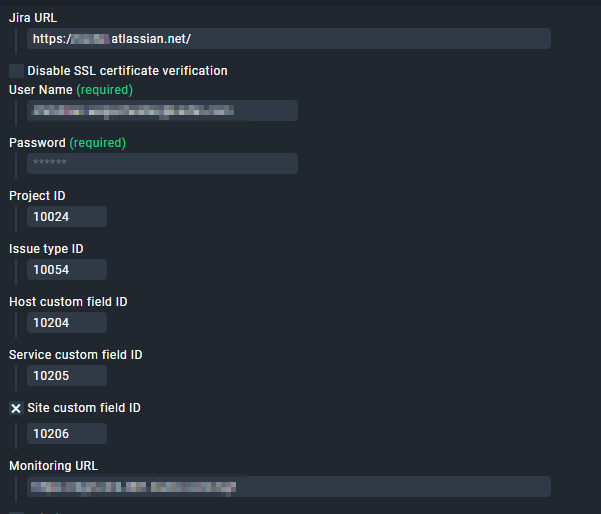
I am trying to connect our Jira IT Service Management (Atlassian Cloud) with Checkmk. I would like to use the Jira Notification Plugin “jira_issues” for this. For the configuration I followed this article Notifications via Jira. Unfortunately, I am not able to successfully send notifications to Jira. I get a very general error message (400) without further details. How can I troubleshoot jira_issues? I was able to create a custom script that creates tickets in Jira from the Checkmk server with identical data (URL, users, IDs, custom fields) via the API. But it would be nice to use the function provided by Checkmk.
Thank you for your reply. Yes, that is correct, we use Jira Cloud. For authentication I use an API token that I entered in the password field. This is not described in detail in the article, but I hope it is correct. In the script described in point 1.2, the user password is also replaced by the API token. I was able to run the script successfully via the Checkmk server. From this I conclude that I should have a connection to the Jira Cloud and that the API user is OK.
Unfortunately, I am not making any progress with this issue . Is there a way to evaluate the API call from Checkmk for troubleshooting, e.g. to write it to a log file? Jira only returns an unspecific error code 400. With a custom API call via script with identical user data and IDs, a issue can be successfully created in Jira.
I also tried to use custom fields of field type text instead of number (because a number makes no sense to me here). But that doesn’t work either. Does anyone have a suggestion that could help me?
Hi, did you solve this issue?
I had the same problem this days.
I found an issue with the Checkmk plugin, which I think is a bug. Once you have created the notification rule, if you make changes to the configuration it does not take them. Even if you stop the project and start it again. For it to take the changes you have to make any modification to the system that then asks to apply the changes.
On the Jira side I was also getting 400 error in some cases and 405 in others. I had to remove all the required fields from the create a ticket screen and the close the ticket screen. I managed to get the ticket generated, now I’m seeing that they don’t close using the plugin option.
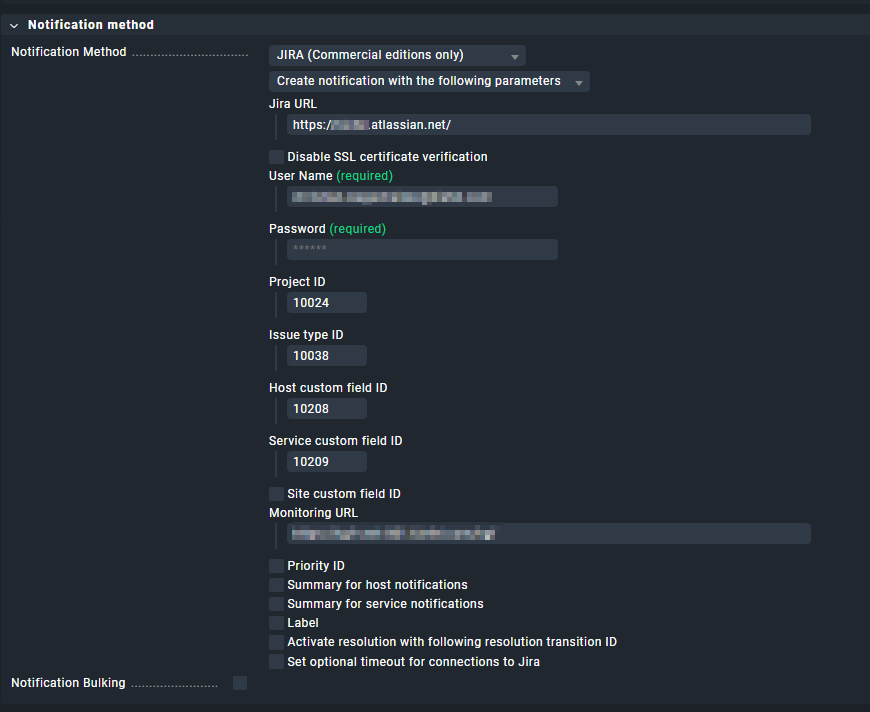

 . Is there a way to evaluate the API call from Checkmk for troubleshooting, e.g. to write it to a log file? Jira only returns an unspecific error code 400. With a custom API call via script with identical user data and IDs, a issue can be successfully created in Jira.