Hi,
I have an Jumphost an ec2 machine on which I can install an Agent, my goal is from that agent to be able to Configure CheckMK to see the PING, Host state Up for all the Machines with private address that are reachable only by jumphost.
What would be best way to implement this ?
This sounds like a Distributed Monitoring Scenario, where your Jumphost would be configured as a Distributed Remote Site monitoring the Private Hosts.
In case your Private Hosts also able to communicate outward you might able to use the new push agent Option of the Cloud Edition.
1 Like
Thanks for reply,
Looks like I’m not able to use Distributed Monitoring as my trial expired, and Cloud Edition seems to be for Enterprise Edition.
I currently don’t plan to switch to enterprise Edition as I’m still testing all of the different features.
Is there some other way I could Monitor my hosts on private network that only Jumphost got access ?
EDIT: I also got my AWS Credentials which I use for AWS Rule to reach the Hosts , but with this I can only see a service that displays Total number of hosts.

Found a way used same principles like for K8s.
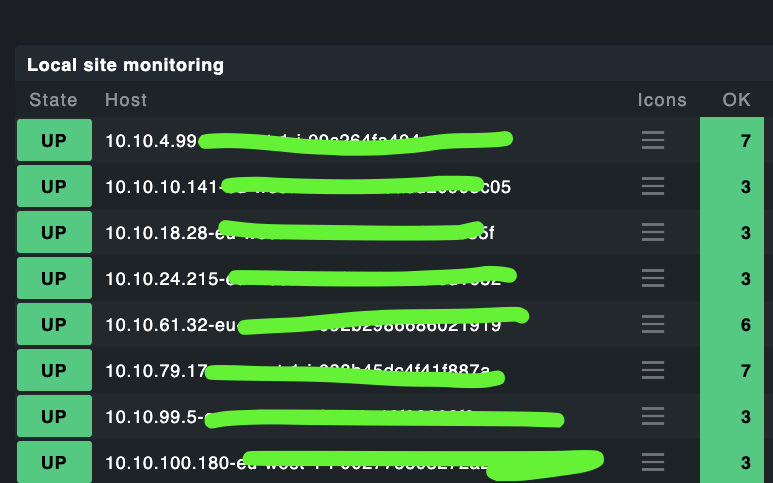
However Its showing all hosts are up, but some of them are stopped.
Is there something specific I need to set to show OK-Greenn only if the hosts are running ?
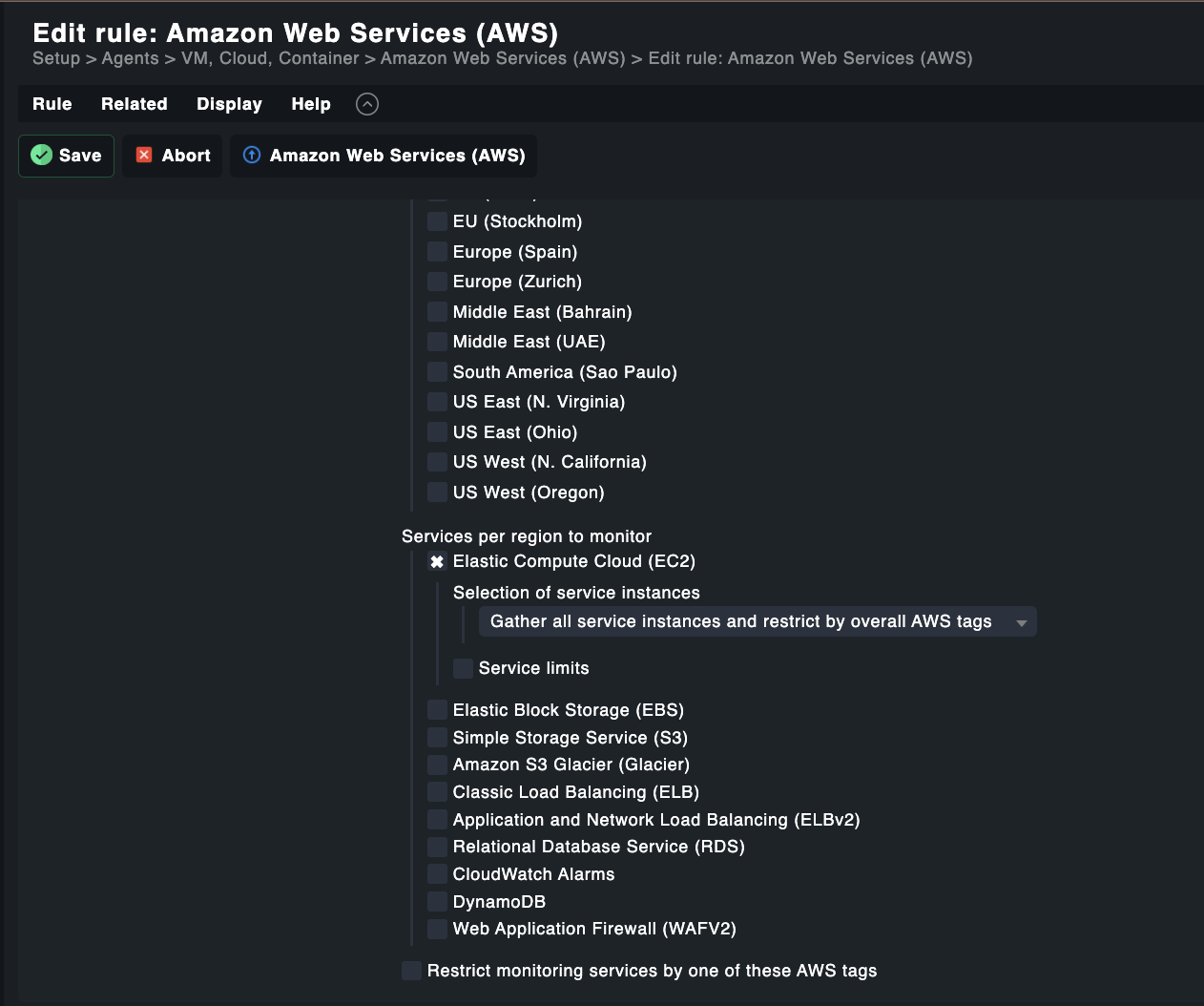
This is my AWS Config which takes only EC2
This is my Connection
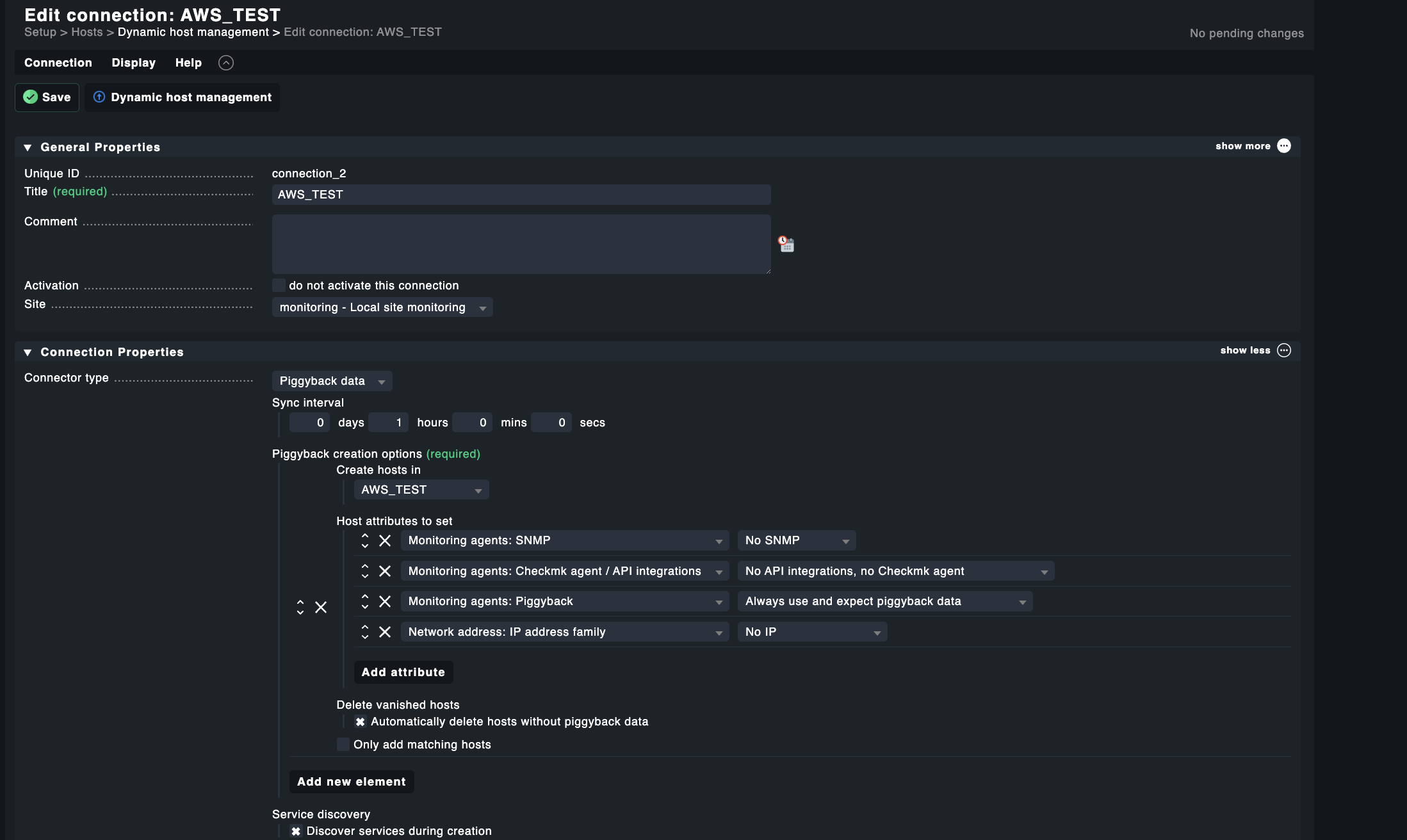
Part 2 of connection

Looks like ec2 hosts that are up an running are actually showing more services(7) and ones that are stopped are showing just 3
In that case you can use Livedump. You still need to setup the Jumphost as a CheckMK Server for the Private Hosts which then use Livedump to your outside CheckMK Server.
You are really fast with replying, Thanks 
I will check that out , I have posted up something that I have tried.
Yes to monitor AWS the AWS Plugin is the best option. You should also be aware, having a Checkmk agent on each AWS host also means extra CPU time (and therefor costs) just to monitor those host.
Unfortunately I don’t have an idea why your Offline Hosts will be marked as UP, which is indeed a bit confusing.
Np, Thanks for reply anyway.
This is not an Agent, its actually a Rule which uses AWS Credentials and then fetches the hosts via API.
Yes  , but in case of Distributed Monitoring aka Livedump you need to have an agent on each monitored system which is not quite useful solution for AWS, depending of the workload of the hosts.
1 Like
You can use a “special agent” that SSH to your jumphost, and then telnet to your machines over 6556 (as long as you have the agent installed)
We do that do monitor hosts that are on isolated networks with no access to the “main” servers.
1 Like
Some weird datasource scripting incoming…
1 Like
Would that mean that machines that are on isolated network should have an Agent installed ?
Yes, how would we otherwise be able to get the data?
These host are some legacy apps , I would like to setup ping to them.
This topic was automatically closed 365 days after the last reply. New replies are no longer allowed. Contact an admin if you think this should be re-opened.