I’ve 10 Linux hosts with CIFS mounts that points to a Windows server and I don’t want to get flooded with e-mails when it is hanging for only 5-10 seconds.
Is there a way to change the timeout for Linux mounts?
I’ve couldn’t find a way to increase the timeout.
Hi Peter / Gerd - are you able to share / show how you set this up? We have this same issue and I’ve setup a “maximum check attempts” rule for any service starting with “CIFS”, however I notice notifications are coming out immediately and the additional check attempts are not being applied - I can also verify this when I drill into the history of a host and I see an immediate “HARD” alert rather than the “SOFT” alerts I’d expect to see in a retry. I’m hoping I’m missing something dumb here but I can’t see what it might be … Thanks!
I’ve not seen the rule “maximum check attempts” not working, so I’m guessing the rule you built somehow doesn’t apply or another rule above it is taking precedence.
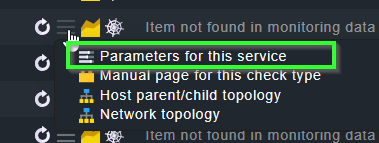
Can you check the rule applicability by using the action/burger menu on a CIFS service and going through the “Parameters of this service” view?
just to be sure: is your service in a WARN state before it goes into CRIT? Then it won’t go into a soft CRIT but right to a hard CRIT as far as I remember.
Ahh - yes! You are right - all of the mounts that are showing this behavior were already in a warning state for a different reason (generally space used). Appreciate the insight here, in my mind the stale fs handle and the space used are logically different (thou for the same resource), so I didn’t put 2 and 2 together. Thanks for the feedback