I’m trying to find out where to put agent plugins (not checks) according to the new API. I think with the new API all files of a plugin should go somewhere under /omd/sites//local/lib/python3/cmk_addons/plugins/, which is a good idea to be able to put them under version control with Git.
I’ve been looking through the documentation and the examples in the Checkmk Git repo, but I could not find anything yet.
What you posted I already found in the documentation. But my question is about the agent plugins, the ones that will be used in the bakery and bundled with the agent packages.
As far as I know this one has to be placed here: ~/local/share/check_mk/agents/custom/<plugin-name>/lib/plugins/<plugin-name>
and if you want it asyncron run you can place it for example like this: ~/local/share/check_mk/agents/custom/<plugin-name>/lib/plugins/14400/<plugin-name>
Ah ok, that’s a bit disappointing. I know that folder, but I thought with the redesign of the plugin API the files that belong to one plugin live under the same common plugin folder. So I thought I ask about that in the forum. Sometimes the documentation is not yet fully adjusted. I find it a bit strange to have files of a plugin that belong together beeing spread all over the filesystem so that I cannot have them together in a Git repo.
I’m still having some trouble, but making progress. I’m trying to make a modified version of the jolokia plugin that comes with Checkmk, because I need to be able to add some additional headers to the requests.
Modifying the agent plugin works fine. I copied the original to local/share/check_mk/agents/plugins which I have linked to a Git repo. It’s detected fine, and when I build agent packages, it includes my modified version.
Next I would like to modify the rulespec form that defines what is to be put into the config file of the agent plugin. So I copied the original file:
I tried making cmk/ a link to my Git reposotory, but it does not seem to like that, the file does not show up in the unpackaged files list unter Extension Packages then.
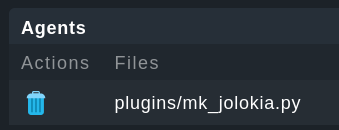
I then removed the cmk link again and placed my modified file at the location without using any links, and now the file shows up under unpackaged files:
Is this the right location to put the rulespec file? It does not seem to be, my modification in that file does not show in the agent rules form, although I did an omd restart.
Could you give me hint where to place these files? I need to modify the agent plugin and the form, to give the agent plugin some addional config parameters and change it’s behaviour a little.