Hi,
i have a question in regards to the “logwatch” plugin and its handling.
We want to use the Logwatch Plugin (via Bakery) to get notifications, once we have hits in our defined Logfiles.
We also need to clear the CRITs automatically, once we have a defined pattern within the log.
So we are using a combination of Logwatch Plugin, forwarding Logwatch Events to Event Console, classify the Services to CRIT/WARN. So far so good.
But once we configure the Logwatch Forwarding, we lose all Log Services from our Host, even when we specify the exakt Location of the .log
Is this intended? I thought with the Check-mark “List of expected logfiles”, checkmk would only combine those listed logs, but not all? Or do i need to configure “restrict Logfiles”? If i do so, regardless of how i configure the regular expression, then my Forwarding Service goes to “UNKNOWN”.
How can we ensure, that only two needed logfiles are combined and forwarded to the event console, and all others like “Log Security” for example ,stay untouched.
Thanks for all input and help!
Best regards,
David
That is correct behaviour what you have described using a default forwarding rule setup.
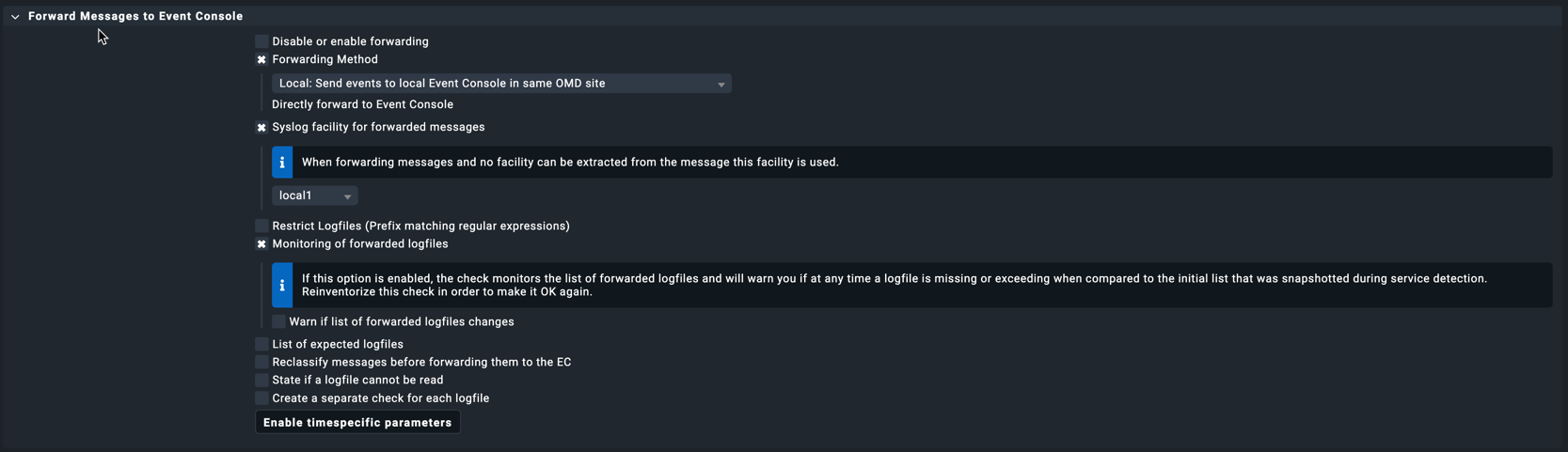
For the “Logwatch Event Console Forwarding Rule” you can specify different filters for which log files will be forwarded to the Event Console. See below:
The filter that you will want is the “Restrict Logfiles (Prefix matching regular expressions)”. This will be a regex to include/exclude the log files.
Another option is to set the “Create a separate check for each logfile” option as well which will treat each log being monitored as a service.
I have found it useful to configure the “Check event state in Event Console” rule as well. This will create a service on each host to monitor events for that host. Its quite handy to be able to right click on this service and view Event Console events filtered by the host selected.
thanks for your answer.
Yes we also use the Rule “Check event state in Event Console”.
Right now its a combination of 4-5 different Rules.
In general we dont have a Problem with the Handling itself.
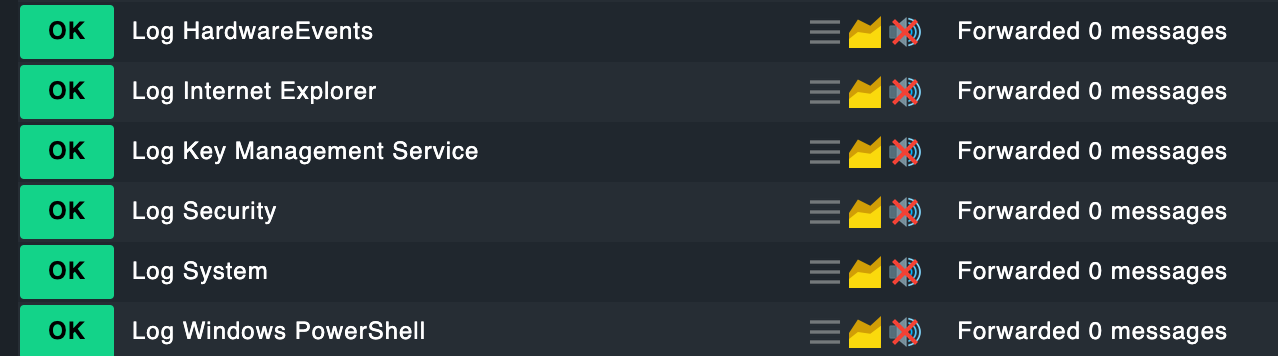
It was more about the question, that we cant seperate the to be forwarded logs and those which has to stay untouched. But once configured the “forwarding”, checkmk will forward everything, regardless what we set in the forwarding rule. So also “Log Security”.
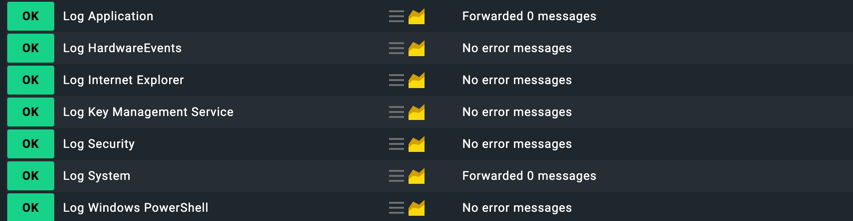
The rule config below has the “Log Security” and “Log Application” going to the event console (the option “Restrict Logfiles (Prefix matching regular expressions)” is set to the suffix of logs we want to forward) - the rest just being monitored via logwatch as normal:
In service discovery note that the logwatch plugin is being used for the non-forwarded logs and the logwatch_ec_single is being used for the forwarded logs:
thanks for all your time and effort.
It seems its working fine, when we do a pattern to the standard Logs (which comes from MS). Like you did for example with System and Application.
Unfortunately for our Logs, it doesnt work.
I also have to say, that those logs are custom Logs, which gets discovered by the Logwatch Plugin (by Bakery). Those are logfiles, located under D:\
Here it seems, checkmk doesnt recognize the pattern. Anything we try doesnt work.
We tried:
Log D:$
^D:$
D$
We also tried the whole path.
etc.
(I can confirm that for the other logs, your pattern works for us as well)
Very frustrating.
I was able to fix it with escaping the backslashes in our custom plugin pathes.
We have now 2 forwarded Logfiles, all others like “Application, System, Security etc.” are untouched.
Correct - that was going to be my next suggestion to put the full path in with escaping the special characters. You should be able to use a similar approach with the regex in the Event Console to filter out your messages as required.
This topic was automatically closed 365 days after the last reply. New replies are no longer allowed. Contact an admin if you think this should be re-opened.