Output of “cmk --debug -vvn hostname”: (If it is a problem with checks or plugins)
OMD[site]:~$ cmk --debug -vvn
Checkmk version 2.2.0p22

FETCHING DATA
Source: SourceInfo(hostname=‘’, ipaddress=‘’, ident=‘agent’, fetcher_type=TCP)
Read from cache: AgentFileCache(, path=/omd/sites//tmp/check_mk/cache/)
Connecting via TCP to :6556
Detected transport protocol: PLAIN
Reading data from agent
Write data to cache file /omd/sites//tmp/check_mk/cache/

PARSE FETCHER RESULTS
<<<check_mk>>>
<<<df_v2>>>
<<<systemd_units>>>
<<<ps_lnx>>>
<<>>
<<>>
<<>>
<<<lnx_if>>>
<<>>
<<>>
<<>>
<<<lnx_thermal>>>
<<>>
<<>>

Host ‘’ → sections parsed successfully
No piggyback data received

SERVICE RESULTS

HTTP-Service-1        HTTP check OK
HTTP-Service-2        HTTP check OK
Check_MK Agent        Version: 2.2.0p22, OS: linux, TLS not activated
CPU load              15 min load: 0.00
CPU utilization       Total CPU: 0.36%
Disk IO SUMMARY       Read: 0.00 B/s, Write: 12.6 kB/s
Filesystem /          Used: 8.57% of total
Network Interface 1   Speed: 1 GBit/s (expected: 100 MBit/s)(!)
Network Interface 2   Speed: unknown
Systemd Services      Total: 218, Failed: 0
Memory                Used: 8.34% of total
TCP Connections       Established: 8
Temperature Zone 0    27.8 °C
Temperature Zone 1    32.0 °C
Temperature Zone 2    33.0 °C
Uptime                183 days
Custom Job            last run 75 hours ago

No piggyback files found

[agent] Success, [piggyback] Success (no data)
Execution time: ~2.0 sec
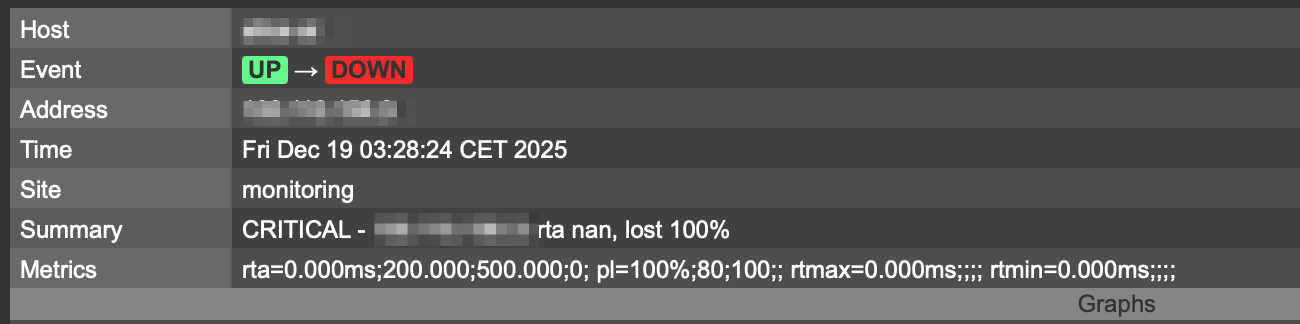
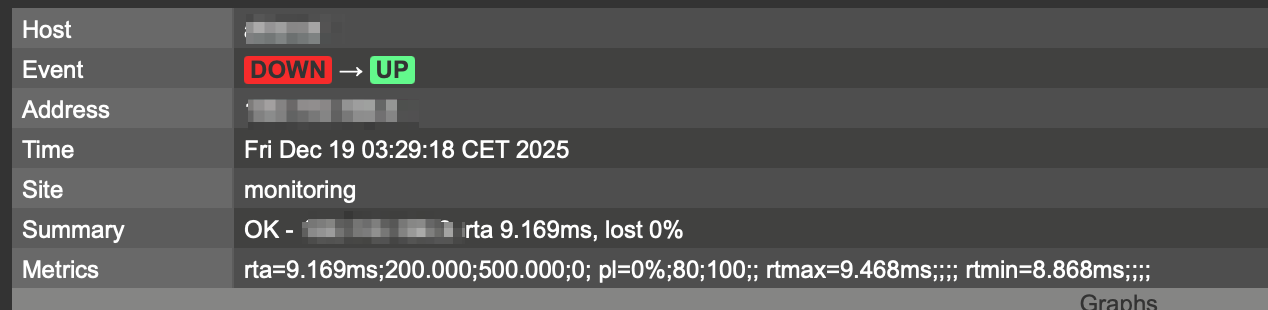
Both node and host using a tailscale tunnel only to communicate, firewall closed for anything else on the host (node is in a DMZ). It generally works fine, but maybe due to tunnelling problems I’m constantly getting message like these for 30 seconds or a minute duration:
Hmm. A shell ping from my server to the host works fine, not so the other way…It clearly addresses the proper tunnel endpoint, but no way…. Strange.
But what is the problem with the so called Smart Ping? If it accepts TCP as OK, that would be fine. For me it seems, the tunnel just looses some of those packets…
In your screenshots there it is not using smart ping but a normal ping check.
If you use smart ping (enterprise/cloud only) then you have no metrics available for the host check. But if you have enterprise edition in use you can decide for the host check what type of check it should use (ping / smart ping / service state and so on).
In Raw / Community edtion you can also change the host check command to something else than ping. Most times where i cannot ping a device i use the status of the Check_MK service as host status.