MB isn't the same as Mb

Hi there,

I would like to use CheckMK in my company, so I have setup a test setup, and added a few switches and routers…

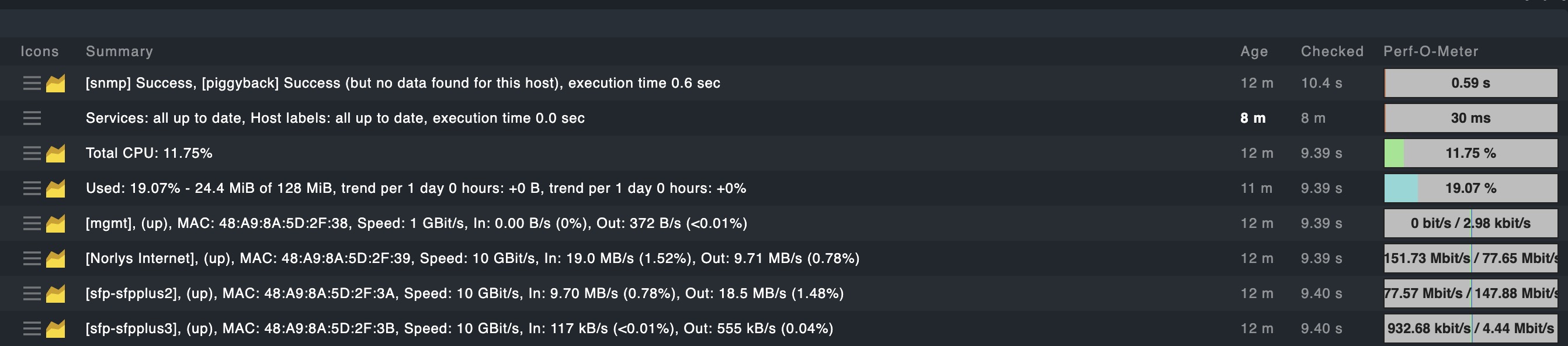
Apparently someone at CheckMK doesn’t understand the difference between MB (Mega Byte) and Mb (Mega bit)…

As you can se under Summary capital letters is the norm, while under Perf-o-meter uses Mbit/s…

It sadly annoys me so much, that I won’t be using your otherwise great product before this is fixed.

/B

All the values from your screenshot are perfectly fine from the conversation standpoint - 9,7 MB → 77,6 Mbit inside the Perf-O-Meter as an example.

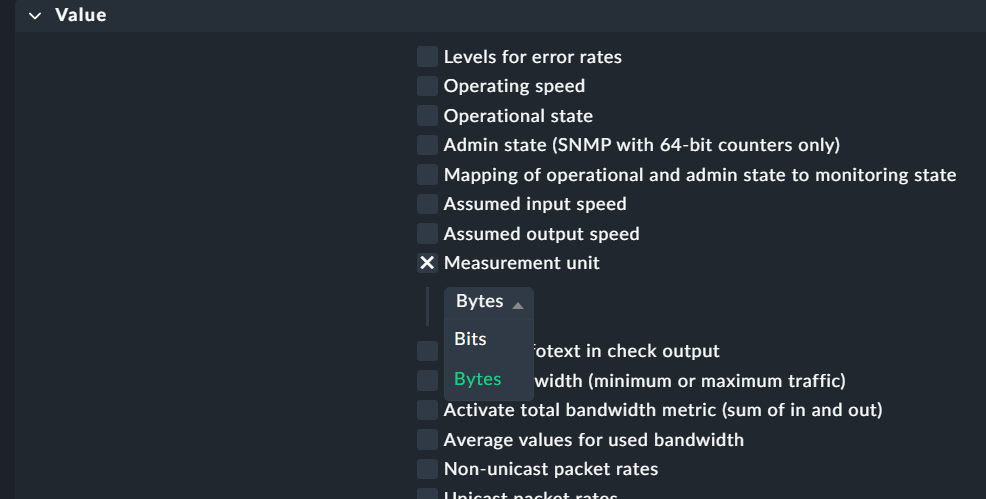
You can configure how the output is done on the summary with the interface monitoring rule.

Rule name → “Network interfaces and switch ports”

Settings:

This rule you can set as general for all your interfaces or only for some.

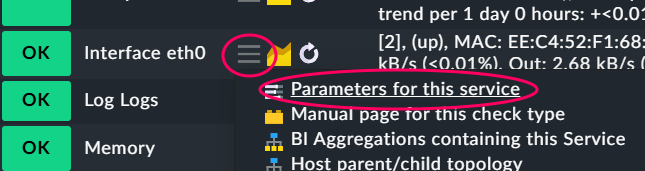
Easiest way to reach this rule is the rule icon behind one interface service.

PS: Change of Perf-O-Meter is not so easy.

1 Like

OK great that you can change it… I would still prefer that it was presented the same everywhere…

But to be fair I will give it another chance… Now I just need to figure out how to implement all my custom checks from our existing setups…

/B

Then you will have the same discussion why it is not the other way around.
In server environments i prefer the output in MB inside the details. In some network environments (WAN) it is easier to have Mbit. As every time - it depends on your use case and the possibility to switch between booth are the important thing. The Perf-o-Meter has the problem that it not knows from the rules you defined for the details output as it receives every time the same data.
2 Likes