I’m using check_mk 1.6.0p20 and I’m currently with a doubt.
All the checks that we have from the check_mk_agent(I’m referring the basic ones, like cpu,memory,filesystem,etc), where can we change the threshold limits of them?
For example, by default we have for memory, C80%W90%, and I would like to change them to other levels.
Another thing I would like to change is to exclude some of the memory checks the are configured by default.
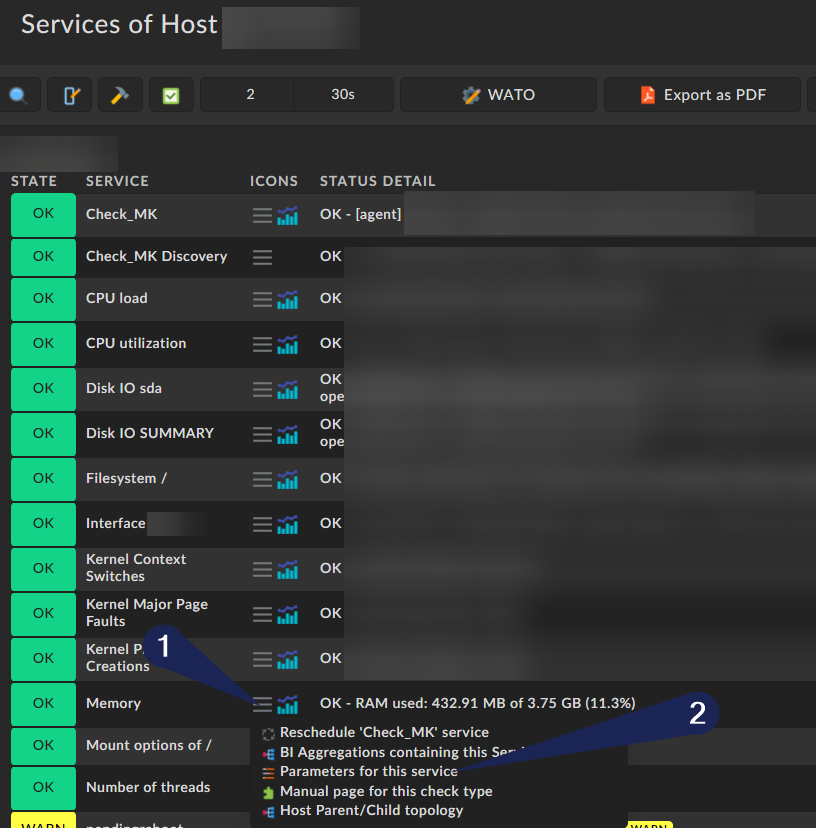
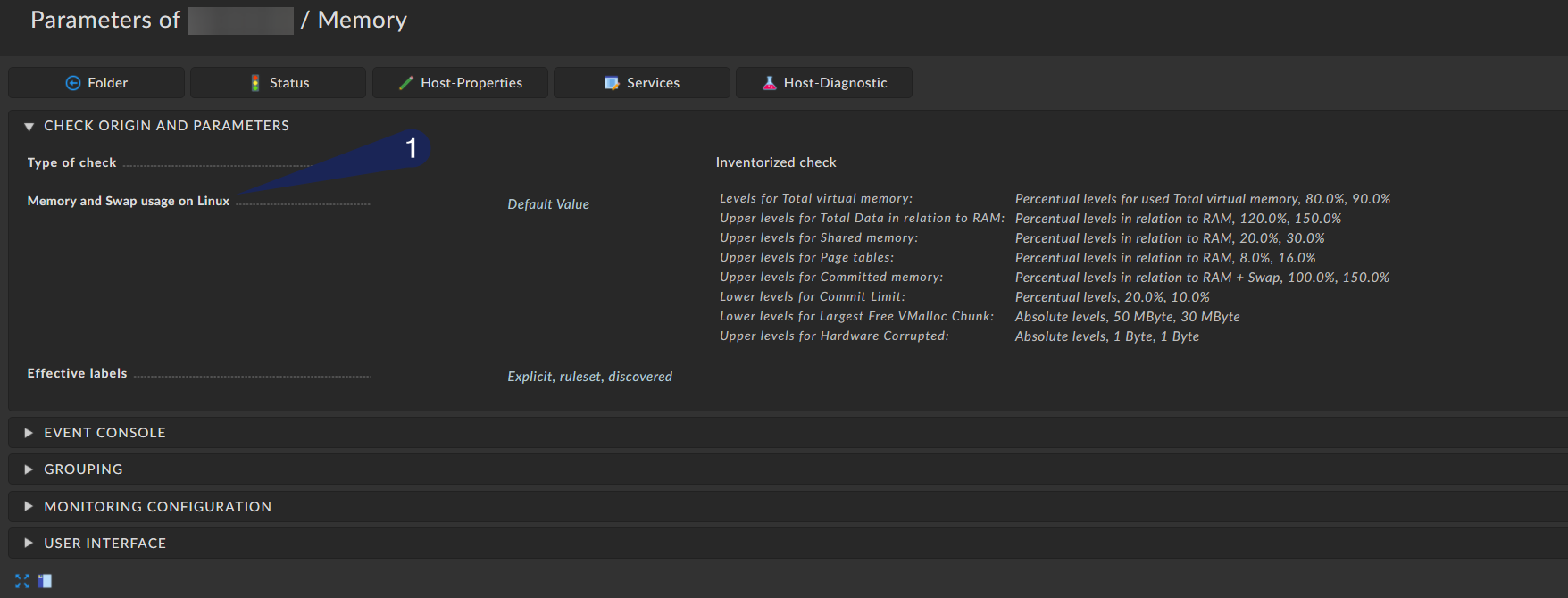
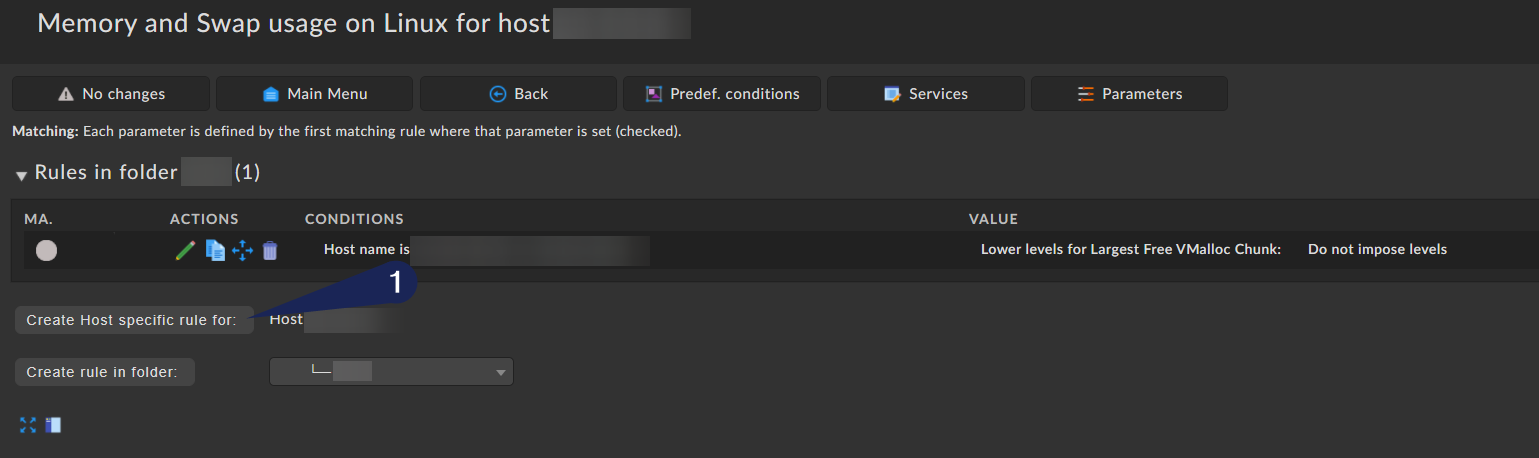
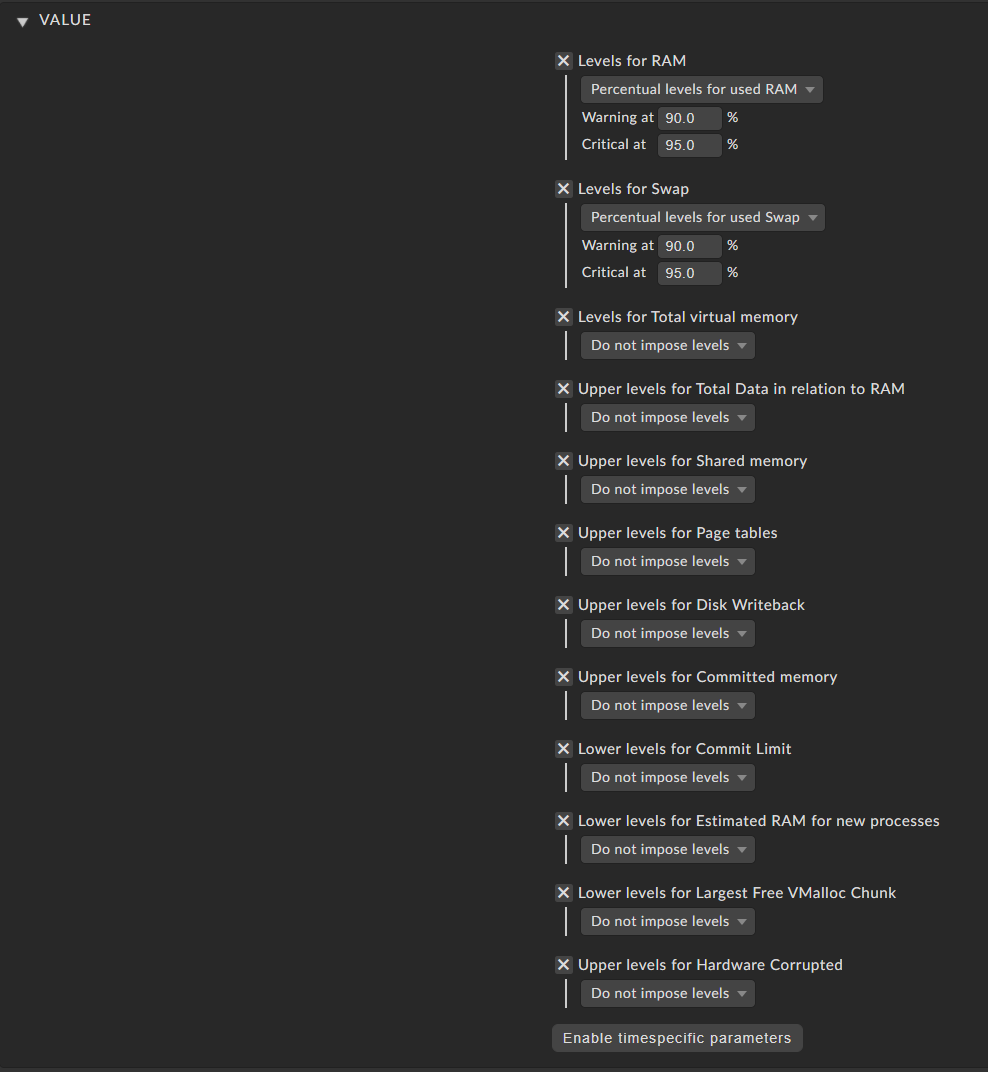
There you can see which Values are currently used. In this example only the default values are being used. I recommend you to use those defaults from checkmk. But if you want to change them you can just click on the rule and then you get to the next page that looks like that (in Version 1.6.X with dark theme):
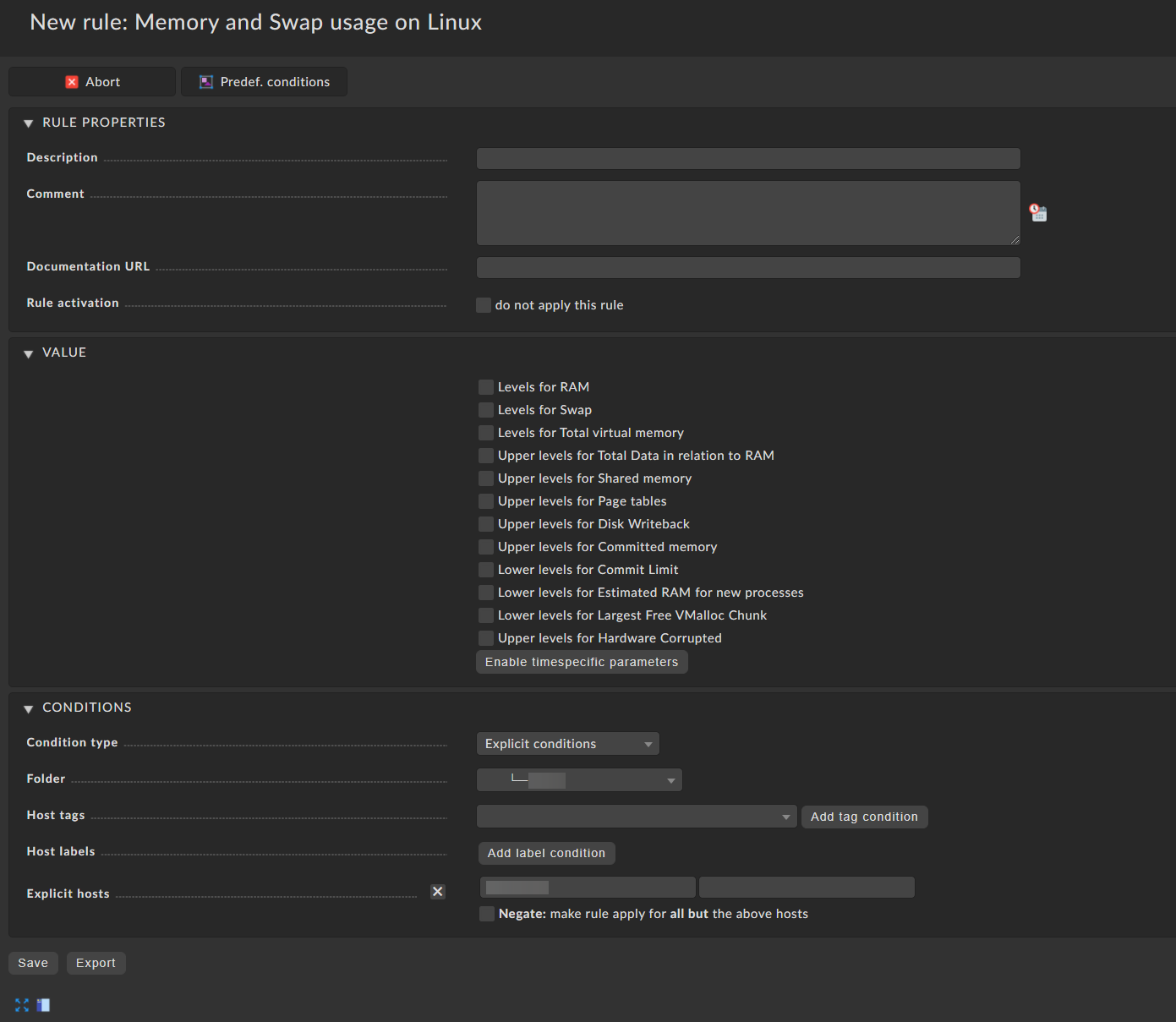
The last picture shows you the rule creation itself. There you can change whatever you want.
I always like to say at this point. Don’t change the threshold, fix your problem instead
I hope that helps you a bit. You should also read in the Checkmk User manual/documentation for more detailed information: The official Checkmk user guide
I’ve performed those actions but seams that is not working for me.
In the meantime another detail, when doing that sort of rule, I’ve also tried to add an explicit host and also not checking that option in order to affect all my hosts. Even though I didn’t had any change in the service parameters.
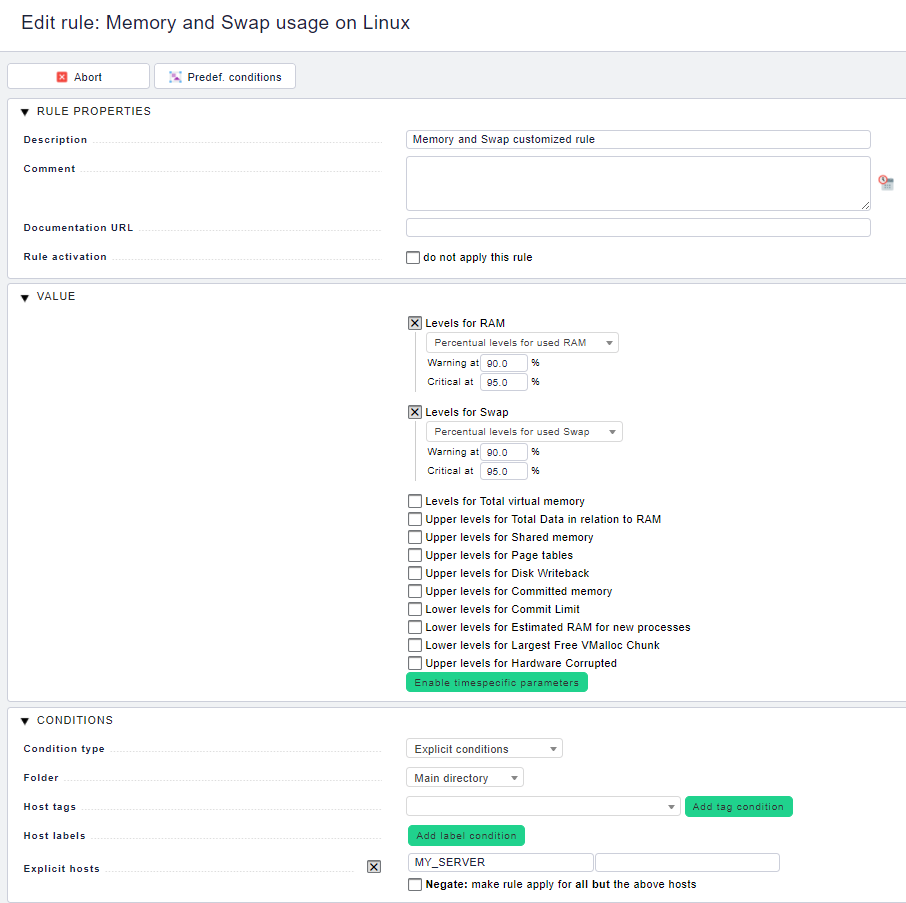
Let me past here a photo.
Hi Norm,
I was expecting that by selecting only levels for RAM and Levels for Swap the others checks would be ignored. So that is the reason why I didn’t check also that option.
What if I only want to check those 2 checks and ignore the remain ones?
Hey @whity,
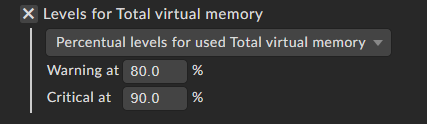
if you are not putting in explicit levels / thresholds Checkmk will use the default levels. The total virtual memory is not the same as the levels for RAM / Swap. I wouldn’t recommend such a rule but you can do whatever you like.
To get what you asked for you have to edit your rule like this:
This topic was automatically closed 365 days after the last reply. New replies are no longer allowed. Contact @fayepal if you think this should be re-opened.