Right in time for X-mass you can now create LLDP network topologies for your Cisco Meraki network in checkmk.
To do this you need at least
- checkmk 2.3.x
- the extended Cisco Meraki cloud agent version 1.4.0-20241217
- the Network Visualization Data Creation Tool version 0.9.2-20241117 .
Here is a basic how to:
- enable HW/SW inventory in checkmk
- install and configure the extended Cisco Meraki cloud agent
- configure the Dynamic host management to add your Cisco Meraki devices to checkmk, let the DCD do it’s magic
- wait until the HW/SW inventory was running and has found the LLDP neighbours
- configure and run NVDCT
- enjoy your LLDP network topology
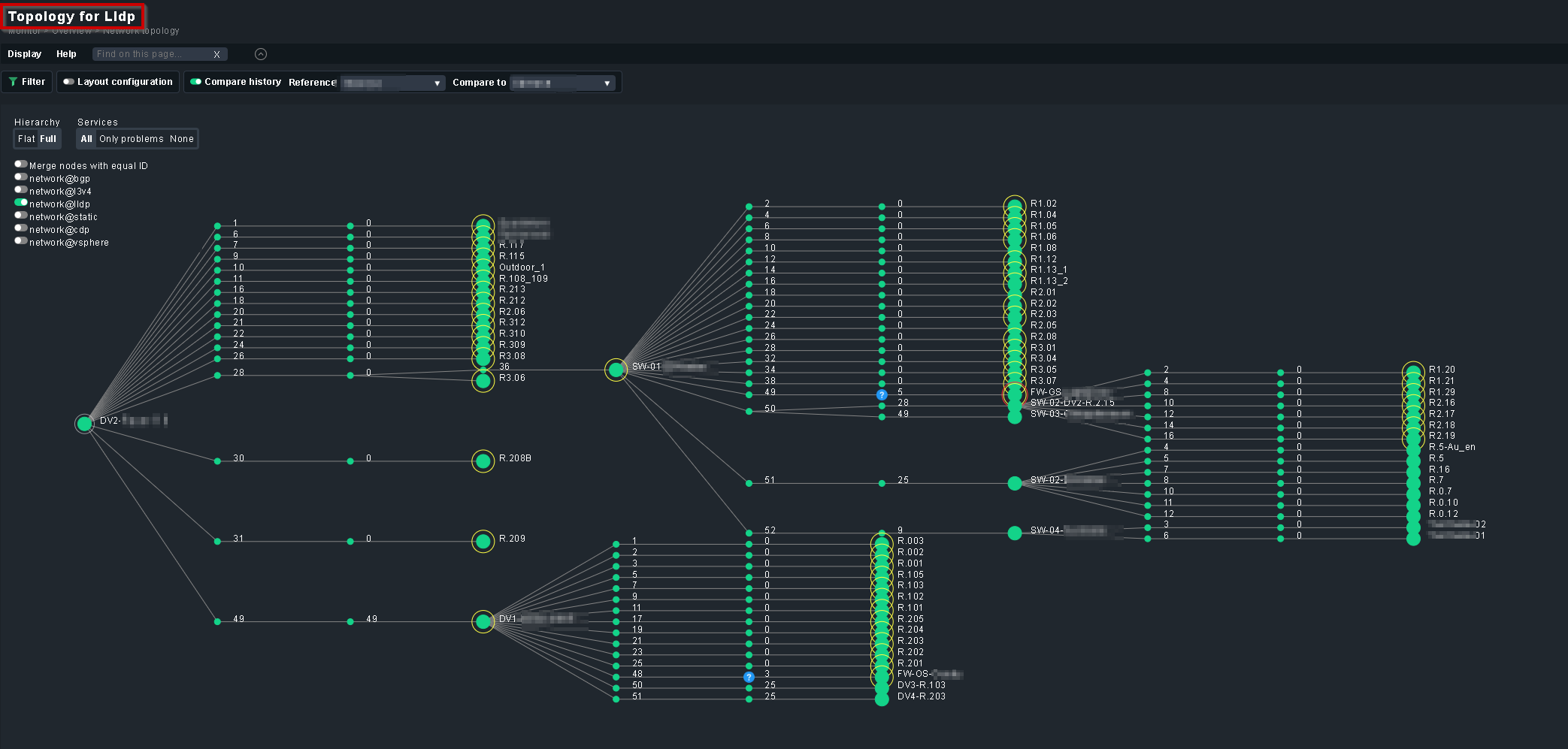
How to configure NVDCT for use with Cisco Meraki:
- create a copy of
~/local/bin/conf/nvdct.toml - in your copy of the config file
- in
[L2_SEED_DEVICES]add your Cisco Meraki seed devices (from where to discover the LLDP topology)
Note: The names have to be exactly like the are in checkmk - in
[L2_NEIGHBOUR_REPLACE_REGEX]- uncomment
# "^Meraki.*\\s-\\s" = "" - if you have Meraki devices with spaces in the host name add
"\s" = "_"
- uncomment
- in
[SETTINGS]- uncomment
layersand change it to:layers = ["LLDP"] - set the output directory (optional), i.e:
output_directory = 'meraki' - make the topology the default (optional):
default = true
- uncomment
- in
Now run NVDCT
OMD[build]:~$ ~/local/bin/nvdct/nvdct.py -u ~/local/bin/nvdct/conf/your_meraki.toml

Network Visualisation Data Creation Tool (NVDCT)
by thl-cmk[at]outlook[dot]com, version 0.9.2-20241117
see https://thl-cmk.hopto.org/gitlab/checkmk/vendor-independent/nvdct

Start time....: 2024-11-24T12:51:58.11
Source lldp...: Devices/Objects/Connections added 306/1061/1136
Time taken....: 27.457535817/s
End time......: 2024-11-24T12:52:25.11

OMD[build]:~$
Note: If you are updating from an older version of the extended Cisco Meraki cloud agent and/or NVDCT, there where some incompatible changes nessecary to make this work. For the NVDCT see here or in the CHANGELOG. For the extended Cisco Meraki cloud agent these changes are in the
- Switch Port Status
- Wireless Ethernet Status
part.
- The Service name has changed from Port to Interface → do a rediscovery for your Cisco Meraki switches and wireless devices.
- The Discovery Rule Cisco Meraki Switch Ports needs to be recreated.
As always check the CHANGELOG before updating.
Cheers
Thomas


