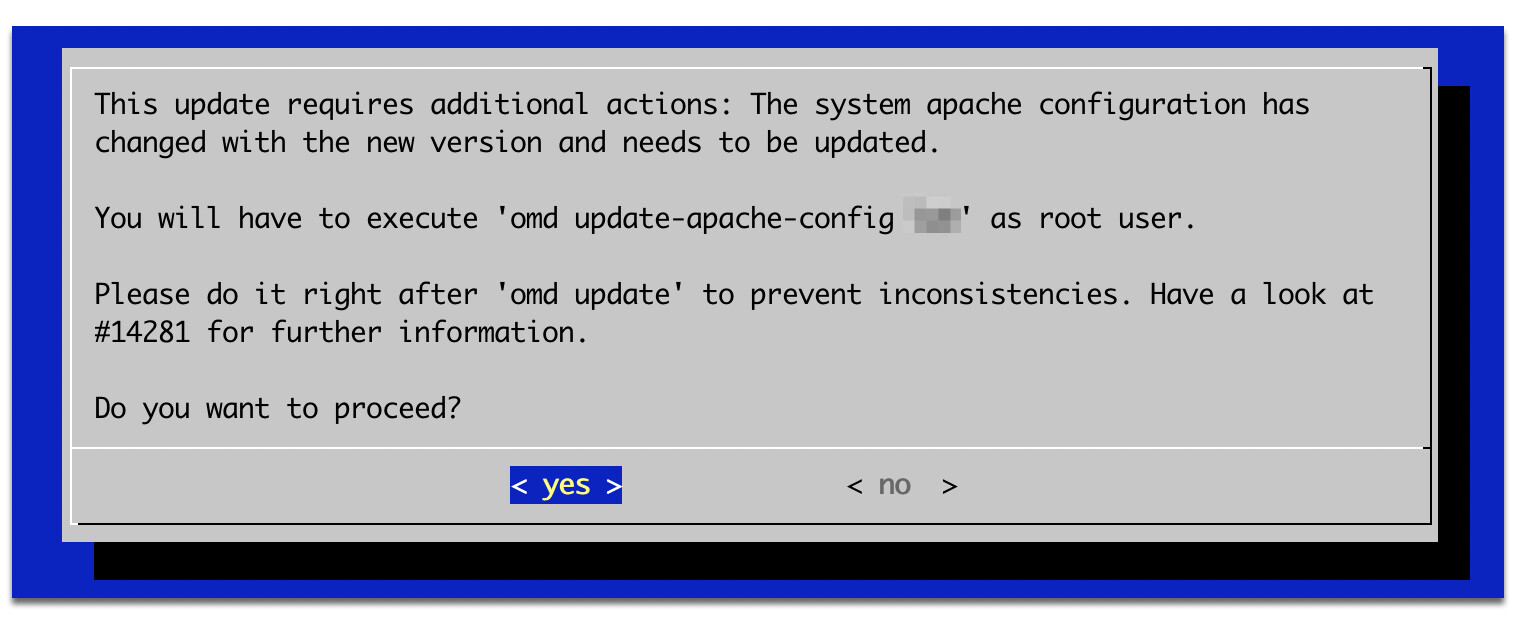
On the other two remote instances they are no problems yet, because I did not restart the server after the checkmk update.
I made the update via omd from 2.0.0p25.cee to 2.0.0p39.cee and then I restarted the server. then I figured out that the apache is not listening any more. As you can see in the output the apache-own.conf file disappeared through the omd update. it is still in the locate-cache but not on the server any more…
OMD[mysite]:~$ locate apache-own|grep -v skel
/opt/omd/sites/mysite/etc/apache/apache-own.conf
OMD[frankfurt]:~$ ls /opt/omd/sites/mysite/etc/apache/apache-own.conf
ls: cannot access '/opt/omd/sites/mysite/etc/apache/apache-own.conf': No such file or directory
The omd update process did not show any error.
Does anyone know, how to prevent this behaviour? Is there a better way to update checkmk as described in Updates und Upgrades ?
just another hint: newer Version of checkmk have a special sub-function in omd. See the man-page of omd:
       omd update-apache-config SITE
              The  site  Apache  needs to be registered with the system Apache to enable access to the UI and REST API via HTTP. After modifying the config options APACHE_TCP_ADDR, APACHE_TCP_PORT or APACHE_MODE, you will have to call this
              command to update the system apache configuration of your site to reflect the changes in the configuration of the system Apache.

              When using the modes create, rm, cp, mv or restore (as root), you don't need to call this command.

              You need root permissions to execute this command.

              This command was introduced with Checkmk 2.1.0p4.
but because I am still on 2.0 I am not sure if I could use it. I do not want to destroy my apache configuration further more.
The Werk is what you are looking for. Werks that apply to CRE always apply to all commercial editions as well. The update process should have printed a hint, that you need to run omd update-apache-config [SITE] after the upgrade. So running the command for all affected sites will fix the issue.
Great, glad we could figure it out!
Did you un-mark my answer as the solution for a reason?
If not, please make sure the solution is set, so everyone can quickly see it.
Thanks and all the best!
This topic was automatically closed 365 days after the last reply. New replies are no longer allowed. Contact an admin if you think this should be re-opened.