Hi,
I monitor my QNAP NAS with the QNAP plugin. But I wonder, if it’s also possible to monitor the RAID status of my device. When I do a service discovery, Filesystems, disks and disk temperature is automatically discovered. Unfortunately, I don’t see anything related to RAID status. Is this specific SNMP OID currently not implemented in the original QNAP plugin?
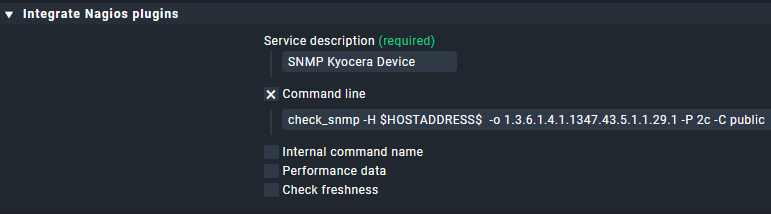
For some oids not supported in a plugin, as a workaround I used Setup > Services > Other services > Integrate Nagios plugins rules on the folder of our printers to add some snmp oid checks.
Where I applied my workarounds are all showing static info like device, model, serial and such. So no real urge to change that now, but it might become useful someday.
Perhaps good to update the exchange description(s) to reflect those advantages?
I used the classic Nagios SNMP check as proposed by Yggi, but I think I’ll try to write my own RAID check. @r.sander: I installed and activated the mkp SNMP extension, but I couldn’t find out how to use resp. how to configure it. Can you please explain in a few words?
This topic was automatically closed 365 days after the last reply. New replies are no longer allowed. Contact an admin if you think this should be re-opened.