I want to monitor some internal SSL sites. I know I can make an http check with the mode set to ‘check url’ to check if the website returns a nice 200 instead of 500, etc.
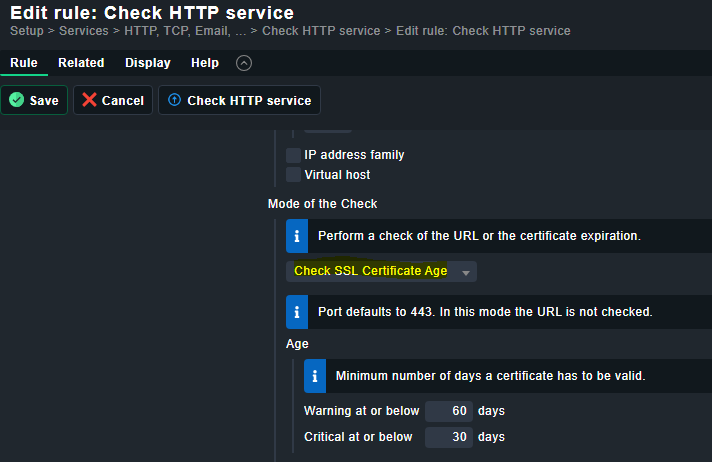
I also want to monitor the expiry date of the certs, so I have to create another http check with mode ‘check expiry’.
But I just found out that these checks are perfectly happy when of my appliances falls back to its own self-signed cert instead of the right internally deployed certificate signed by our own trusted CA.
I can probably start writing a third check to monitor that, but how do you guys monitor this situation?? I’d rather not have 3 checks for a single site. (I wrote a lot of local checks, but never a ‘server plugin’ though).
the checkmk guys are currently developing a new check for http and TLS that will likely be released in checkmk 2.3.
As far is i know, all your requirements will be built in there.
This is what Marcel wrote in the ideas portal :
We are on the finishing line here and currently, we have an implementation to handle your use case. Actually, several implementations. Everything below is a moving target and not finalized:
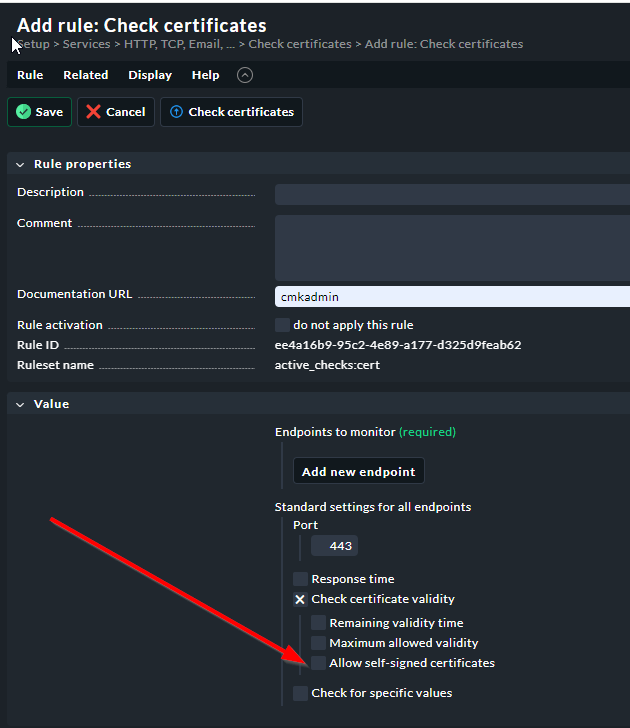
You will be able to allow self-signed certificates explicitly. The default is an error (as there is no issuer)
You will be able to check for a specific issuer in a more or less detailed way. Especially considering the latest mitm-attacks
Keep on tracking this new feature as we will implement the ruleset in the next days.
For testing, I ran the 2.3-daily image, and copied the /opt/omd/sites/cmd/lib/nagios/plugins/check_httpv2 executable (which I think is the check you are referring to) to my 2.2.0 production machine to be able to test stuff (almost everything is locked down in this environment).
how can I tell this check which ca-bundle to use? My own ca is in /opt/omd/sites/cmk/var/ssl/ca-certificates.crt, but it doesn’t seem to be trusted.
If I would get this check working as I would like, would it be possible to use this check and integrate it with the gui on my 2.2 machine? I would not dare run a beta release in production
We need the ability to test the expiration date on SSL/TLS certificates and alert us when they will expire in 30 days. Is this a feature/ability we can expect in 2.3 ?
With Checkmk before 2.3.0 you can already monitor certificates that are available via HTTP, so for example to monitor the certificates I use for SMTP and IMAP I just use these same certificates for Apaches running on the mail servers that just serve the purpose of acquiring Letsencrypt certificates and monitoring certificates.
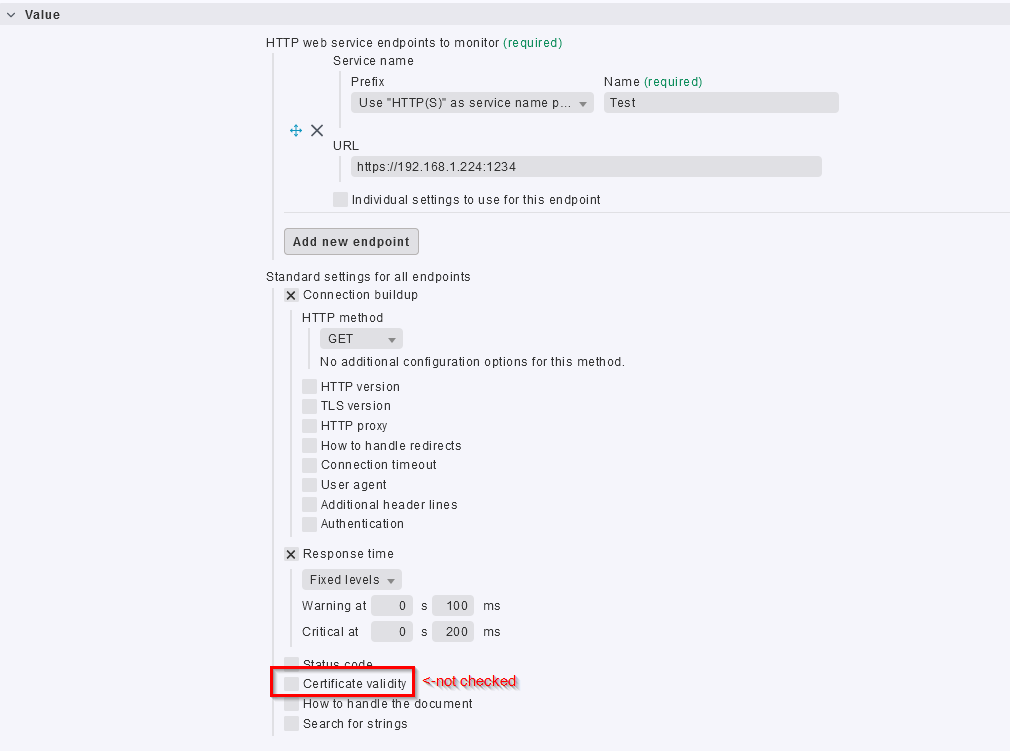
In Checkmk 2.3.0 it will be possible to monitor certificates on the HTTP port, content, response codes and so on in a single call:
Furthermore there will be a dedicated check_cert that can also be used to monitor if all expected alternative names are present and more on any SSL enabled port (no STARTTLS for SMTP or similar so far). So depending on your exact task: Either Checkmk already can or Checkmk 2.3.0 most likely will fit your needs.
Both new checks already can be used in the beta with most of the final features. However we are still ironing out rough edges regarding naming and placement of the input fields and the inline help.
My exact task as written in my original post is to monitor expiration date of certificates and generate an alert when said certificates will expire in 30 days.
Steve, you did not specify how the Checkmk server can access these certificates: By https, by a different SSL aware port or by agent plugin on a hosts filesystem.
If the certificates can be monitored by active check, that means the Checkmk server can contact the host in monitoring on the ports that use certain certificates, my comment applies and regarding scope your task can be done either already or in 2.3.0.
If you want to monitor certificates lying around in the filesystem, pleas use the plugin developed by @r.sander :
Thank you Mattias I appreciate the additional information.
Does anyone know if I can use CheckMk to determine the expiration date of my certificates such as SSL/VPN and alert me 30 days prior to the expiration of the certificate.
Yes – on Checkmk 2.3.0 you will be able to monitor certificates also on other ports than 443/https. But, there are currently some restrictions: It’s limited to TCP and for mail servers, you are not able to monitor certificates if you’re using STARTTLS.
Maybe an example?
I tried two different public SSL-VPN relay servers
~/lib/nagios/plugins$ ./check_http -C 14,7 --sni -p 443 -H public-vpn-90.opengw.net
OK - Certificate 'opengw.net' will expire on Sun Jun  9 18:12:34 2024 +0000.

~/lib/nagios/plugins$ ./check_http -C 14,7 --sni -p 996 -H familia2025.opengw.net
OK - Certificate 'opengw.net' will expire on Sun Jun  9 18:12:34 2024 +0000.
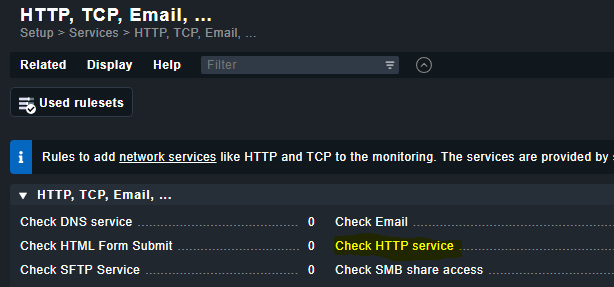
What I wrote is a command line interpretation of the “standard Check SSL Certificate Age Mode of the Check”. if you fill out the values correctly in the GUI, it will traslate to the command line I pasted.