Monitoring HTTP/HTTPS services. Rules OK but host down

CMK version:
2.0.0p32 (CRE)
OS version:

Error message:
CRITICAL - x.x.x.x : rta nan, lost 100%

Output of “cmk --debug -vvn hostname”: (If it is a problem with checks or plugins)

I don’t know how run this command on docker


I’m so new with checkmk.
I follow more or less: Best practices, tips & tricks → 4. Monitoring HTTP/HTTPS services
Services are monitoring well, but host appear as DOWN.
I supose that PING is not working (That’s public service dont have ICMP)

How I can solve this?

Thanks.

Hi Alberto

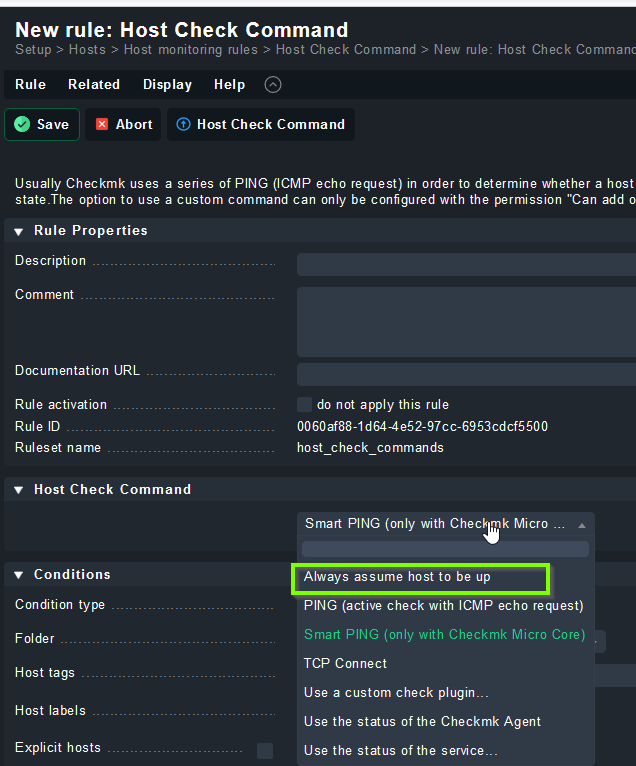
You can replace the default host check (ping/smart ping) with another check of your choice or disable the host check completely (always up).

Regards, Lars

Yes, It’s what I’m trying but I can’t find how and I do it

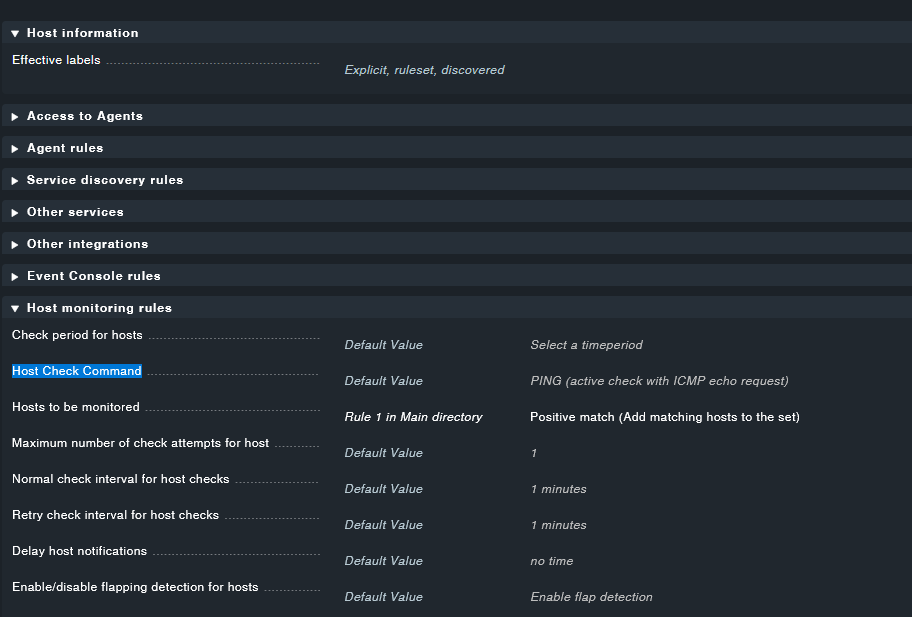
I think you’re looking for the “Host Check Command” rule :slight_smile:

On Setup → Hosts → Main directory → HOST → Properties of host HOST Parameters of HOST
I found the propierty.

But what’s next?
I can create a rule but not deleted.

have you looked at the options of the rule :wink: ?

I got it, thank you very much.
Create a rule, only for one host, that contradicts the general rule, a bit farfetched but it works!.

Thanks

Can you please mark the answer as the solution if it solved your problem?

This topic was automatically closed 365 days after the last reply. New replies are no longer allowed. Contact an admin if you think this should be re-opened.