I have to monitor some certificates on a tcp port without adding them to the global trust store.
As far as I can see the new http check and also the certificate check both require a valid certificate chain - which would require checkmk to trust various test CAs globally, even when checking production systems, meaning checkmk might consider a test certificate on a production system valid.
Is there a check available that allows monitoring certificate expiration without trusting the certificate or specifying a specific trusted CA certificate for a specific check?
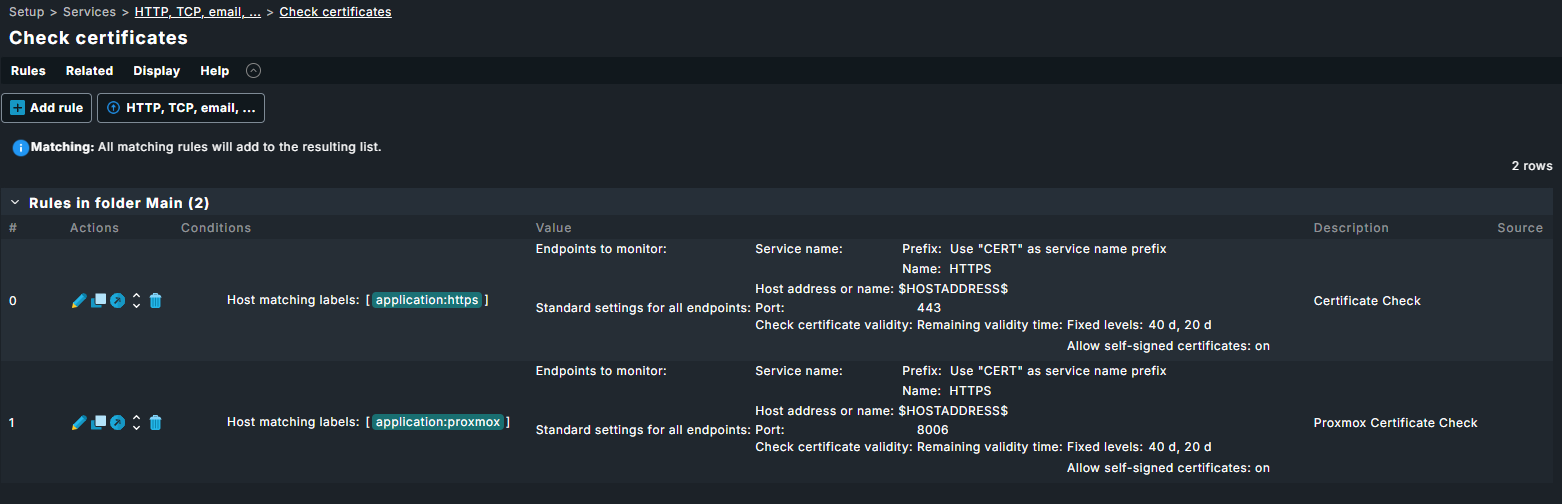
IF you only want to validate a certificate do not use the Check HTTP web service, but use the 'Check Certificates -rule:
In v2.5.0 the certificate check rule logic has been adapted so that it now correctly only checks validity of the leaf-certificate.
Even if you are dealing with a chain, or untrusted CA.
Prior to v2.5.0 this was an issue where the check still reported a warning if there was a self-signed certificate in the chain.
I’m aware of the Check certificates rule, but I’m on 2.4.
This isn’t a self-signed certificate we’re checking, it’s our internal test-CA, which we cannot have Checkmk trust unconditionally for production systems.
Both the new http check and the check certificates-rule require a CA trusted by checkmk globally.
It’d be great if we could just paste a pem with a CA certificate into the check and have checkmk trust only that specific CA during this check.
From your response i interpret it as a signed certificate against a Test-CA and because it cannot validate it against the CA it is considered ‘self-signed’.
Therefore the tickbox in the ‘Check Certificate’-rule to allow self-signed should work.
In my case i am looking for validity of certificates signed by an internal CA (from eDirectory), and have not imported the CA into CMK.
Even a check Certificate rule i have is to validate against an eDirectory Server’s LDAP(s) -port comes out fine when ticking the ‘Allow self-signed certificates’.
Could you maybe set up a/the rule, and then report back what the check exactly reports ?
Note that the last line is a check on a LetsEncrypt cert, which is working well online but somehow is somewhere misconfigured on the host to not include the full chain…
I used this configuration rules which work for me: