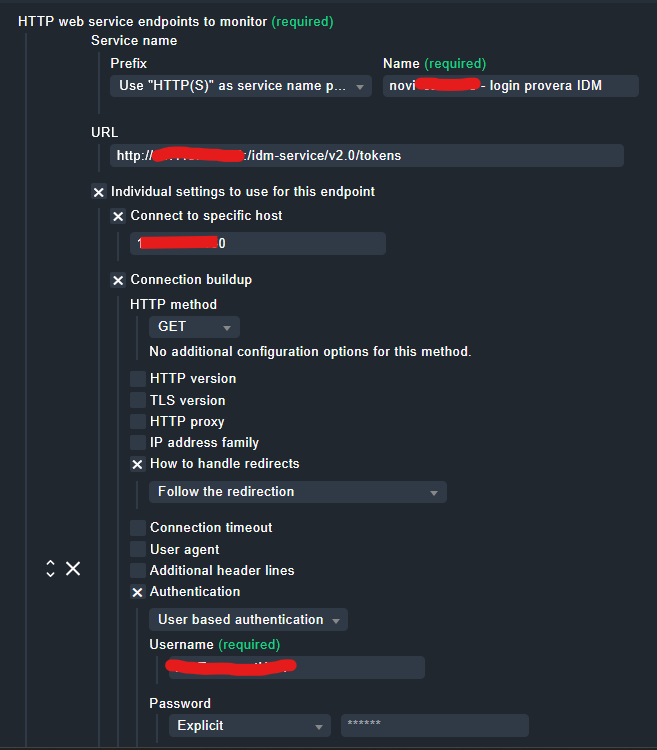
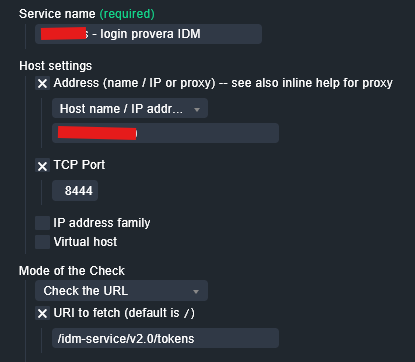
We have just upgraded to raw 2.3.0p12 and will soon upgrade to enterprise edition.
Currently we have around 300 checks in Check HTTP service (deprecated). Do we manually have to move all these checks to the new (Check HTTP web service), or is it possible to do this in a quicker way through the GUI?
Hello,
Does anyone have a solution or any idea on the above to migrate several old Checkmk HTTP service rules to accommodate the new rules for the Checkmk HTTP web service?
I have close to 60 rules to migrate and was also wondering if there was an easier and faster way than individually creating the new rules.
I don’t know any good automatic solution for this.
But on some if my systems after the migration we had way fewer rules as before. With the new rules with had combined site + cert checks where there we had before two checks.
Thank you for your response Andreas!
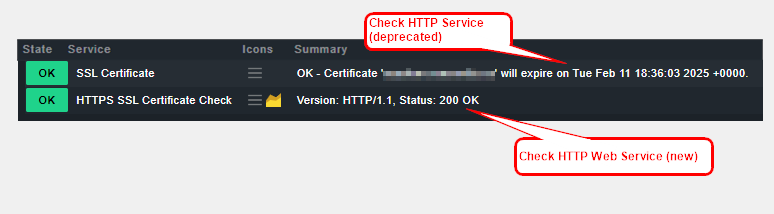
Yes… I did notice and appreciate the optimized rule method to combine the site+cert check. However, I did like the previous Summary output that shows the assigned certificate and the expiration date regardless even if the service status is in OK state. As opposed to the new Check HTTP web service only shows the status is OK (please see attached screenshot). Is there a way to show the summary output as before?
At the moment it is only visible inside the details.
That would be a small feature request - but i think the problem is here, that you can define many endpoints in one check and then the summary will get very big and unreadable.
Hi, we have around ~350 rules to translate. It will last several days and its almost impossible too do this in time.
Currently not checked but maybe it would be an idea to keep the old http checks as local checks until all is migrated.
Is the check name the same as before or did they gave the thing a new name?
As a (temporary) workaround, until feature request is submitted and implemented, you can customize the specific view(s) and add (or replace Services: Summary (Previously named: Status details or plugin output) with) column Services: Details (Previously named: long output).
I tried as suggested and the long output I find looks messy. Still acceptable as a workaround. Hopefully, the summary output for the certificate check will change back to the previous versions.
Thanks for all the answers, we have now migrated all our rules from Check HTTP service (deprecated) to Check http web service and Check certificates. It took a while but it’s better this way with more checks under each host and fewer rules in total.
Hello all,
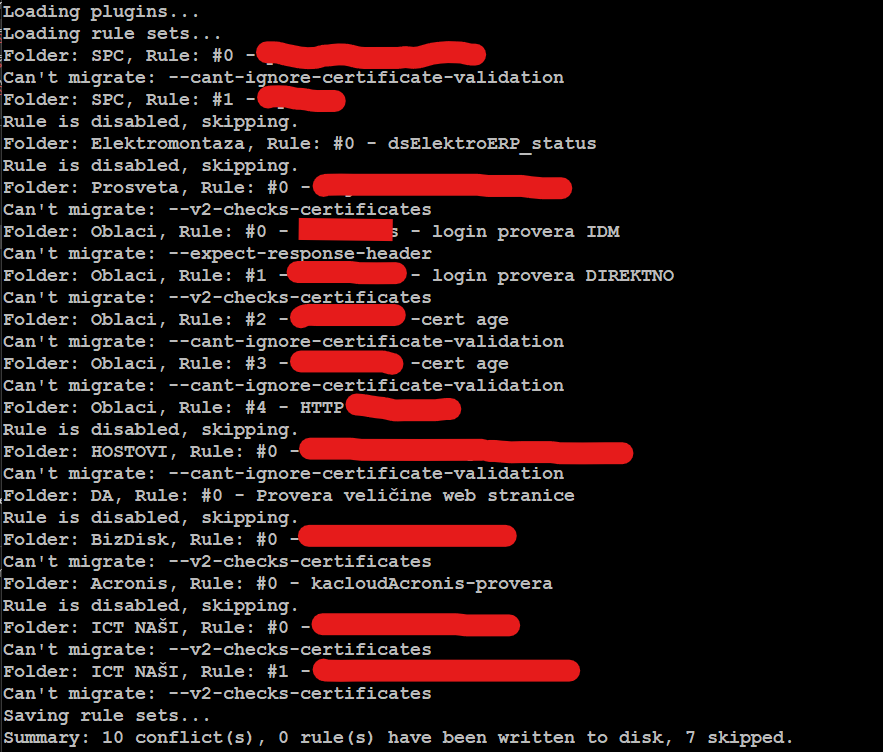
This migration script might be good for simple checks, but in my case - it generated flawed copies or skipped some checks entirely. I have invoked it with no restrictions but got this:
Actually - there is 17 rules (first 10 conflicts that I do not understand eather, since in first try, with restrictions - only 4 have been migrated successfully. 2 with errors in execution).
It is not a big deal to rewrite them all but there are some discrepancies that are confusing me.
Although it might be a subject for other topic….
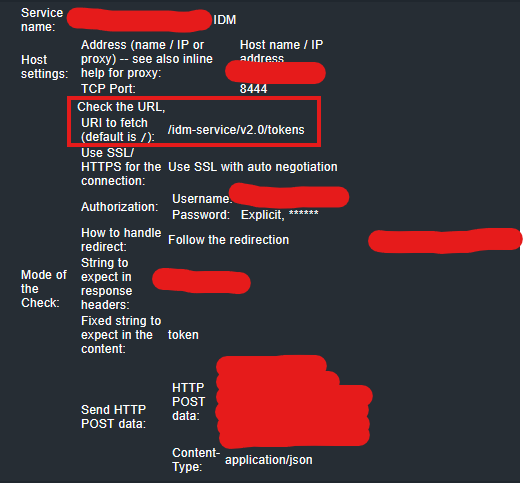
This is the definition in the old one:
Thank you for the suggestion.
I have tried this and in a bit of playing have succeeded to get past previous obstacle.
However - I cant find a place for port information - i have to direct the script to access…
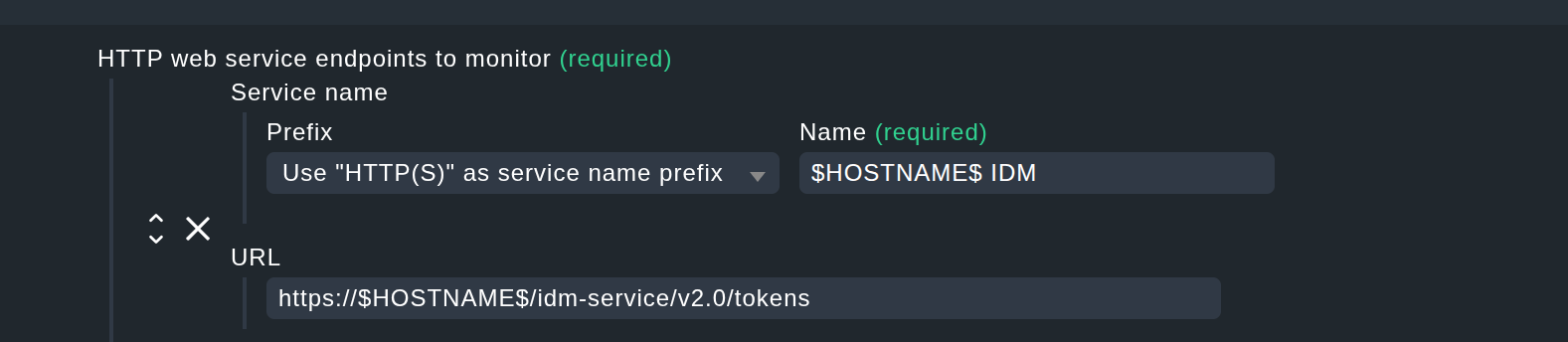
You can enter a port in the URL, e.g. https://$HOSTNAME$:8444
Please take a look at the inline help:
The URL to monitor. This URL must include the protocol (HTTP or HTTPS), the full address and, if needed, also the port of the endpoint if using a non standard port. The URL may also include query parameters or anchors. You may use macros in this field. The most common ones are $HOSTNAME$, $HOSTALIAS$ or $HOSTADDRESS$. Please note, that authentication must not be added here as it exposes sensible information. Use ‘authentication’ in the connection buildup options, instead.
You only need to use “Connect to a specific host” in case, if you need to connect to a different server rather than the one specified in the URL.