MS Sql server on Win server 2012

Hi all when I scan the service of my SQL SERVER on WIN OS i have this error:

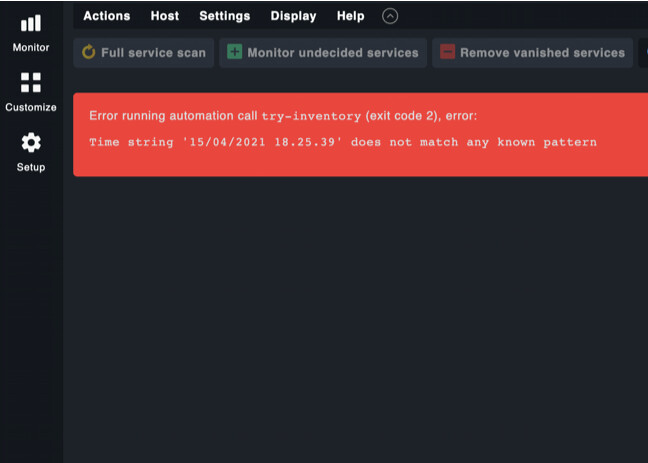
Error running automation call try-inventory (exit code 2), error:
Time string ‘15/04/2021 18.25.39’ does not match any known pattern

the mssql.vbs in plugin directory works fine.
thanks in advanceScreenshot at Apr 15 20-34-49

Can you please do a cmk --debug -vvI HOSTNAME on the command line.
I think you get a little bit more of error message and it is possible that you see what plugin causes this message.

Hi,
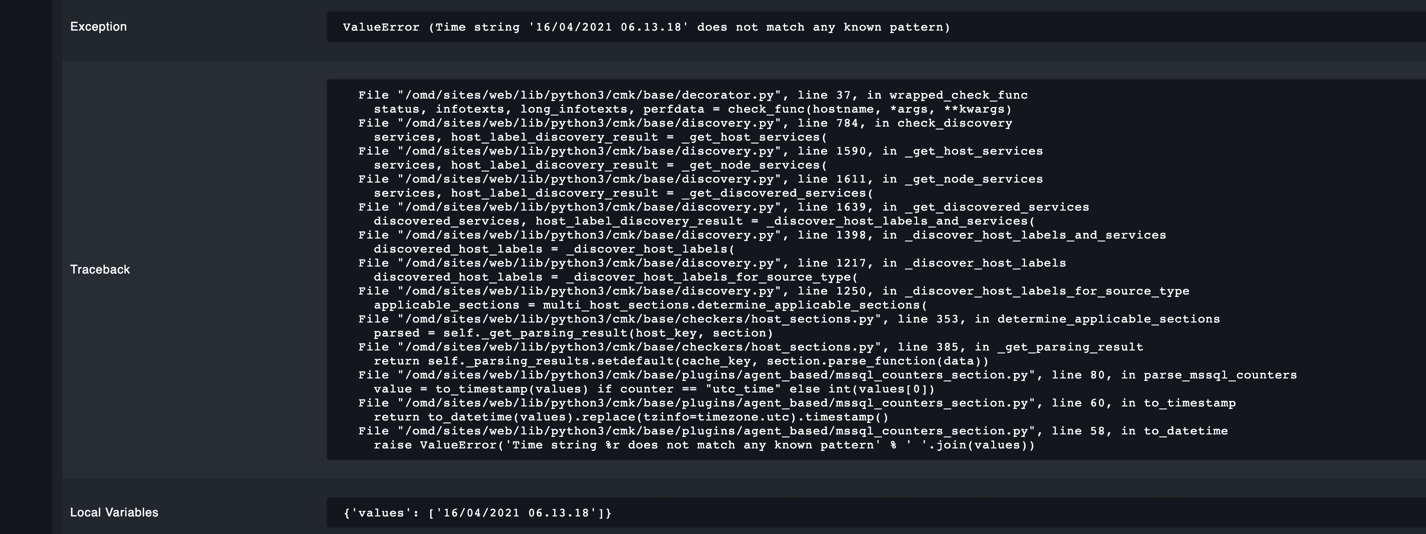
thanks for your help, I know the plugin that cause the issue, is mssql.vbs below the debug log. I think it’s a date format.

Very strange date time format if i look at it :slight_smile:
Why there are ‘.’ instead of ‘:’ between hours, minutes and seconds?

Your time string needs to be in one of the following formats - taken from the check

>>> to_timestamp(('31.08.2017', '16:13:43'))
1504196023.0
>>> to_timestamp(('08/31/2017', '04:13:43', 'PM'))
1504196023.0
>>> to_timestamp(('2017/08/31', '04:13:43', 'PM'))
1504196023.0
>>> to_timestamp(('31/08/2017', '16:13:43'))
1504196023.0
>>> to_timestamp(('31-08-2017', '16:13:43'))
1504196023.0
>>> to_timestamp(('2017-08-31', '16:13:43.123'))
1504196023.0

You see there is no time with ‘.’ as separator.

Hallo,
did you edit the check?
Any special config for timezone or formats etc,?
Ralf

I solved the issue replacing this row
RS.Open "SELECT GETUTCDATE() as utc_date", CONN
with
RS.Open "SELECT CONVERT(STRING,GETUTCDATE()) as utc_date", CONN
in the plugin C:\ProgramData\checkmk\agent\plugins\mssql.vbs
now it works fine

thanks

This topic was automatically closed 365 days after the last reply. New replies are no longer allowed. Contact @fayepal if you think this should be re-opened.