MsTeams Plugin - Workflow (failure)

CMK version: 2.3.0p18
OS version: Debian GNU/Linux 12 Bookworm

**Error message:

{“error”:{“code”:“InvalidRequestContent”,“message”:“The input body for trigger ‘manual’ of type ‘Request’ must be of type JSON, but was of type ‘application/octet-stream’.”}}

Hi guys,

I really tried many thing, still I cannot figure it out, what the problem is.
I switched, as intended, to Workflows (Ms-Teams Plugin) in order to get the notifications on Teams.
The Messages aren’t leaving the Checkmk! in Monitor–>Failed Notifications I can see them “trying” to get out to reach MS-Teams, but there is an error:

{“error”:{“code”:“InvalidRequestContent”,“message”:“The input body for trigger ‘manual’ of type ‘Request’ must be of type JSON, but was of type ‘application/octet-stream’.”}}

The Webhook URL works very well.
I have tested it with “Postman” and also with curl on the Checkmk Server directly. The Test on Checkmk that worked:

curl -X POST ‘https://WebhookURL
-H ‘Content-Type: application/json’
-d ‘{
“message”: “Test-Notification”,
“attachments”: [
{
“contentType”: “application/vnd.microsoft.card.adaptive”,
“content”: {
“type”: “AdaptiveCard”,
“version”: “1.0”,
“body”: [
{
“type”: “TextBlock”,
“text”: “TEST Notification”
}
]
}
}
]
}’

works perfectly.

I have also tried to check the msteams plugin, searching for the “wrong” Line regarding “application/octet-stream”. Nothing found.

Does anyone have an Idea what is happening and why the msteams Plugin doesnt work?
system is up-to-date

thank you

Are you aware of this thread?

##english below

Hi Robin,

natürlich habe ich mir den auch angeschaut. Meinst du aber nicht, dass es z.Z. nur mit der Version 2.3.0p11 funktionieren soll, oder?! Ansonsten habe ich alles so umgestellt, wie beschrieben…
Ich schaue mir demnächst den KB article an. Mal sehen, ob es damit klappt.

Danke

##english

Hi Robin,

of course, I’ve looked at that too. Do you mean it’s supposed to work only with version 2.3.0.p11 at the moment? Otherwiese, I’ve set everything up as described.

I’ll take a look at the KB article. Let’s see if that works.

Thank you

I did not look into this in-depth, I just recognized the topic. As we have plenty of reports where our updated notification plugin work fine (well, as fine as Microsoft will let it), I doubt it is a general issue.

Have you checked for files in $OMD_ROOT/local/, which might be overriding or affecting the built-in plugin?

I haven’t check that and I’m not really sure, what do you mean with that.
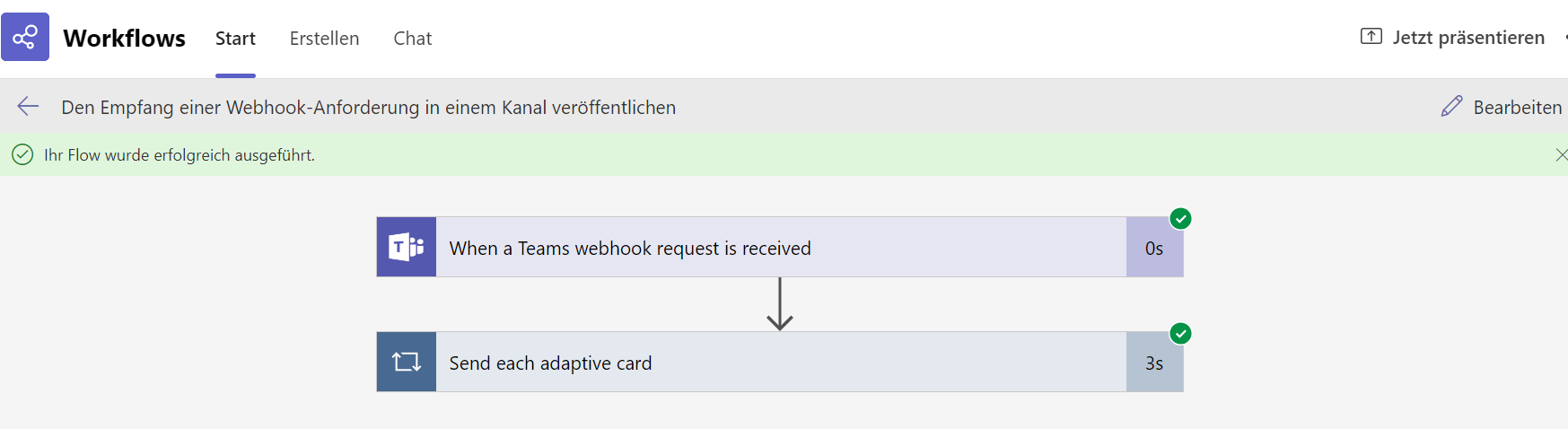
Also, I have tested the flow with the following restult:

The new Error I get in “Failed Notifications” on CheckMk is:

{“error”:{“code”:“WorkflowTriggerIsNotEnabled”,“message”:“Could not execute workflow ‘2794748f-f9e2-4c51-bb11-0a7b4e3383cc’ trigger ‘manual’ with state ‘Deleted’: trigger is not enabled.”}}

The Workflow is of course activ.

PS: per “curl” works the sending of POST perfectly, directly from the server.

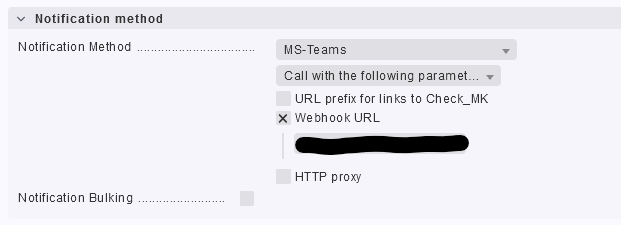
Also, the name of my Notification Method is MS-Teams and not Microsoft Teams as in the KB article suggested. All I can see is:

grafik

There is also no “Fake Check” but “Test Notifications” on our CheckMK Website.
Checkmk Enterprise Edition 2.3.0p18

You are using a custom plugin then, not the official shipped one.
Check your extension packages (MKPs) or look in the $OMD_ROOT/local/ structure.

“MSTeams-2.1.1.mkp” - is the name of the Plugin.
We definitely haven’t change anything regarding plugins.

That is the name of the custom extension package. This is not supported Checkmk sofware, but a third-party extension, for which only the respective maintainer can provide support.

on the https://exchange.checkmk.com/ Website, if I search for “Microsoft Teams” I get two results. I assume, these are not the official supported Plugins.
Where do I get/download the checkmk-Supported msteams plugin?

Things supported by Checkmk are built-in. And built-in functionality is - as the name suggests - already build into Checkmk, so no need to install anything. Just delete the MKP and use “Microsoft Teams” in the notification rule.
image

That’s a very goot point and information, Thank you.
Removing the MKP file enabled automatically the build-in Plugin.

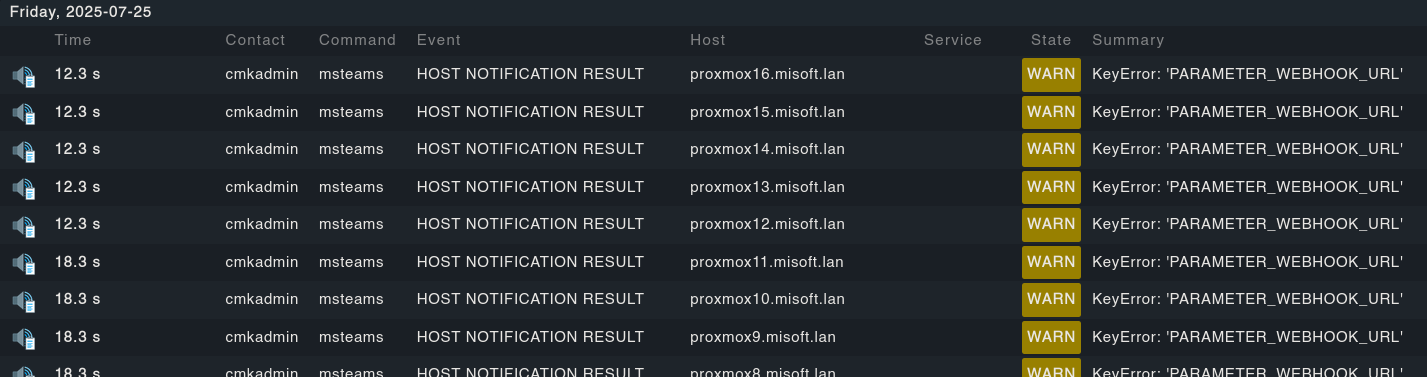
Now, with the build-in Plugin, I can the next error:

KeyError: ‘PARAMETER_WEBHOOK_URL’

Of course, the URL is a MS-Teams-Workflow URL. I’ll test further.

Blockquote
Traceback (most recent call last): – File “/omd/sites/MYSITE/share/check_mk/notifications/msteams”, line 13, in – sys.exit(main()) – ^^^^^^ – File “/omd/sites/MYSITE/lib/python3/cmk/notification_plugins/msteams.py”, line 187, in main – return process_by_status_code(post_request(_msteams_msg), 202) – ^^^^^^^^^^^^^^^^^^^^^^^^^^ – File “/omd/sites/MYSITE/lib/python3/cmk/notification_plugins/utils.py”, line 256, in post_request – url = retrieve_from_passwordstore(context[“PARAMETER_WEBHOOK_URL”]) – ~~~~~~~^^^^^^^^^^^^^^^^^^^^^^^^^ – KeyError: ‘PARAMETER_WEBHOOK_URL’

Anyone an idea why it isnt’t working?

I’ve tried to post an AdaptivCard on server via shell (debian) and it worked very well. Python Requests works great. I still get the error above

“KeyError: ‘PARAMETER_WEBHOOK_URL’”

The filed Webhook URL is of course filled with the right url…

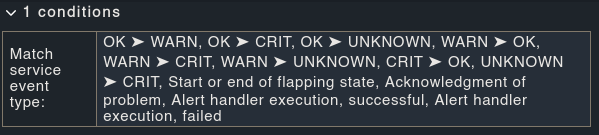
hmm, I am receiving the same error (KeyError: 'PARAMETER_WEBHOOK_URL') after enabling this condition:

image

the webhook url is set all the time:

image

The reason why i stumbled across this is that I do not want msteams to get the downtime notifications…

Any idea? What did you do to solve @Andrei ?

Surprinsingly, there is still not an Update regarding this issue comming from Checkmk Programmer-Team.

Yes, I got a workaround fix for this. You should act with care due to the fact that, by doing this, you can break something in the process.

Simply explained: you have to look on the server directly for the “PARAMETER_WEBHOOK_URL” (check the comment section in the failed notifications tab, it should be utils.py) and modify this to match exactly the Webhook URL.

before:
grafik
after:
grafik

Hope it helps

1 Like

Yep, this fixes the problem for me too! Thanks! Would love to see this fixed @robin.gierse :stuck_out_tongue_winking_eye:

  1. Did you re-create your notification rules, of did you keep using the one created with the MKP? Try a fresh an new rule.
  2. Which Checkmk version are you on? Make sure, it is at least the latest patch release.
  3. After double-checking the above, if possible open a support ticket, so we can dig deeper into the matter.