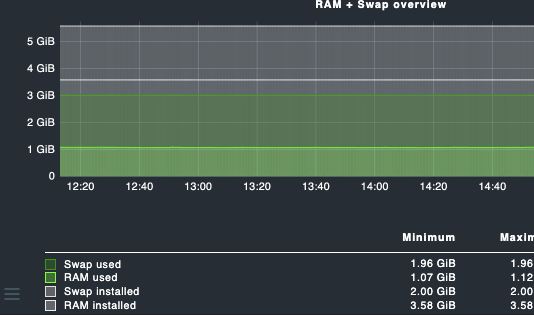
I have also been struggling to combine output into a single graph.
Having looked at your example, and what i had found on my own i am (most likely) still missing something important.
so real example of the output (in this case a datasource program):
<<<local>>>
P active_tariff tariff=1;;;;; Current Tariff:1
P active_power_w watt=1812.0;2100;2200;2300;0;2500 Current Watts:1812.0
P active_power_l1_w watt=346.0;2100;2200;2300;0;2500 Current Watts:346.0
P active_power_l2_w watt=1290.0;2100;2200;2300;0;2500 Current Watts:1290.0
P active_power_l3_w watt=186.0;2100;2200;2300;0;2500 Current Watts:186.0
P active_voltage_l1_v volt=229.5;252;253;260;0;300 Current Volts:229.5
P active_voltage_l2_v volt=222.5;252;253;260;0;300 Current Volts:222.5
P active_voltage_l3_v volt=230.0;252;253;260;0;300 Current Volts:230.0
P active_current_a amps=8.114;8;10;15;0;20 Current Amps:8.114
P active_current_l1_a amps=1.508;8;10;15;0;20 Current Amps:1.508
P active_current_l2_a amps=5.798;8;10;15;0;20 Current Amps:5.798
P active_current_l3_a amps=0.809;8;10;15;0;20 Current Amps:0.809
With what i found, and read on this this topic i created the following metric file, and placed it accordingly in ~/local/share/check_mk/web/plugins/metrics/my metrics-file.py and made it executable.
#!/usr/bin/env python3
#
# This file is for combining metrics of a P1 Meter from https://www.homewizard.com/ in Checkmk (https://checkmk.com).
#

from cmk.gui.i18n import _
from cmk.gui.plugins.metrics.utils import graph_info, metric_info

# .
#   .--Metrics-------------------------------------------------------------.
#   |                   __  __      _        _                             |
#   |                  |  \/  | ___| |_ _ __(_) ___ ___                    |
#   |                  | |\/| |/ _ \ __| '__| |/ __/ __|                   |
#   |                  | |  | |  __/ |_| |  | | (__\__ \                   |
#   |                  |_|  |_|\___|\__|_|  |_|\___|___/                   |
#   |                                                                      |
#   +----------------------------------------------------------------------+
#   |  Definitions of metrics                                              |
#   '----------------------------------------------------------------------'

# Title are always lower case - except the first character!
# Colors: See indexed_color() in cmk/gui/plugins/metrics/utils.py

metric_info["active_power_w"] = {
    "title": _("Total active power"),
    "unit": "w",
    "color": "31/a",
}

metric_info["active_power_l1_w"] = {
    "title": _("Active power phase 1"),
    "unit": "w",
    "color": "#40a0b0",
}

metric_info["active_power_l2_w"] = {
    "title": _("Active power phase 2"),
    "unit": "w",
    "color": "#ff6000",
}

metric_info["active_power_l3_w"] = {
    "title": _("Active power phase 3"),
    "unit": "w",
    "color": "43/a",
}

# .
#   .--Graphs--------------------------------------------------------------.
#   |                    ____                 _                            |
#   |                   / ___|_ __ __ _ _ __ | |__  ___                    |
#   |                  | |  _| '__/ _` | '_ \| '_ \/ __|                   |
#   |                  | |_| | | | (_| | |_) | | | \__ \                   |
#   |                   \____|_|  \__,_| .__/|_| |_|___/                   |
#   |                                  |_|                                 |
#   +----------------------------------------------------------------------+
#   |  Definitions of time series graphs                                   |
#   '----------------------------------------------------------------------'

graph_info["p1_power"] = {
    "title": _("P1 power"),
    "metrics": [
        ("active_power_w", "stack"),
        ("active_power_l1_w", "stack"),
        ("active_power_l2_w", "stack"),
        ("active_power_l3_w", "stack"),
    ],
}
It is my goal to group Watts, Volts and Amps into their own (combined) graph.
Unfortunately i have not been able to achieve it till now.
Any help as to what i am missing due to lack of knowledge is highly appreciated