i saw this tool online in the checkmk conference and i tried to install it on the 2.5 raw version.
i downloaded it from the marked place and enabled it from the cli+did the configuration.
My problem: if i read the wiki correct their should be a new item topology or network topology but that shows nowhere?
is the plugin not correctly installed then?
Another problem:
when i selected the defaults the ntdct service allways said 0 neighbours found and 0 lldp found but when i looked at the inventory there were all the cdp and lldp neighbours?
When i selected checkmk integration and gave it a service name cdp then it found cdp and lldp values?
But the main problem is i am unable to view the topology as that item seems to be missing in the Gui?
thanks in advance and that plugin seems to be excellent, so big thanks to the creator
the hosts with CDP neighbors have the correct host lables
The item will show only if there is a topology file on the Checkmk site from where you are trying to view it. You can check as site user on the CLI if there is a file under
~/var/check_mk/topology/data/
There should be a directory with the topology (*.json) in it and a default symlink to this directory
~$ cd ~/var/check_mk/topology/data/
~/var/check_mk/topology/data$ ls
default@  nvdct/
~/var/check_mk/topology/data$ ls nvdct/
data_L2_CDP.json  parsed_L2_CDP
~/var/check_mk/topology/data$ ls default/
data_L2_CDP.json  parsed_L2_CDP
If Checkmk has found this directory, there schould also be a parsed_* file in it.
If you are using the Active Check you might also lower the Refresh Time while testing.
1.Harware inventory is enabled
2. Checkmk has found CDP neighbors, visible in the inventory and the nvdct service
NVDCT Open the action menu Time taken: 11 seconds, Last run at: 2026-06-21 14:52:26, Objects: 371, Connections: 377, Layer(s): CDP,LLDP
3 the topolgy files are present and have content
OMD[site]:~/var/check_mk/topology/data$ ls nvdct/
data_L2_CDP.json data_L2_LLDP.json
I am not sure what you mean by the hosts with CDP neighbors have the correct host lables
i gave the switches the same name as their system name.
when i do a service discovery on the host it displays host labels
Active
cmk/device_type:switch
cmk/has_cdp_neighbors:yes
cmk/has_lldp_neighbors:yes
cmk/l3v4_topology:multihomed
But do i have to create host labels manually ? I did not find that in the manual?
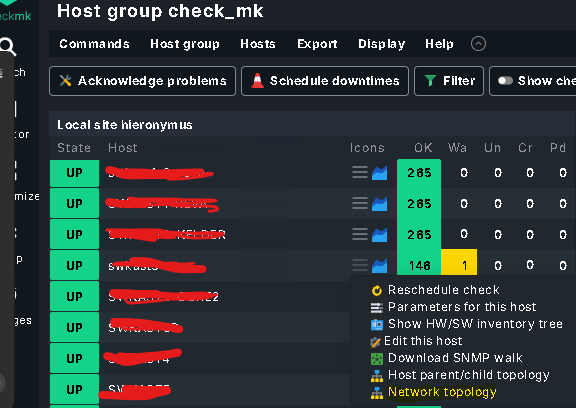
Update: i have found the network topology icon now but not where it was on the documentation that i have found, that said it should be visible in monitor and then network topology. On the host i probably had to wait a litte longer.
Still on question
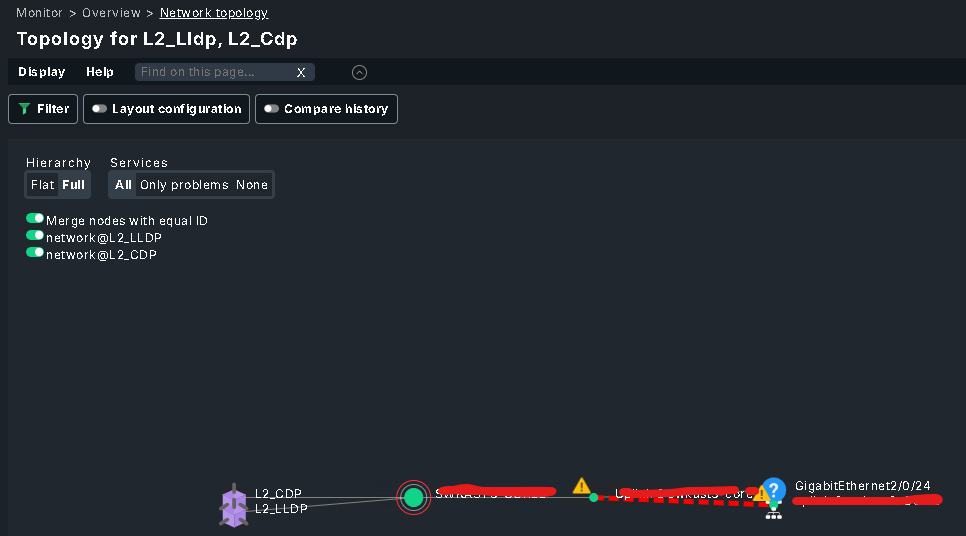
when i click on the host and topology it shows me the data which is excellen, but how do i view the whole network topology? Or is there a good manual that i am missing, i wil explore further and maybe i will find out myself
I found it in the monitor view, on every host i can click the multiple stripes icon and select Network Topology. A search at montor or setup for Network Topology returns nothing
An then i get a topoloy for what is directly connected to that switch which is correct for every switch i select, but unable to find a global overview for multiple switches
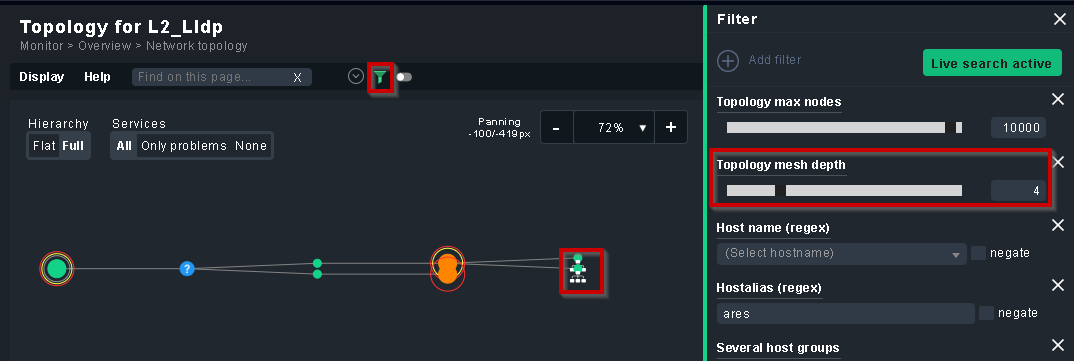
In the topology just click the green filter icon, with the “Topology mesh depth” you can expand the topology view. You can also click on the icons with the “expand” symbol.