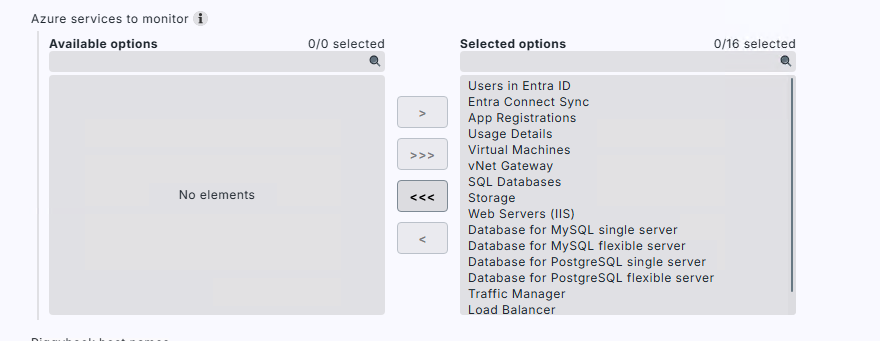
There is the option when setting up Azure with the new 2.5 version plugin to NOT automatically create VMs? There is no option to not ‘Map data directly to the VM’ in this version it seems?
When migrating across my old Azure subscriptions I don’t want to create all the VMs a second time?
Or do I simply just not include VMs in the list of available services?
Also does the new plugin include monitoring for Azure site recovery monitoring of health or backups?
Also when I come to migrating my live data I want to still be able to pull down Azure labels, but I don’t want duplicate VMs being created - so I presume I still need to enable Virtual Machines in the selection.
So the question is how do I prevent duplicates being created?
Special agent v2 in Checkmk 2.5 always creates one piggyback host per Azure resource, so VMs always get their own host.
Keep Virtual Machines selected under Azure services to monitor.
VMs won’t be duplicated by default. V2 keeps VM piggyback hosts at their original Azure name, controlled by Piggyback host names → Exclude VMs from unique piggyback host names, which is enabled by default.
If your existing hosts carry exactly the Azure VM names (case-sensitive), the v2 data lands on those same hosts and no new VM hosts are created.
The check parameter rulesets for the VM services are new in v2, so any thresholds you configured for the old VM services need to be recreated in the v2 rulesets.
Resource groups and other resources work differently than VMs. Unique host names are enabled by default for them, e.g. azr_rg_myresourcegroup_3f40ba0d. You can disable unique host name computation to keep plain names. Only do that if no names collide across the subscriptions you’re consolidating, and decide before going live, because changing it later renames all piggyback hosts.
Important: Monitoring history for non-VM resources isn’t carried over. In v1 they were services on the resource group host; in v2 each resource becomes its own new piggyback host.
Labels: Azure tags from subscriptions, resource groups and resources are imported as host labels by default, in the format cmk/azure/tag/{key}:{value}. You can filter them by key pattern or turn the import off under Filter Azure tags imported as host/service labels.