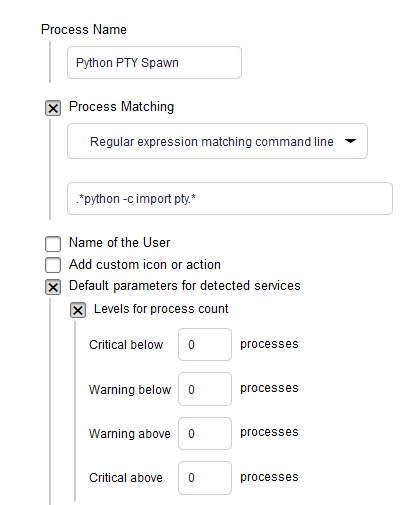
So I’d like to monitor servers of Linux type to see whether they have a process that ressembles
python -c import pty; pty.spawn(“anything”). This is to see whether a reverse shell is being launched by python to detect a possible penetration. If it’s detected, send an alert and also kill the process.
Set “Warning above” to 0 and “Critical above” to 100. Then it will become WARN if there are more than 0 processes and CRIT if there are more than 100 (which is unlikely).
Leave the “below” settings at 0.
Hi,
have you setup the “Manual Check” -> “State and count of processes” for this or the “Process Discovery”? To get informed immediately when the process is launched, you have to use the “Manual Check”.
Thank you both! I actually left all 4 levels at 0 because I want it to be CRIT as soon as one single process is found.
The ps discovery is what I’m looking for to detect it and send standard alerts. I also created a notification rule that sends this notification to a specific destination with a custom message in it due to its high priority nature.
Tried to associate it to the notification rule is using the service name. But I’m still confused if the “Process name” in the rule definition actually maps to the “Service name” in the notification matching section as I chose to “Match only the following services”.
Quite interesting! Using the manual check per Karl’s instruction, when I run a script that mimics the process, it shows on the console as CRIT but no notifications sent, standard nor custom. I have it on a 24x7 time period. It also confirms the service contacts but none got it.
I’ve been able to get things monitored as wanted per your help.
The ony thing left is whether it’s possible to tell the agent to kill the process if found.
This would require an alert handler. See the manual for more information. But note that “Alert handlers are only available in the Checkmk Enterprise Editions”
Personally, I wouldn’t dare to handle this automatically. And even if, I’d look for a local solution, not via Checkmk.