Non-deterministic notifications

CMK version: 2.2.0p24
OS version: Debian 12

Hi,

Let me ommit "cmk --debug -vvn hostname” and just describe my issue.

I’ve set up a rule, that applies label “notify:admin-linux-it” to all hosts and services in “Linux” folder.
When I go to " Monitor > Overview > Service search" and filter services with this label I see all of them listed. So far, so good.

Then I created a notification rule: when service has “notify:admin-linux-it” label send a Slack message to contact group. This also worked as expected. Till today.

And now the issue:
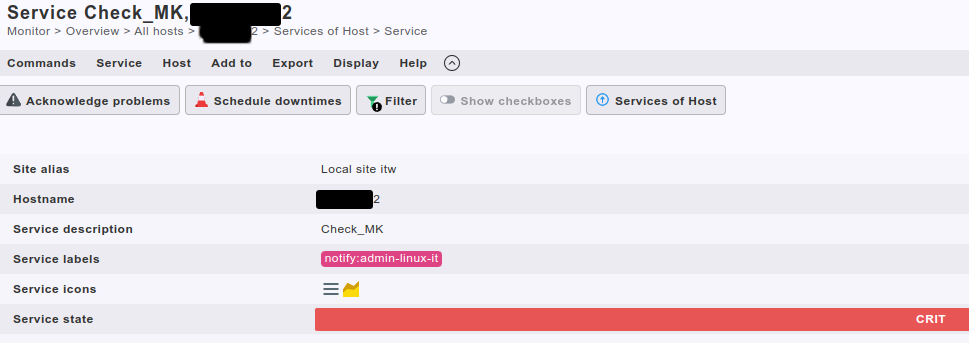
There is built-in check called “Check_MK” - it has the mentioned label as it should, but when it goes CRIT non of the rules match and notify.log says “No rule matched, notifying fallback contacts” and sends an email.

However, two other services I’ve tested (Memory and custom MRPE check) matched the label rule and sends notifications to Slack.

2024-06-03 15:51:02,438 [20] [cmk.base.notify] Global rule 'Slack (services): admin-linux-it'...
2024-06-03 15:51:02,439 [20] [cmk.base.notify]  -> matches!
2024-06-03 15:51:02,439 [20] [cmk.base.notify]    - adding notification of user1, user2 via slack

My questions are:

  • is “Check_MK” a kind of special service that will not match any rules?
  • are there other services that will not match notifications rules when they should?
  • how to check if all of my services will send notifications as expected (somewhat smarter that “fake test restuts” for ~600 checks)

Regards
Alex

Hi Alex,

  • is “Check_MK” a kind of special service that will not match any rules?

No

  • are there other services that will not match notifications rules when they should?

No

  • how to check if all of my services will send notifications as expected (somewhat smarter that “fake test restuts” for ~600 checks)

Update to checkmk 2.3, there is a new test dialog for testing Notifications.

To analyze your problem, recreate a problem with the checkmk service and post the correspondig notify.log entry for that notification.

1 Like

Hi @aeckstein

Thanks for quick answer :slight_smile:

Update to checkmk 2.3, there is a new test dialog for testing Notifications.

That’s my plan, but it won’t happen quick.

To analyze your problem, recreate a problem with the checkmk service and post the correspondig notify.log entry for that notification.

I’m attaching screens and notify logs for two services

  • Check_MK ← this falls back to last resort email (01-problematic)
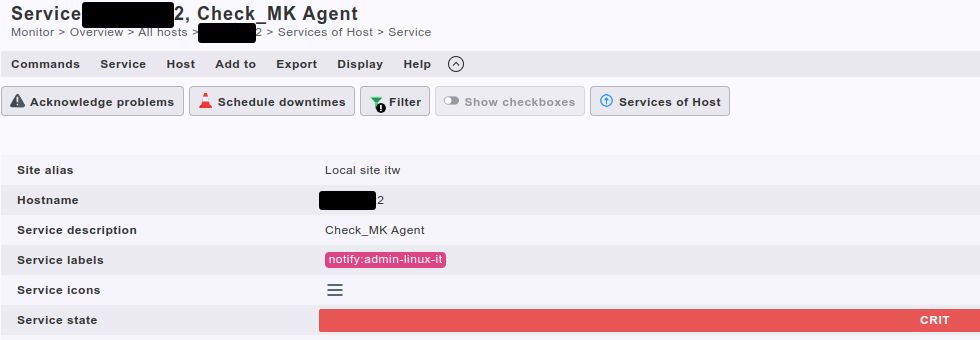
  • Check_MK_Agent ← this works as expected (02-ok)

01-problematic-service-label.png
01-problematic-service-analysis.png
01-problematic-service-notify-log.txt (2.5 KB)

02-ok-service-analysis.png
02-ok-service-label.png
02-ok-service-notify-log.txt (2.5 KB)

After I send previous post I spotted that “problematic” service does not pass the label to notification rules

The service labels {'notify': 'admin-xxx'} did not match {}

While the “ok” service passes it correctly

The service labels {'notify': 'admin-xxx'} did not match {'notify': 'admin-linux-it'}

However, screen says that label is assigned to “problematic” one and, as I mentioned before, it appears on the search list for this label.

I think it may be a bug in checkmk somewhere, but I’m not sure how to prove it.

Can you try to recreate that in an empty site with checkmk 2.3p4 ?

Yeah, but this won’t happen soon :frowning_face:

@aeckstein upgraded to 2.3.0p11, created new host with one service (check ssh)
issue stays the same

service got label, it is searchable by this label - it does not pass the label to notifcation

2024-07-31 15:06:08,756 [20] [cmk.base.notify] Analysing notification (xxxxxxxx_ext;SSH) context with 78 variables
(...)
2024-07-31 15:06:08,757 [15] [cmk.base.notify] Global rule 'Slack (services): logger-admin-linux-it'...
2024-07-31 15:06:08,757 [15] [cmk.base.notify]  -> does not match: The service labels {'notify': 'admin-linux-it'} did not match {}
(...)

It sends the fallback email at the end but I would like to get it work correctly.

BTW - “Test notification” show expected result:

Any tips how to troubleshoot it further?

This topic was automatically closed 365 days after the last reply. New replies are no longer allowed. Contact an admin if you think this should be re-opened.