23-12-06 06:56:52,645 [20] [cmk.base.notify] Got raw notification (server.local;Interface 3) context with 52 variables
2023-12-06 06:56:52,647 [20] [cmk.base.notify] Global rule ‘Notify all contacts of a host/service via HTML email’…
2023-12-06 06:56:52,647 [20] [cmk.base.notify] → matches!
2023-12-06 06:56:52,647 [20] [cmk.base.notify] 1 rules matched, but no notification has been created.
I have set up a contact group, service group and notifications, but don’t get notifications. I tested the mail system with “echo test | mail -s test email@address.com” that works.
my collegue was already working with the checkmk system, probably he did something wrong. can you help to find out what the problem is ?
is your user a contact of the object in question?
does your user have an e-mail address?
can you make sure that your user does not have “notifications disabled”?
rarely:
if this is an older installation, make sure you don’t have an old (breaking!) configuration in your ~/etc/check_mk/conf.d/wato/contacts.mk → 'disable_notifications': False will break the notification processing
sed -i -e "s/'disable_notifications': False/'disable_notifications': {}/g" /omd/sites/${OMD_SITE}/etc/check_mk/conf.d/wato/contacts.mk
In that file there are all contact groups, cmkadmin has a ‘notifications_enabled’ : False, my user has disable_notifications’: {}. so looks as intended as the cmkadmin should not get notifications.
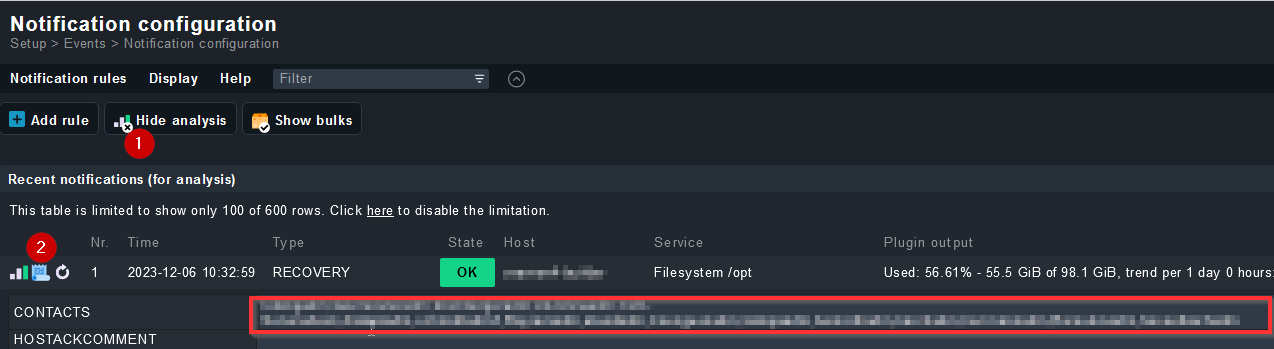
can you confirm that your user is in the contact list for that host? See my screenshot for the notification context - it can be opened using the scripture/document icon.
ok - then something is not working with your assignment of the host/service to the contact group.
Check your rules in “Assignment of hosts to contact groups” (and if you need exceptions for services, also “Assignment of services to contact groups”)
You can also assign contactgroups to folders directly, I usually suggest against that, as it is less flexibel and harder to keep an overview, then when you have only rules. Especially when you start to mix assignments, it can get messy.
This topic was automatically closed 365 days after the last reply. New replies are no longer allowed. Contact an admin if you think this should be re-opened.