Notification when a specific Windows service is stopped—how do I configure this correctly?
1 Like
You can use Embedded Service to monitor specific windows service. The description of this service can be filterred in the notification rule.
Short Guide: Configuring Windows Service Monitoring in Checkmk
- Discover Windows Services
Use the “Windows service discovery” rule to identify the desired Windows Services on your host. - Configure Service States
Go to Setup > Services > Windows Services and define which Windows Service states should result in which Checkmk states:
- Set Up Notifications
Specify for each service who should be notified and under which conditions when a particular state occurs.
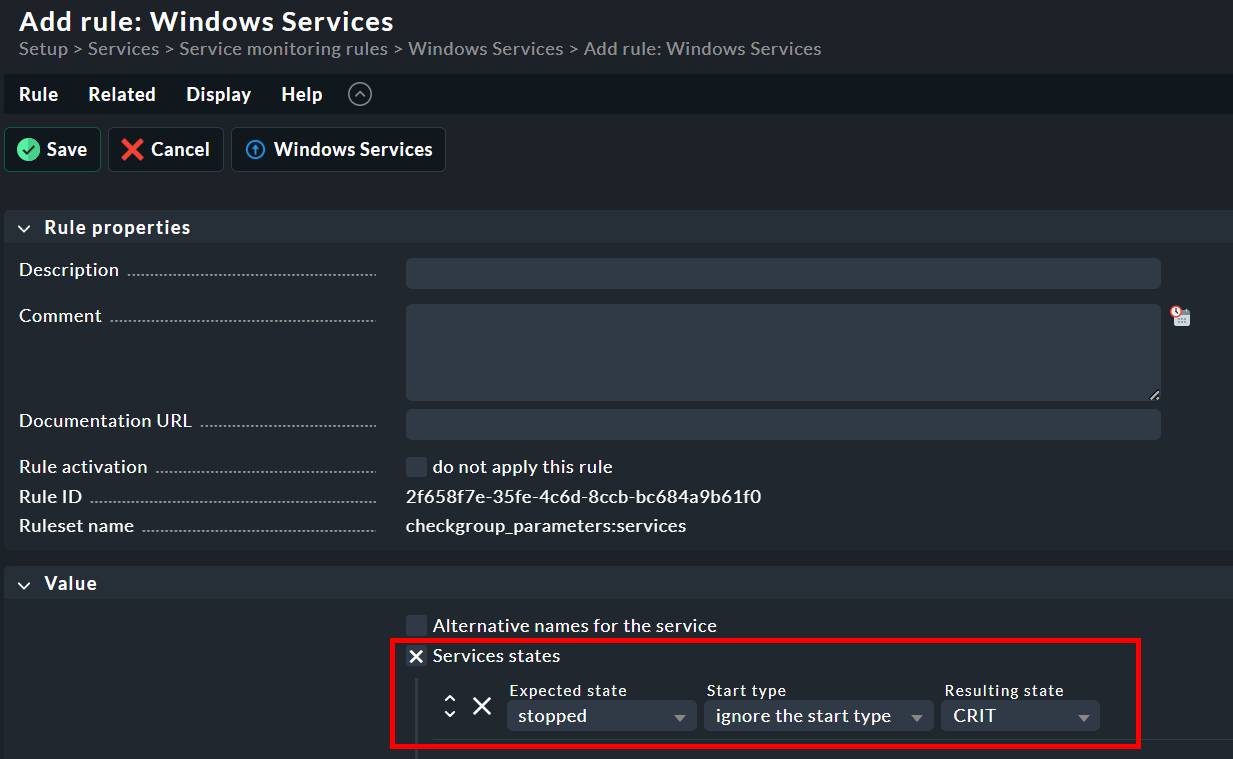
And here the video from Checkmk:
1 Like
I’ve already done that. But I don’t know how to set up the notification correctly so that the email only comes for a specific service instead of for all of them.
I assume you are using the generic “Service Summary” check (check_mk-services_summary ) instead of the individual “Service” check (check_mk-services ), which monitors only the specific Windows service.
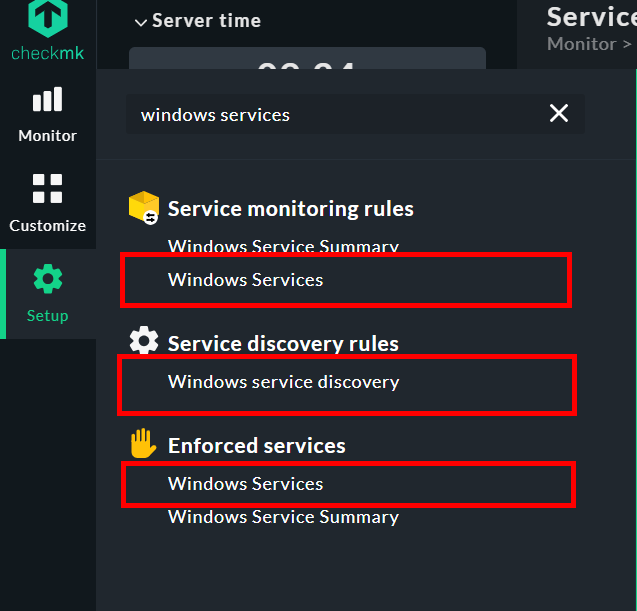
Use the service discovery rule to add the individual Windows service, which creates the check only if the service is detected on the host. Then, use the service monitoring rule to define the corresponding thresholds. Alternatively, you can use an enforced service rule , which adds the service and its thresholds in a single step—even if the service is not currently running on the host.
1 Like
Thank you very much!