**CMK version: 2.2.0p17.cce
**OS version: ubuntu 22.0
**Error message: Unhandled exception: [Errno 2] No such file or directory: ‘/usr/sbin/sendmail’
Output of “cmk --debug -vvn hostname”: (If it is a problem with checks or plugins)
**CMK version: 2.2.0p17.cce
**OS version: ubuntu 22.0
**Error message: Unhandled exception: [Errno 2] No such file or directory: ‘/usr/sbin/sendmail’
Output of “cmk --debug -vvn hostname”: (If it is a problem with checks or plugins)
Hi,
Is email set up on the Linux?
Yes, the Email setup is done. I receive SMTP emails but often the service notification are sent with asciimail method instead of mail, which will fail to send a notification. how to completely stop assicmail method?
Also, when I run facke check command, it doesn’t sends out any notification.
“Fake Check Command” always set a Softstate. Depend on your check intervall setup you need to Fake the Check for more than 1 time to set the Hard State for Notifications.
When working on Notifications it is always good to tail the notify.log in “/opt/omd/sites/
/var/log/notify.log”. This is always a good starting point to analyse notification rulsets.
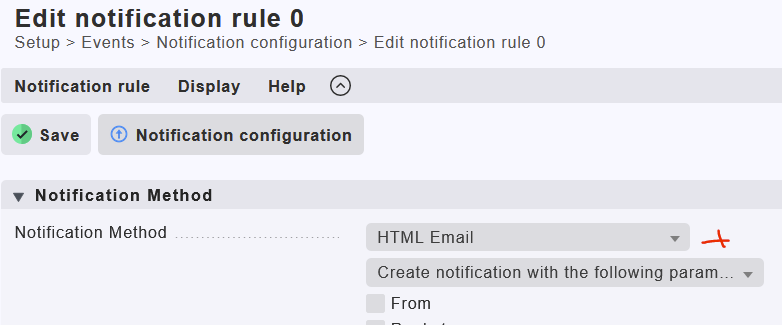
I tested the Fake Check…on my site an HTML Email is always send when this option is set to HTML…here also ASCII is possible.
This clearly states, that no postfix compatible MTA is installed on the Checkmk server.
Oliver already pointed towards the official guide.
@Nagesh.n have you followed section 3.2 and verified the test mentioned on the bottom of the chapter? HTML mail notifications work, because you configured “Synchronous delivery”, which sends mail directly from Checkmk bypassing the local MTA.
This topic was automatically closed 365 days after the last reply. New replies are no longer allowed. Contact an admin if you think this should be re-opened.