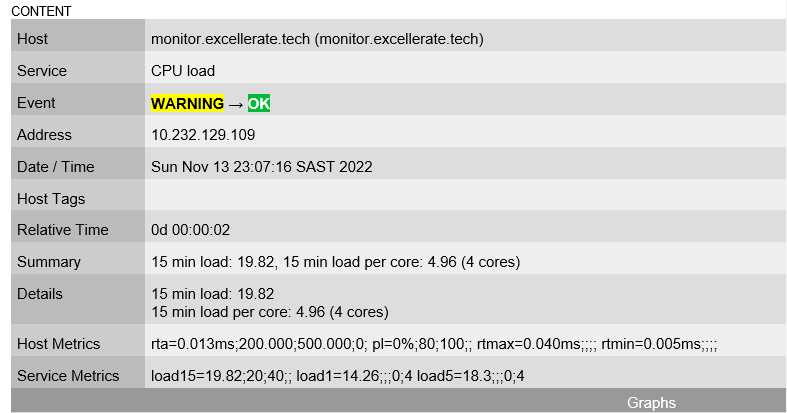
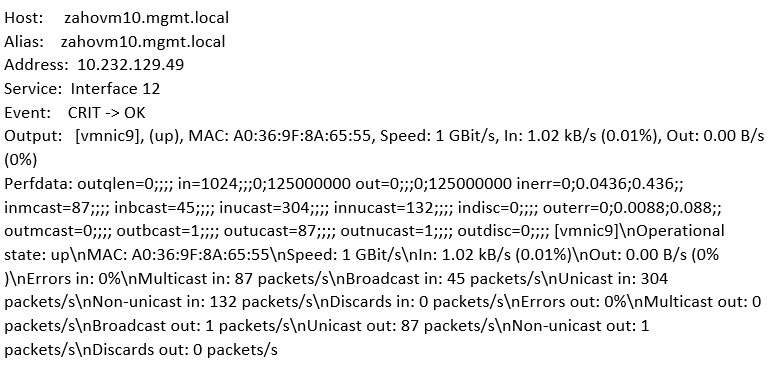
I need assistance to setup notification on specific components only.
CPU, RAM and HDD Usage only.
Currently I am getting emails on almost every monitoring agent.
Sorry. I am very new to CheckMK and went through some manuals as I’ve inherited this role from the previous Engineer.
Generally speaking, you can set up notification for anything and everything, so also for state changes on specific state changes e.g. for CPU load only.
Also, make sure that you configure your fallback email address (global settings) correctly, if not you run into this problem: Notifications based on particular sensors
I have tags enabled, but one issue I picked up was that I am receiving 2 sets of email alerts which is bombarding my mailbox.
Please see my initial setup and global setup. The emails I am receiving is not even setup in the CheckMK site level.
I Have now made some changes on the global settings to see if it makes a difference, so now I replicated the changes as per the first screenshot and the emails are still coming through at least 4 - 6 emails every minute. Is there another place where I can set this to ONLY send email based on the 3 sensors I need to report on?
CPU
HDD
RAM
This topic was automatically closed 365 days after the last reply. New replies are no longer allowed. Contact an admin if you think this should be re-opened.