We have configured chrony on our linux systems with 3 server in che chrony.conf file:
server ntp1.example.it iburst
server ntp2.example.it iburst
server ntp3.example.it iburst
Since the chronyd daemon independently selects the server from which to synchronize, checkmk detects, for each server in the configuration, how much time has passed since the last synchronization with that specific server. It’s honestly not useful information and it sounds like the server isn’t synchronizing when it actually is.
We often receive messages similar to this one from checkmk:
Summary Offset: 0.1674 ms, Stratum: 2, Time since last sync: 45 minutes 29 seconds (warn/crit at 45 minutes 0 seconds/1 hour 15 minutes)WARN
We do not consider this type of information useful as it refers to each individual server present in the chrony.conf configuration file and not to the simple NTP service.
In short, we don’t care if it hasn’t synchronized for a certain time, but if the server is synchronized and that’s it.
How can we eliminate these reports and instead have an alert if the server is unable to synchronize with any of the servers present in the configuration file?
Thank You
Hi @ranton,
welcome to the Checkmk forum!
You can configure a rule to adjust the default value. Just click on the action menu of the service and choose “Parameters for this service”. There you will find a rule for “State of NTP time synchronization”. Just adjust it like you need it.
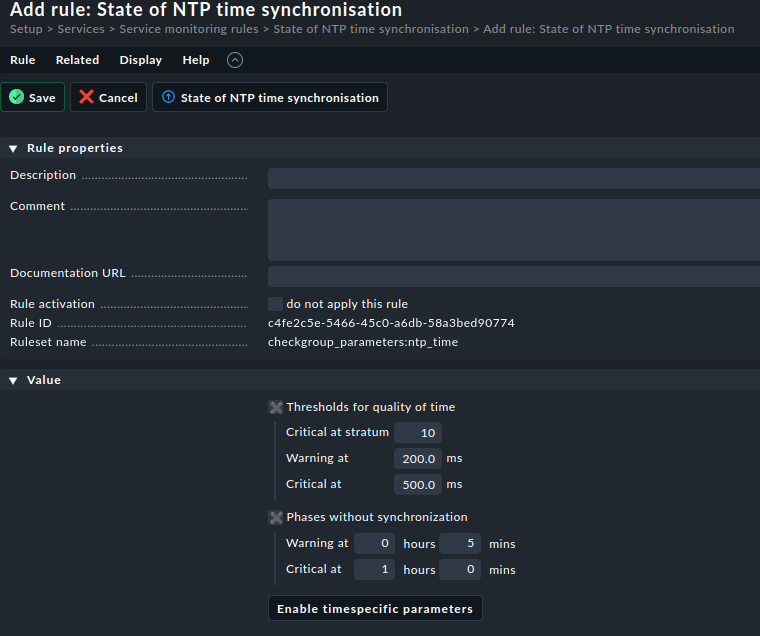
Technically, the time since last sync is the indicator of not being synced anymore. If your synchronization failed for some reason, the time since last sync shows you this, and you should look into the issue.
Best regards
Norm
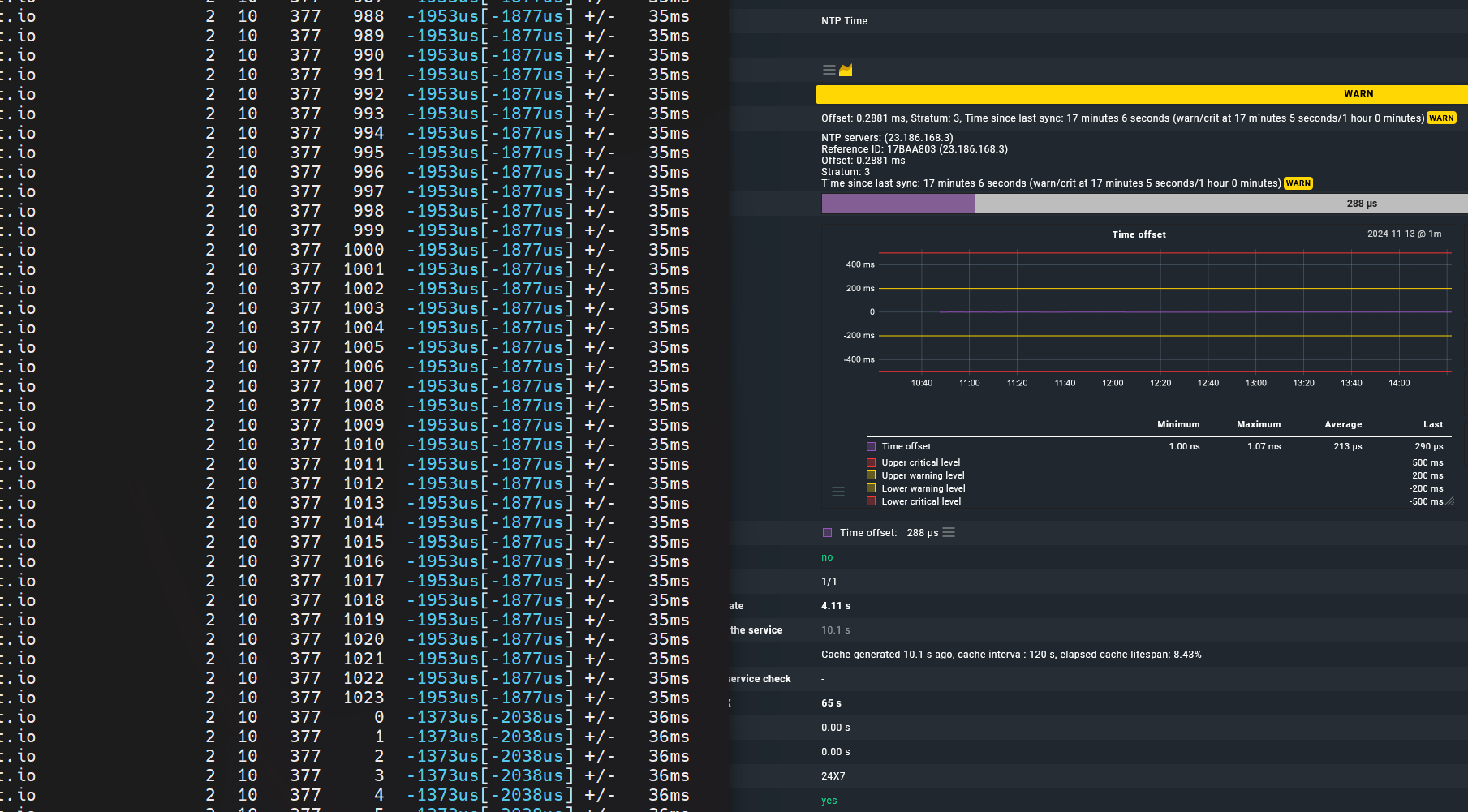
I’m running into the same issue. I think it’s a timing issue between the client and the default CheckMK service check timer.
Shown below, using a simple for loop to look at chrony sources, and showing only the active time source, as soon as LastRX hit 1023 + 2 seconds, the service turned yellow. I wouldn’t go exact on the seconds due to browser refresh time, etc. But there is a timing issue going on.
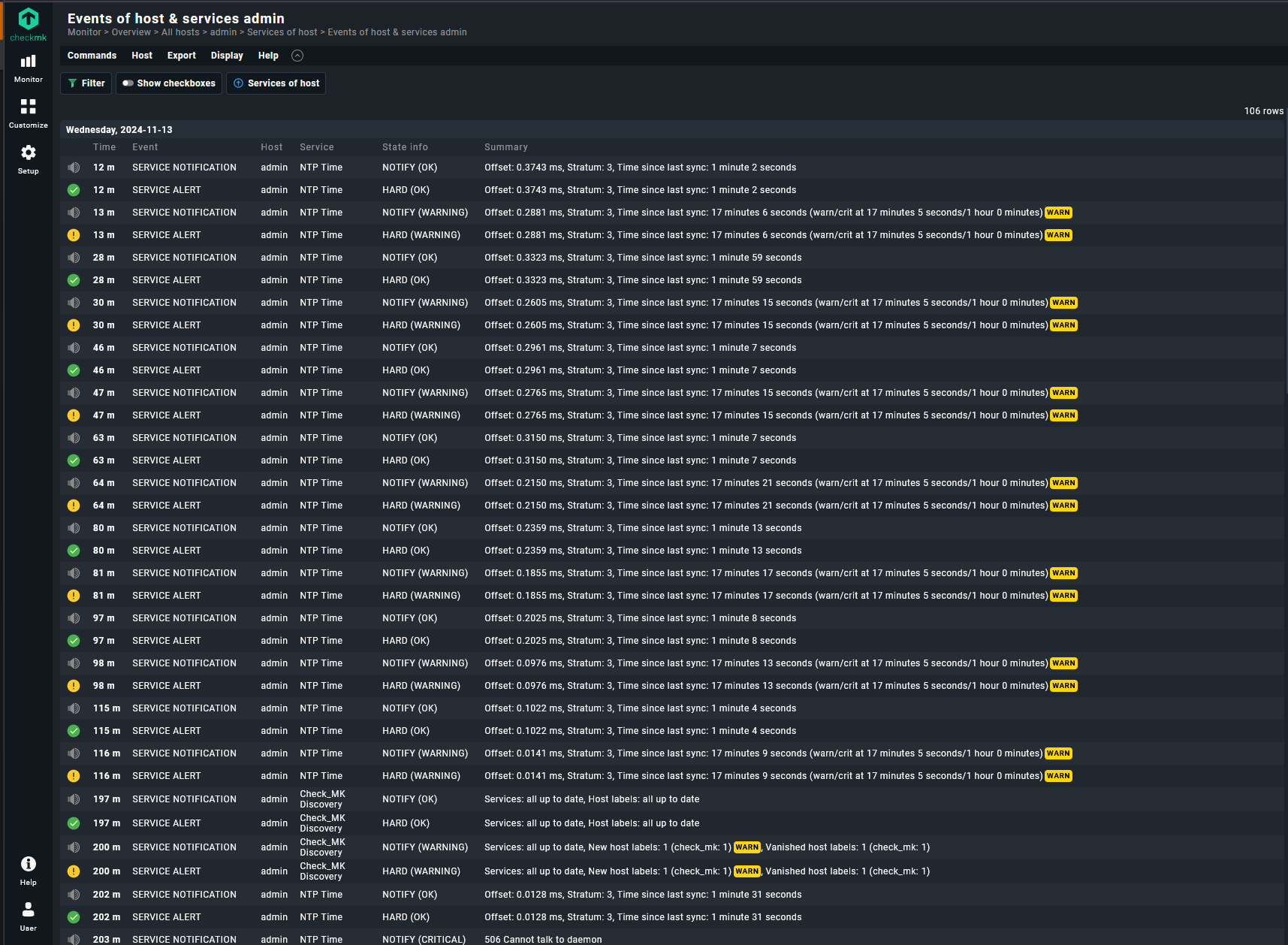
As you can see in the screenshot below, it’s triggering pretty frequently.
Just applied Norm’s suggestion, hopefully that solves it for me.
This topic was automatically closed 365 days after the last reply. New replies are no longer allowed. Contact an admin if you think this should be re-opened.