Error message:
‘oracle_logswitches’: Found error in agent output "ORA-01017
‘oracle_version’: Found error in agent output "ORA-01017
For what I’ve seen this is a invalid credentials error but my client made an account specificly to test it out and I continue to have the same error, do I need to configure something else in checkMK or in Oracle that is not giving me acess to it?
if i understand you correct, you are using the agent bakery to provide the mk_oracle plugin to your servers?
Can you please check on the command line if your credentials are right by running MK_CONFDIR=/etc/check_mk/ /usr/lib/check_mk_agent/plugins/mk_oracle -t as root?
The file /etc/check_mk/mk_oracle.cfg should contain a line like DBUSER='<user>:<password>::<dbhost>:<listenerport>' with username and password your client provided you with. dbhost and listener port seems correct otherwise you would get another ORA-Error.
Be patient with the output, it will contain the user and password to login.
I must have done something wrong or something is not correct in checkmk, but I don’t have those files mk_oracle.cfg or the /usr/lib/check_mk_agent/plugins/mk_oracle
How do you like to monitor the client database? Directly from the database host or as remote database? Both is possible with the plugin.
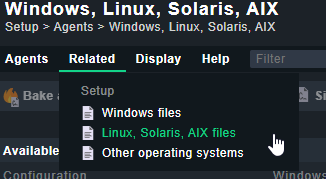
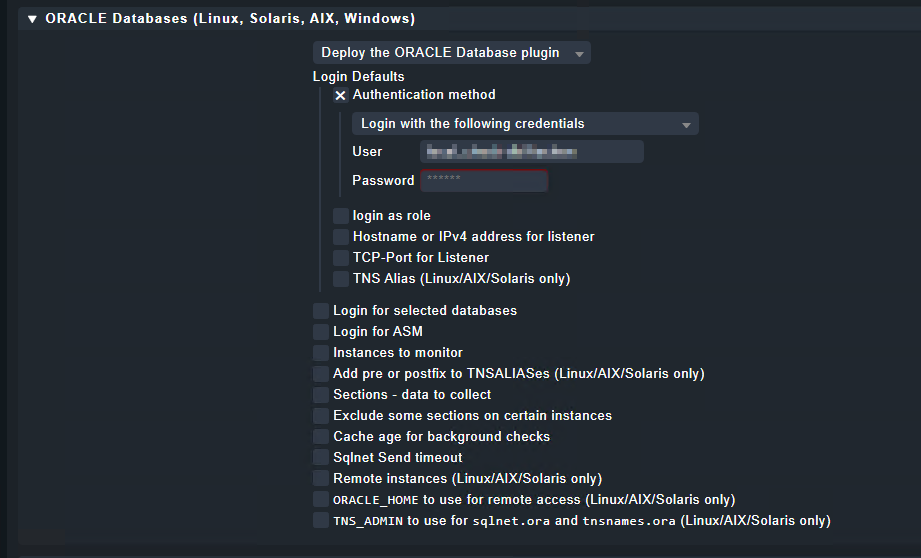
If you like to monitor it from the database host you need the mentioned files on the host either manually deployed or via agent bakery. For the agent bakery you need the rule ORACLE Databases (Linux, Solaris, AIX) under Agent Plugins configured to the database host. This will generate the mk_oracle.cfg specific for this host and it’s databases and bake it to the installation file for the host. If you like to deploy these files manually you can take the sample from the sample files page: Setup → Linux, Solaris, AIX files
What have you already configured? Something is there already otherwise you won’t get this ORA message.
This is all I have “configured” in the rule, but I’m not able to find those files using ssh to access the machine. Are they somewhere else or when this happens I have to make them manually?
Ah okay. On Windows the directories are surely different
You will find the files i mentioned on the Windows host. The cfg file (mk_oracle_cfg.ps1) at the agent directory and the plugin in plugins directory (e.g.: C:\ProgramData\checkmk\agent\plugins\mk_oracle.ps1).
The mentioned config file should contain something like $DBUSER=@("user", "password", "role", "host", "listenerport").
Ok it seems like this error was giving me from the old checkmk script we had.
This new one nothing gets created. What do I have to manually change in the script in order to work?
This topic was automatically closed 365 days after the last reply. New replies are no longer allowed. Contact an admin if you think this should be re-opened.